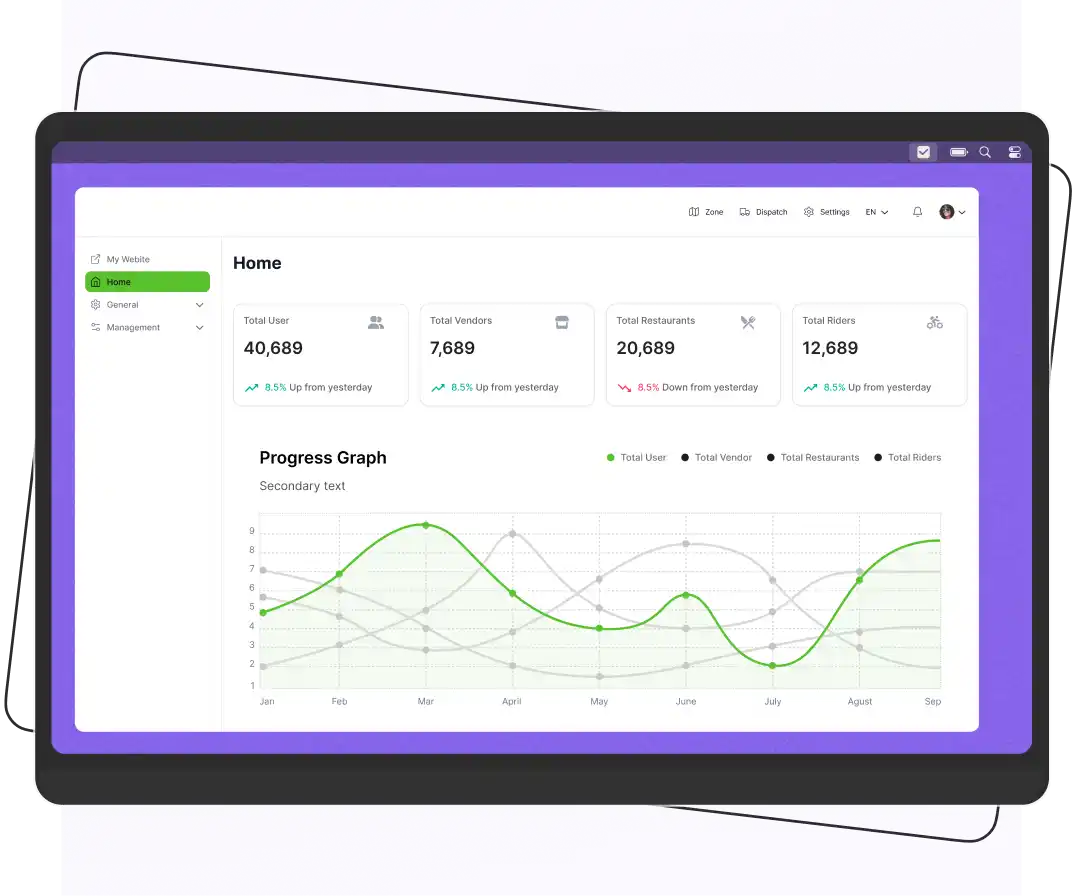


A multi-vendor marketplace platform is software that allows multiple independent sellers to list and sell products or services on a single website. The platform owner manages the tech, payments, and rules, while sellers handle their own inventory and fulfillment.
The best platform depends on your business model and technical requirements. For example, Dokan is designed for WooCommerce-based marketplaces, Sharetribe is suited to no-code marketplace businesses, Yo!Kart is a ready-made marketplace solution, Spree Commerce is an open-source option for developers, and Enatega is focused on food delivery and delivery-based marketplaces.
Choosing the right multi-vendor marketplace software can determine how easily you onboard sellers, manage commissions, process orders, and scale your marketplace. However, every platform takes a different approach to pricing, customization, integrations, and technical requirements.
We gathered 16+ multi-vendor marketplace platforms based on their features, pricing, ideal use cases, and flexibility. The list includes SaaS solutions, open-source platforms, WooCommerce and Magento extensions, Shopify apps, and ready-made marketplace software.
According to Statista, over 50% of online sales come from marketplace platforms.
Businesses adopting these models experience faster scalability and 30% higher revenue growth.
If you’re launching a product marketplace, service marketplace, food delivery platform, or B2B marketplace, the list below can help you narrow down the options and choose a solution that fits your business model.
What is a Multi Vendor Marketplace Platform?
It is an online platform. It helps multiple independent vendors to sell their services or products online. The multivendor marketplace platforms are like a shopping mall with various stores. These platforms offer variety, convenience, and competition. Amazon, AliExpress, Flipkart, Etsy, and eBay are well-known examples of multi-vendor eCommerce marketplaces.
The main purpose of the multi-vendor marketplace platform is to:
- Increase sales and revenue
- Manage all the tasks properly
- Help you manage a large number of buyers and vendors
- Help in keeping track of earnings and expenditures
- Promote transactions between the owner and buyers
- Help vendors get exposure for their products to a larger audience
- Help vendors without building their own e-commerce website
Moreover, the multi-vendor marketplace software is designed to help businesses work with multiple sellers.
For example, if you are looking to buy a new mobile phone. You can simply visit a multi-vendor marketplace specializing in mobile phones instead of visiting a physical store or a single brand’s website.
On these platforms, you can browse different vendors selling different mobile phone brands. Also, read reviews, compare prices, and buy the one that matches your requirements.
What is the Difference Between Marketplace and Multivendor?
The table below shows the differences between marketplace and multivendor.
| Marketplace | Multivendor |
| Marketplace handles customer service | Many vendors sell to multiple customers |
| Usually charges a commission on sales | Requires expertise for installing the system |
| The marketplace controls product listings | Requires a large amount of money |
| Easier to scale | Less risky |
| Centralized | More revenue opportunities |
Best Multi Vendor Marketplace Software
We have compiled a list of the multi-vendor marketplace platforms. Each platform has its unique features and serves different business needs.
So, look at them and choose the best one that fits your business needs.
1. Enatega

Best for: Delivery businesses
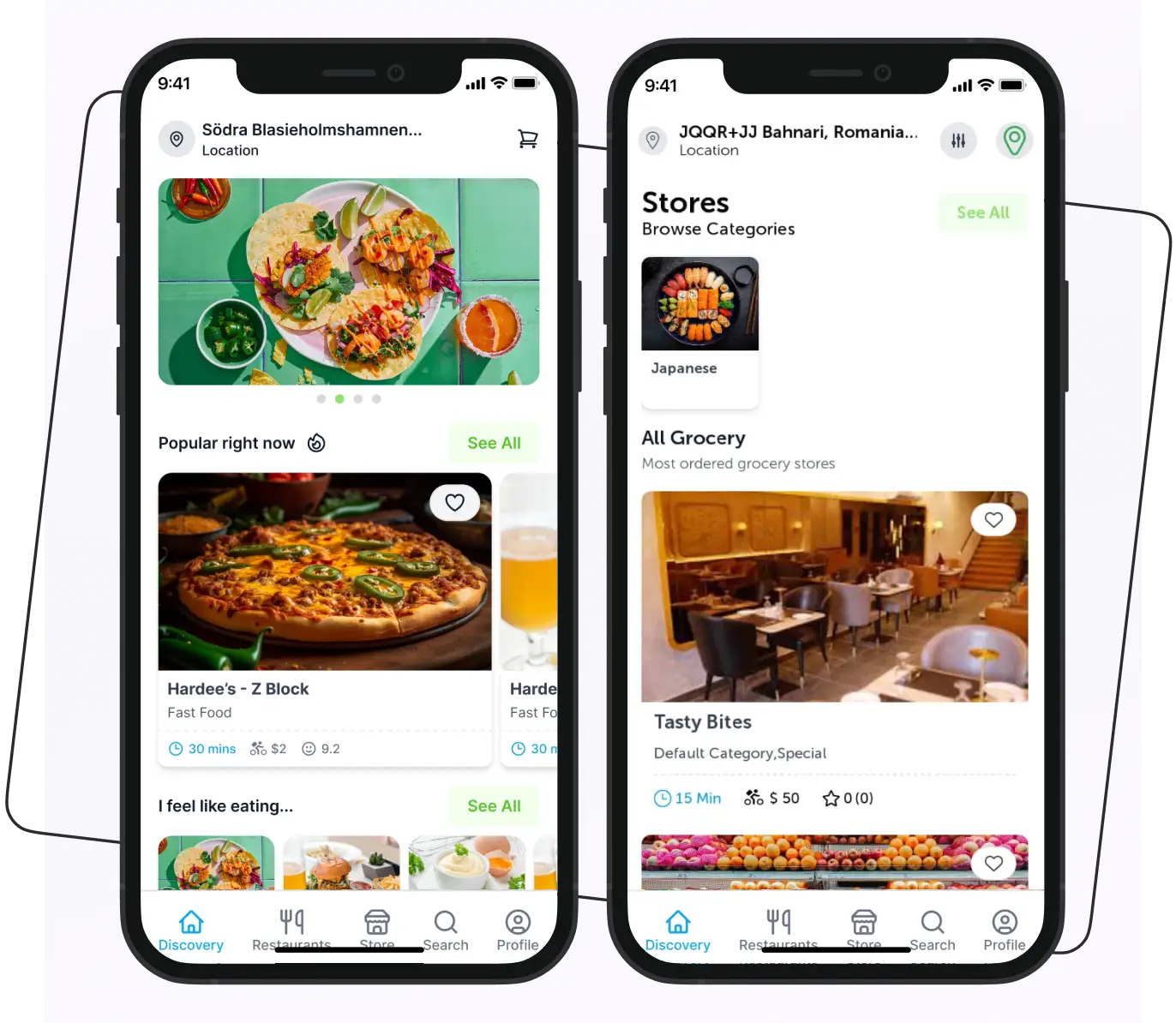
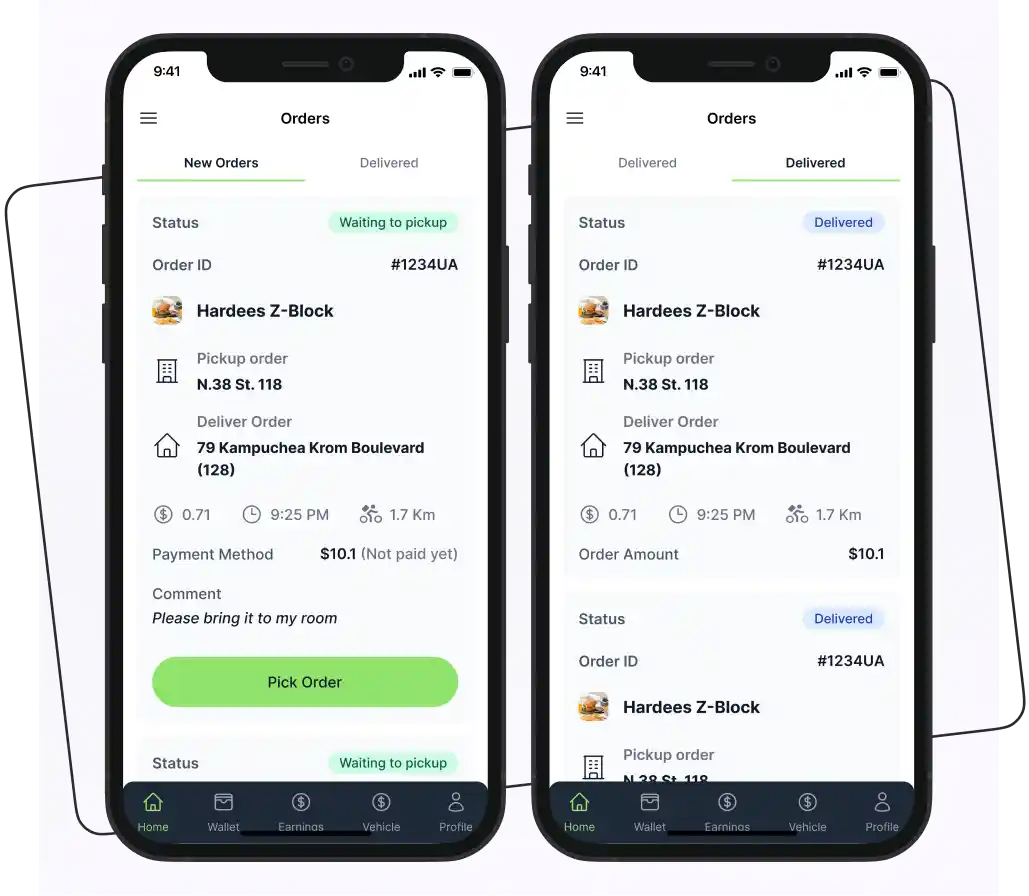
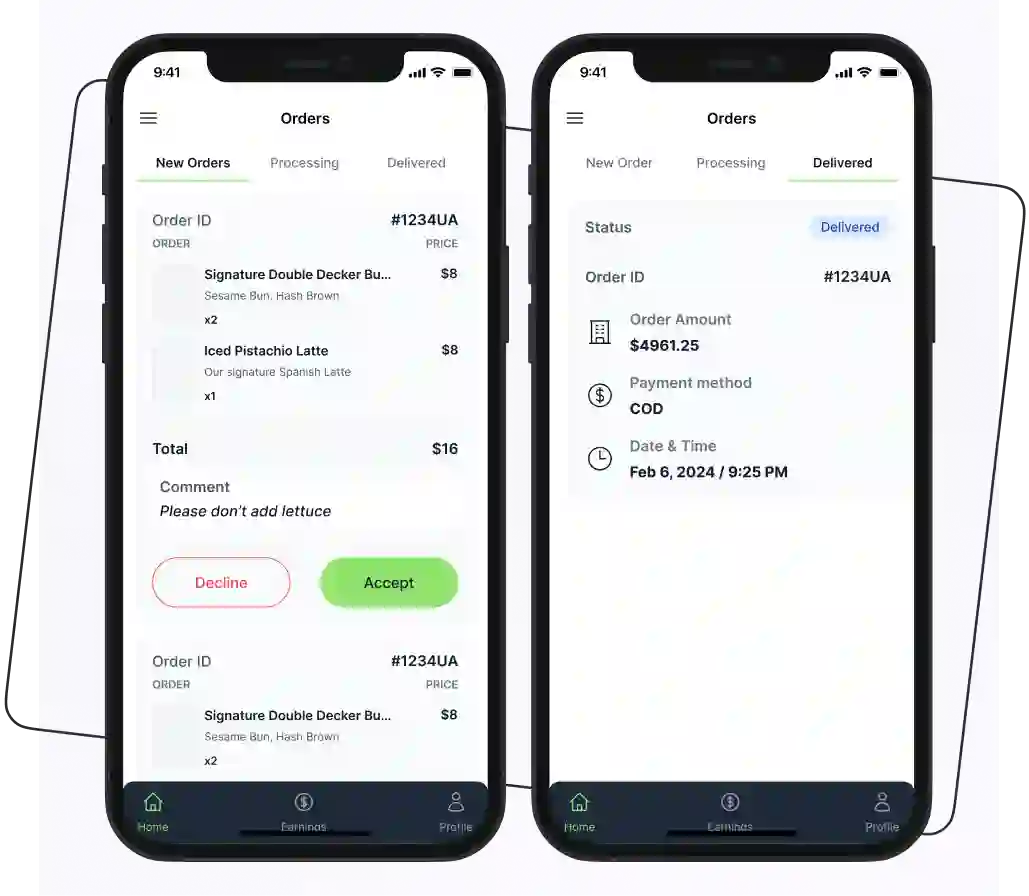
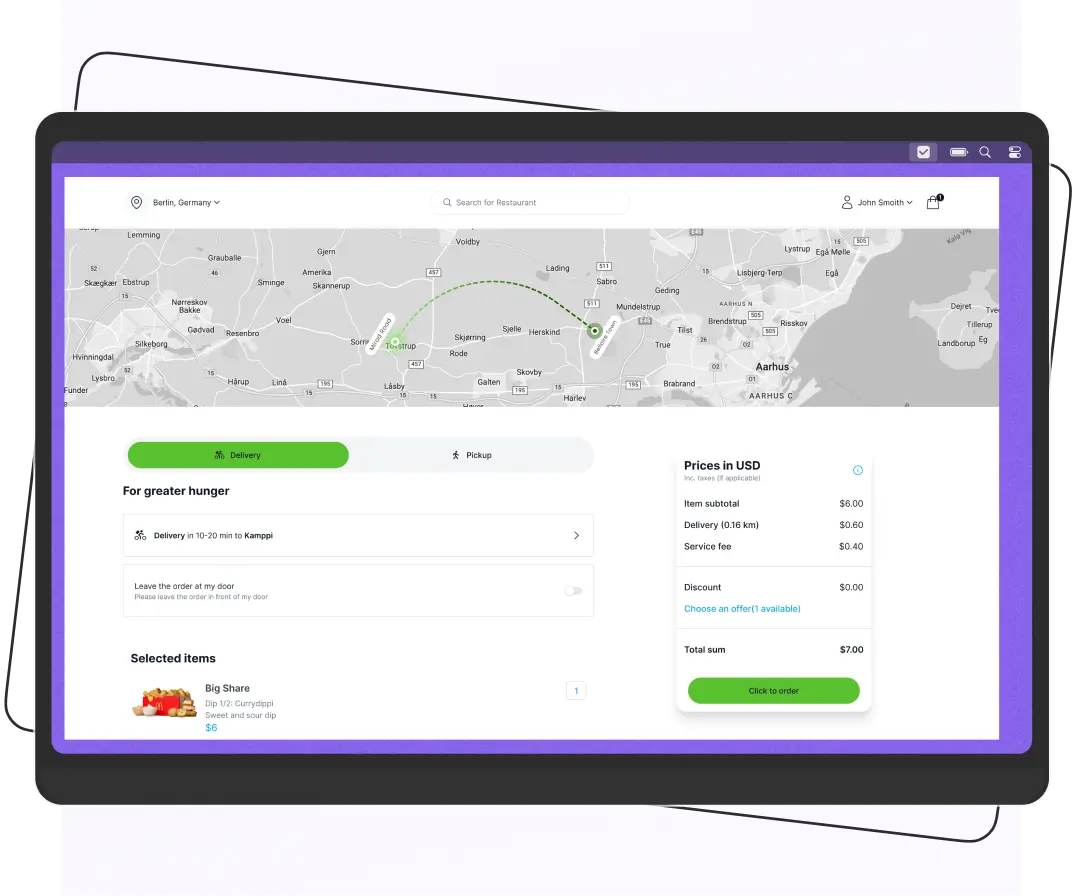
Enatega is another of the best open-source marketplace software for food delivery businesses. Customers can browse different menus, place orders, and pay online through enatega.
It connects customers with restaurants and food vendors, letting them browse menus and order online for delivery or pickup.
Additionally, enatega offers a single-vendor and multi-vendor food ordering system for businesses. With the help of Enatega’s online ordering and delivery platform, you can easily manage your delivery operations and streamline your business.
Key Features
- Rider app
- Restaurant app
- User app
- Transparency
- Data protection
- Customize it according to your needs
Supercharge your deliveries with Enatega.
Book a callPros
- Suitable for all types of businesses
- 24/7 customer support
- 100% customizable
Cons
- Some features are limited
Enatega Pricing
Enatega pricing plans are flexible, and they require a one-time payment without any subscription fees.
2. eWorldTrade

When it comes to multi-vendor marketplaces, eWorldTrade stands as a leading name, offering businesses a secure, efficient, and feature-rich platform to connect with global buyers and suppliers.
With a vast supplier network, industry-specific categories, and advanced digital trade solutions, eWorldTrade is an ideal marketplace for businesses looking to expand globally.
Key Features
- Extensive Supplier and Buyer Network: With millions of verified buyers and sellers worldwide, eWorldTrade ensures seamless B2B connections.
- Secure and Verified Transactions: eWorldTrade prioritizes security with verified trade members and escrow services for safe transactions.
- Multiple Membership Plans: Whether you are a startup or an enterprise, eWorldTrade offers flexible plans to cater to different business needs.
- 24/7 Customer Support: A dedicated support team ensures smooth trading experiences by assisting buyers and sellers at every step.
Pros
- Global trade opportunities with a massive business network
- Enhanced credibility with verified suppliers and secure transactions
- Advanced AI matching for targeted buyer-seller connections
- Customizable, SEO-friendly digital storefronts for sellers
- Multilingual support to cater to international users
Cons
- Some features are restricted to premium members
- Limited payment options
eWorldTrade Pricing
One of the standout aspects of eWorldTrade is its flexible and scalable pricing plans, catering to businesses of all sizes.
3. Dokan

Best for: WooCommerce stores
Dokan helps you build online marketplaces like eBay and Amazon. A multi-vendor marketplace, WooCommerce powers it and provides several features that help vendors to manage their stores easily. The installation process of Dokan is very easy. It doesn’t require technical skills, and in only 10 minutes, it is ready to use.
With Dokan, vendors can easily manage orders, add products, and handle payments. Also, its responsive design makes it easy for customers to use and shop.
Key Features
- Different payment gateways
- Frontend product management
- Online vendor customizable dashboard
- Multi-language support
- Advanced order management
Pros
- Free trial
- Robust shipping system
- User-friendly interface
Cons
- Can be expensive if you need several site licenses
- Minor bugs
Dokan Pricing
Dokan offers a free Lite plan with basic multi-vendor marketplace features. Paid plans start at $708 per year for Starter and go up to $3,996 per year for Enterprise.
| Plan | Price |
| Lite | Free |
| Starter | $708/year |
| Professional | $1,121/year |
| Business | $2,121/year |
| Enterprise | $3,996/year |
4. Sharetribe

Best for: Non-technical founders who want a no-code SaaS platform
Sharetribe is another popular no-code SaaS multi-vendor marketplace platform. It is used for building multi vendor websites more easily with minimal technical expertise. This platform is good for transactions, hosting, and online payments.
Further, Sharetribe’s open source multi vendor marketplace platform easily integrates with other applications. Sharetribe’s easy-to-use interface makes sure that the start of a service, product, or rental marketplace goes smoothly.
Key Features
- Mobile optimization
- Good technical support
- Offers a 14-day free trial for its Build plan
- Secure transactions
Pros
- Amazing customer service
- Easy to use
Cons
- Limited features for customization
Sharetribe Pricing
Sharetribe’s pricing looks like this:
| Plans | Fees |
|---|---|
| Build | $29 per month (14-day free trial) |
| Lite | $99 per month (billed yearly) |
| Pro | $199 per month (billed yearly) |
| Extend | $299 per month (billed yearly) |
5. Spree

Best For: Developers looking for a customizable, open-source multi-vendor e-commerce solution
Spree an open-source marketplace that helps you empower. It also helps you to build sophisticated online marketplaces. Spree supports 45 languages and any currency. Plus, it supports any payment or shipping method.
Further, Spree is known for its seamless integrations with e-commerce tools. It could also be used as an e-commerce engine and a manager dashboard for native mobile apps on iOS or Android.
Features
- Customizable storefronts
- Multi-currency support system
- Multiple payment gateway options
- Mobile responsive
- Advanced analytics
Pros
- Scalable
- A large community of developers
Cons
- Limited documentation
- Limited features
Spree Pricing
Spree Commerce is free as it’s open-source, but costs depend on your setup:
- Development: $5,000–$100,000+ for setup/customization (based on complexity).
- Hosting: $10–$500/month (self-hosted or cloud).
- Extensions: Additional cost for paid integrations.
- Maintenance: Developer costs for updates and support.
Ideal for businesses with technical resources or a budget for custom development.
6. Yo!Kart
Best for: Startups and SMBs wanting a ready-made multi-vendor e-commerce marketplace
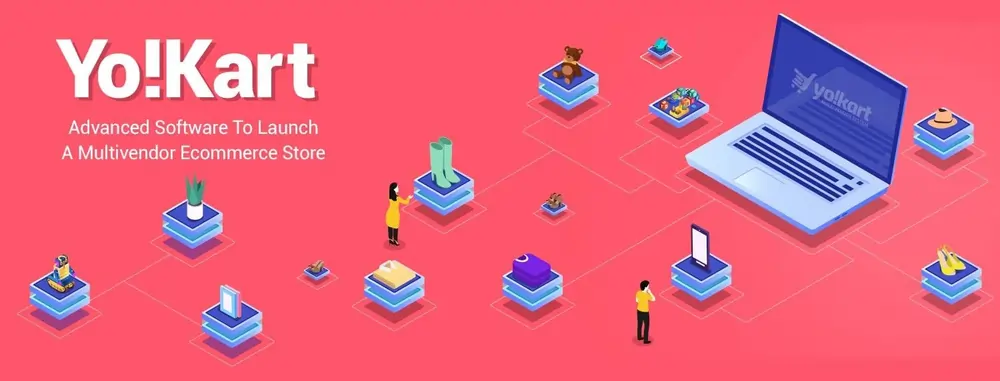
Yo!Kart is a self-hosted multi-vendor marketplace software. It is best for startups, small and medium-sized businesses. It helps you to launch your own marketplace efficiently and easily. The best thing about Yo!Kart is that it allows you to launch any online marketplace like eBay, Amazon, etc.
Further, you can install it on the server of your choice. No need for any plugins. It has complete solutions for B2B multi-vendor marketplaces and B2C niches. Also, it has been tested with more than 1 million products and 250 concurrent users.
Features
- SEO-friendly architecture
- Support for digital products
- User-friendly mobile and web apps
- Multiple storefront themes
- Flexible payment options
Pros
- Excellent customer support
- Easy-of-use
- Custom features implemented fast
Cons
- No upgrade available
- Minor bugs
Yo!Kart Pricing
The pricing plan for the best platform for multi-vendor marketplace Yo!Kart is mentioned below:
| Plans | Fees |
|---|---|
| GoQuick Lite | $499 (Self-hosted lifetime license with standard features and 6 months of technical support) |
| GoQuick | $1,249 (Standard web solution with standard features and 12 months of technical support) |
| GoQuick Boost | $3,997 – $4,999 (Includes web app plus Android/iOS buyer and delivery apps (source code not included)) |
7. Arcadier

Best for: Small businesses, communities, or organizations needing an easy, no-code marketplace builder.
Arcadier is a no-code marketplace builder that’s well suited to organizations that don’t have dedicated dev resources. It helps local communities, enterprises, SMEs, and government agencies easily build and manage an ecommerce platform for multi-vendor.
In addition, it provides several features that help users grow their marketplace. Its user-friendly interface allows users to create their marketplace in simple steps.
Arcadier is best for those who can use one of their numerous pre-made templates or one of the many built-in features if they do not require something unique or do not wish to spend the resources necessary to create it.
Features
- Email management
- Custom domain
- Social media marketing tools
- Affordable monthly fee
- No transaction fees
Pros
- Customizability
- Easy setup
- Quickly create a marketplace
Cons
- Difficult to make complex customizations
Arcadier Pricing
Arcadier’s pricing starts at around $60 per month for basic plans, while enterprise and custom plans are quote-based. The final cost depends on factors such as marketplace size, API requirements, and maintenance needs. Standard plans do not include default transaction fees.
Best Magento Multi-Vendor Marketplace Extensions
If you already use Magento or Adobe Commerce, you can add multi-vendor functionality through marketplace extensions. These solutions allow merchants to manage multiple sellers, commissions, products, orders, and vendor accounts without replacing their existing ecommerce platform.
Here are some popular Magento multi-vendor extensions and solutions to consider.
1. CedCommerce

Best for: Entrepreneurs who want a customizable Magento-powered multi vendor store.
CedCommerce is primarily known as a multichannel integration platform. It helps merchants connect their store to external marketplaces like Amazon, eBay, and Walmart. For businesses running on Magento specifically, CedCommerce also offers a dedicated multi-vendor marketplace extension that lets you turn your own Magento store into a marketplace, complete with vendor onboarding, commission management, and order splitting.
With CedCommerce’s Magento extension, vendors get their own storefront and dashboard to manage listings, track sales, and fulfill orders, while store owners retain control over commission rates, vendor approval, and shipping rules.
Key Features
- Separate vendor profiles and dashboards
- Configurable commission rates per vendor
- Support for multiple currencies
- Bulk import/export of products
- Responsive mobile and web interface
- Multichannel sync for merchants selling on Amazon, eBay, Walmart, etc.
Pros
- Free trial
- Supports various payment gateways
Cons
- Upgrades are not free
CedCommerce Pricing
CedCommerce pricing varies by the marketplace integration and plan you choose. Monthly plans generally start at around $29/month, while higher tiers can cost $59, $99, or $129/month, depending on product limits, order volume, and features.
Some extensions are also available with annual licenses, while enterprise and custom plans require contacting CedCommerce for pricing.
2. Webkul

Best for: Businesses needing a flexible multi vendor extension with strong shipping and payment options.
Webkul is a unique solution for businesses that want to create and manage multi-vendor marketplaces hassle-free. This platform caters to several startups and established companies. In addition, it allows you to add many vendors. You can also give them control over various things, such as:
- Manage shipping
- Manage inventory
- Create seller storefronts
- Manage orders
Each vendor may add numerous commodities that can be delivered by:
- FedEx
- USPS
- DHL
- PayPal
- Stripe
- Aramex.
Features
- Review and feedback system
- Simple and fast user interface
- Customizable storefront
- Easily manage multiple sellers and their products
Pros
- Excellent documentation
- 10-day free trial
- No upfront fee
Cons
- Limited support with the free version
Webkul Pricing
Multi vendor marketplace platform Webkul has a variety of add-ons that you can buy for a fixed price to make your store better or more unique. By choosing and buying certain add-ons, you can change how your marketplace works to meet your specific needs without exceeding your budget.
3. LandOfCoder

Best for: Magento store owners who want a budget-friendly marketplace extension.
Customers worldwide are becoming more interested in e-commerce platforms, especially Magento. As a result, Landofcoder has been slowly expanding its services to offer customers useful digital marketplace platform solutions.
LandOfCoder helps you transform your eCommerce site into a fully functional multi-vendor marketplace. It allows you to upload products in bulk and easily control everything. With the help of LandOfCoder, you can take your eCommerce store to the next level. Moreover, it supports both customers and sellers.
Features
- Competitive price
- Easily integrate multiple payment gateways
- 30-day money-back guarantee
- Show feedback and consumer evaluations
- Multi payment gateways
Pros
- Online demo available
- Flexible compatibility
Cons
- Response time is not good
LandOfCoder Pricing
The LandOfCoder pricing plans are:
| Plans | Pricing |
|---|---|
| Single License | $299 |
| Standard | + $249 |
| Premium | +$899 |
| Agency | +$2999 |
4. Magenest

Best for: Magento users needing advanced vendor management and customer feedback features.
Magenest is a popular Magento 2 multi-vendor e-commerce tool. It provides several features to its users to boost their products, purchases, and customer traffic. With this, you can systematically manage several vendors.
Features
- Easily manage orders, products, and vendors
- Allow customers to provide feedback
- Vendor verification system
- Allow customers to buy products from multiple vendors
- Fixed commission for each vendor
Pros
- Flexible architecture
- Customizability
- Scalability
- Large community
Cons
- High cost
- Technical expertise required
Magenest Pricing
The Magenest offers various pricing plans according to your requirements.
5. Magetop

Best for: Businesses looking for a one-time purchase Magento 2 multi vendor marketplace with lifetime updates.
Magetop is one of the most amazing Magento 2 multi vendor platforms. It provides many features that turn your website into a functioning e-commerce website like Alibaba, Etsy, etc. You can easily manage your products hassle-free.
You only pay once to use Magetop for life. Also, it’s a risk-free investment because their support policy gives you a 30-day money-back guarantee, one year of free help, and free updates for life. Magetop will keep making your goods better and coming up with new ideas.
Features
- Charge commissions for each seller and vendor
- Responsive seller panel
- Helps a large number of sellers and vendors
- Flexibly manage your products
- Manually or automatically approve vendor products
Pros
- Excellent features
- Complete control of your sellers/vendors and their products
- Instant support
Cons
- A little pricey
Magetop Pricing
Magetop can be purchased for a starting price of 299$. However, it is based on and varies according to your requirements.
Best Shopify Multi-Vendor Marketplace Apps
Shopify is the number one e-commerce platform for businesses in several industries. With the right Shopify SEO services, you can boost visibility and grow your business more effectively.
Here are some Shopify solutions worth considering.
1. ShipTurtle
Best for: Shopify store owners wanting to expand into multi-vendor marketplaces with white-labeling.
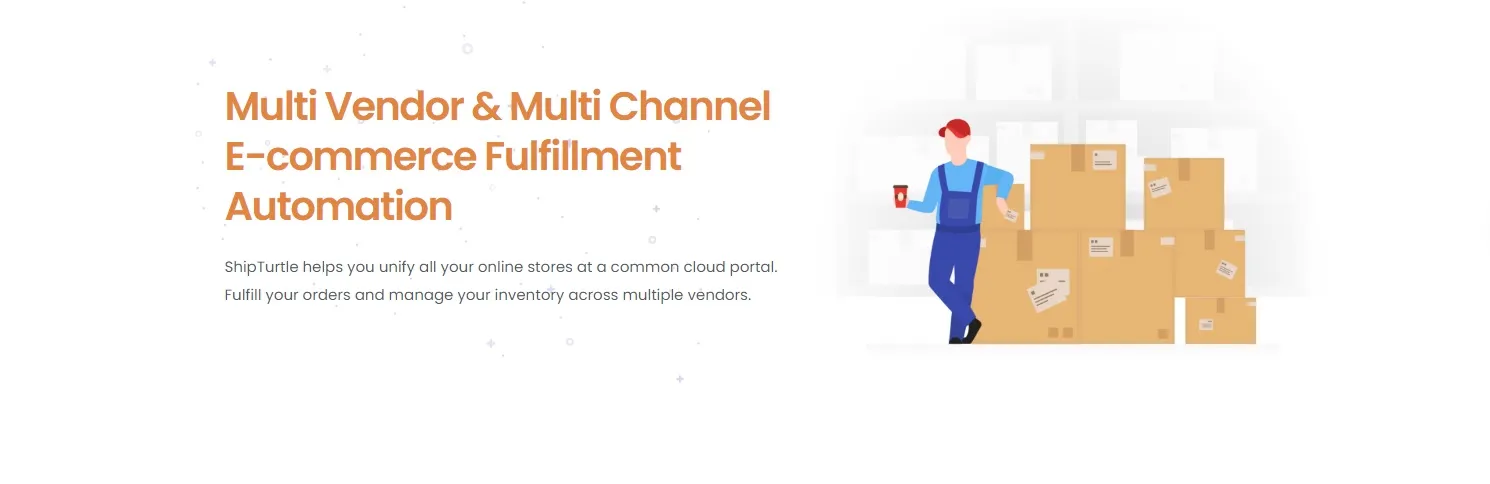
ShipTurtle helps you transform your e-commerce store into a marketplace in minutes. With the help of this platform, you can easily expand your product range by partnering with brands. It is trusted by more than 1,000 D2C brands and marketplaces worldwide.
With its white-labeling solution, you’ll put your brand in the spotlight and eliminate Shipturtle from all unique pages, including vendor registration, vendor login, and shipment tracking. Not only that, but vendors can change the URL they use to access the app from the default app.shipturtle.com to whatever URL best fits your brand.
Each “Vendor page” has an option that lets customers email the vendors if they have any questions. The customer and the vendor can both communicate through the Chat feature in the Shipturtle app.
Features
- Payout integrations
- Shipping profiles
- Order is managed in several stages
- Complete scalability
- Easily set up many shippers
- Inventory management
- Data security
- Vendor onboarding
- Warehouse automation
Pros
- Free version for up to 100 monthly orders
- Lots of features under one roof related to shipments
Cons
- Only suitable for marketplace businesses
ShipTurtle Pricing
The ShipTurtle pricing plan is as follows:
| Plans | Pricing |
|---|---|
| Startup | $19 |
| Business | $29 |
| Enterprise | $69 |
2. Onport
Best for: Enterprises needing automation for vendor payments, inventory, and catalog syncing.
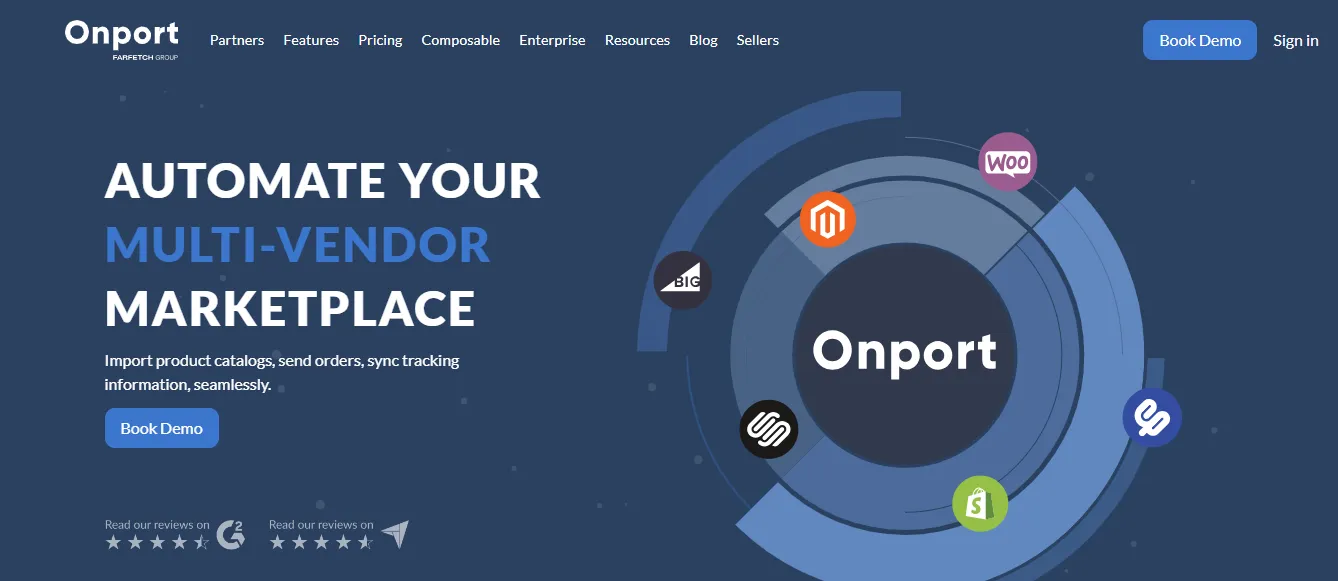
Onport automates your multi vendor marketplace. The Onport marketplace plugin integrates all main platforms, automates merchant payments, and syncs inventory. Integrate effortlessly with vendor online shop CSV or XML feeds. Automatically sync inventory, orders, and payments after publishing. Vendors can log in to a customized site to send orders, verify payments, and verify customer information.
Features
- Payment automation
- Order routing
- Inventory syncing
- Catalog management
- Integrations with certain vendors
Pros
- 12,000+ trusted vendors
- Flexible platform
- The support team is available
Cons
- High price
Onport Pricing
Onport pricing starts at around $1,000 per month for its Standard plan. Costs increase with higher GMV (Gross Merchandise Value), SKU limits, and additional marketplace requirements.
Pricing Tiers
- Standard Plan: Starts at around $1,000/month, with limits of up to $50,000 in GMV and 30,000 SKUs.
- Advanced Plan: Starts at around $2,000/month, supporting up to $150,000 in GMV and 100,000 SKUs.
- Plus Plan: Starts at around $3,500/month, designed for up to $280,000 in GMV and 175,000 SKUs.
- Enterprise Plan: Custom pricing is available for high-volume marketplaces with more extensive requirements.
3. Marketcube.io

Best for: Operators running diverse multi-seller marketplaces across industries (fashion, art, real estate, etc.).
Marketcube.io is a multi-seller management solution. It helps marketplace operators run and automate their businesses efficiently. It also helps to manage inventory, shipping, payouts, and order splitting.
Marketcube.io helps over 1,500 companies run multi-seller marketplaces globally, from real estate to fashion to art and pharmaceuticals.
Features
- Product management
- Time-based services
- Drop-shipping
- Accounting and payouts
- Allow integration with third-party platforms
- Order and return management
- Seller management
Pros
- Minimal risk
- Globally trusted
- Create your branded marketplace in 30 minutes
Cons
- Limited customization
- Minor technical issues
Marketcube.io Pricing
The app only costs $10 per month, and some of its benefits cost extra.
4. Duoplane

Best for: E-commerce businesses using dropshipping or 3PL suppliers who want automation.
Duoplane is an automation dropship software for vendors and retailers. It allows you to strengthen relationships and scale your business operations. Plus, it lets you connect your Duoplane account to your Shopify store. So, you can communicate with all your dropshipping suppliers and 3PL warehouses automatically.
Features
- Automate orders to multiple vendors
- Automate accounting and payments
- Manage supply chains of e-commerce businesses
- Streamline tasks
- Easily integrate with other plugins
Pros
- Excellent customer support
- Great functionality
Cons
- Scalability challenges
- Integration complexity
Duoplane Pricing
Duoplane pricing starts at $299 per month for automated dropship order processing. Its plans are based on monthly order volume and include features such as accounting automation, electronic invoicing, and EDI support. A trial is available, but there is no free plan.
Plan Tiers
- Standard – $299/month: Includes automated order processing, unlimited vendors and sales channels, and up to 1,000 purchase orders (POs) per month.
- Professional – $599/month: Adds advanced accounting features, electronic invoicing, EDI support, and capacity for up to 2,500 POs per month.
- Premium – $1,199/month: Designed for higher-volume businesses, supporting up to 10,000 POs per month.
- Enterprise – Custom pricing: Designed for large-scale operations that require customized features, higher capacity, or additional support.
5. Vendor Consignment
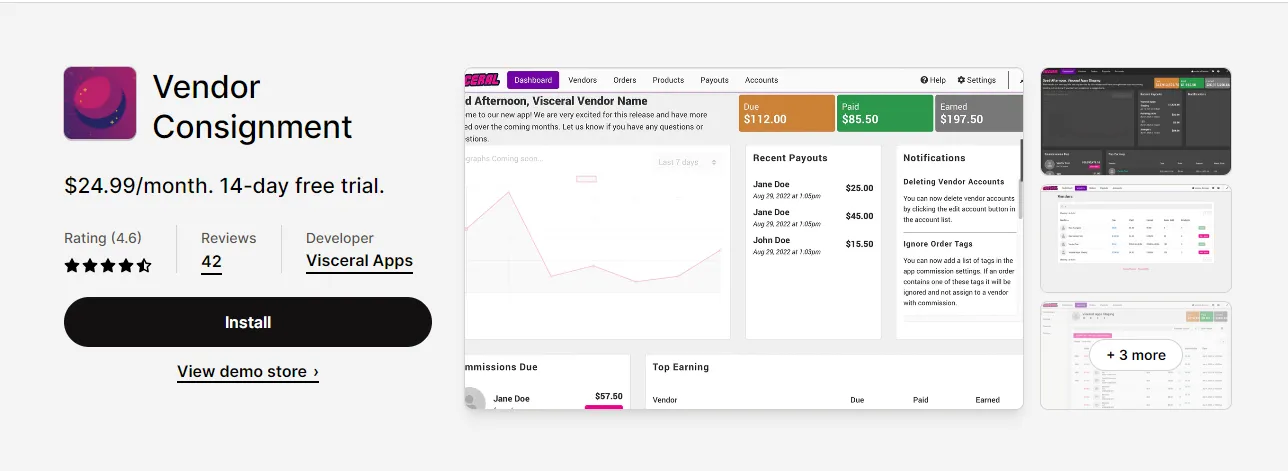
Best for: Businesses managing vendor commissions and consignment sales with PayPal payments.
This great tool could make a big difference in handling vendor commissions and reports. You can easily keep track of vendor fees and see payment records with vendor consignment. Since payments are made through PayPal, you can be sure that the money going to your vendors is safe.
You can also monitor how much sellers are paid and automatically track commissions. There are download choices that let you change the data and pull out useful information for analysis when you want to get the information into a third-party program.
Features
- Automatically calculate vendor commissions
- Override the commissions on an order-by-order basis
- Allow the vendor to view their own orders
- Easy to use
- Helps you automate your consignment business
Pros
- Cost-effective
- Streamline operations
Cons
- Cash flow issues
Vendor Consignment Pricing
They offer a 14-day free trial. The prices are based on your needs.
Best WordPress Themes for Multi-Vendor Marketplaces
A marketplace theme controls the design and front-end experience of your WordPress marketplace. It does not usually provide the complete vendor management functionality by itself. You may need a marketplace plugin such as Dokan or another compatible solution to manage vendors, commissions, products, and orders.
Here are some WordPress themes that can be used with marketplace plugins.
1. Martfury

Best for: WooCommerce-based online stores selling multiple product categories (electronics, clothing, etc.).
Martfury is a marketplace WordPress theme. The theme has an easy-to-use WooCommerce plugin. With Martfury, you can effortlessly and quickly create a multi vendor solution, furniture store, electronics store, clothing store, etc.
In addition, Martfury has all the necessary plugins and impressive ready-to-use demos that help you create a great web platform. This theme is suited for
The main features of Martfury are:
- Order tracking
- Responsive ready
- Translate ready
- Unlimited Shop Layout
- Reliable support
- SEO ready
Pros
- Customizable design
- Regular updates and support
- Integration with WooCommerce
Cons
- Dependency on third-party plugins
- Compatibility issues
2. Urus

Best for: Minimalist online shops needing customizable layouts and modern design.
Urus is the best theme with a modern, minimalistic design for online shops. This tool offers 30+ pre-defined demos, all easy to use and fully customizable. Urus offers 4 footer styles, 6 blog options, 20 product page design options, 16 header styles, and many color and font options.
Urus’ main features are:
- Google fonts
- Custom colors
- Infinite scroll
- One-click install
- Demo import
- Translation ready
- Mega menu
Pros
- Customization
- Get instant support
Cons
- High price
3. Cartzilla
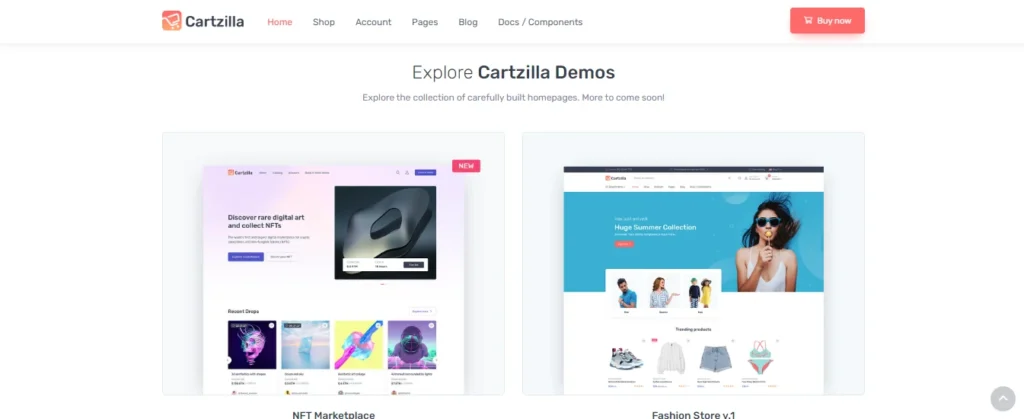
Best for: Businesses wanting a fully customizable marketplace theme built on Bootstrap 5.
Cartzilla is the all-around WordPress theme and is 100% customizable. It is one of the best solutions for building marketplace websites. Cartzilla is a powerful e-commerce front-end solution based on Bootstrap 5. With Cartzilla, create a sophisticated online platform for selling products or even a general marketplace.
The main features included in Cartzilla are:
- 40+ flexible components
- User-friendly interface
- Google interface
- Touch-enabled sliders
- Detailed documentation
- Ajax search
- Advanced styling
Pros
- Detailed documentation
- Offer free trial
- Live demo
Cons
- Complexity
- Cost
4. Besa
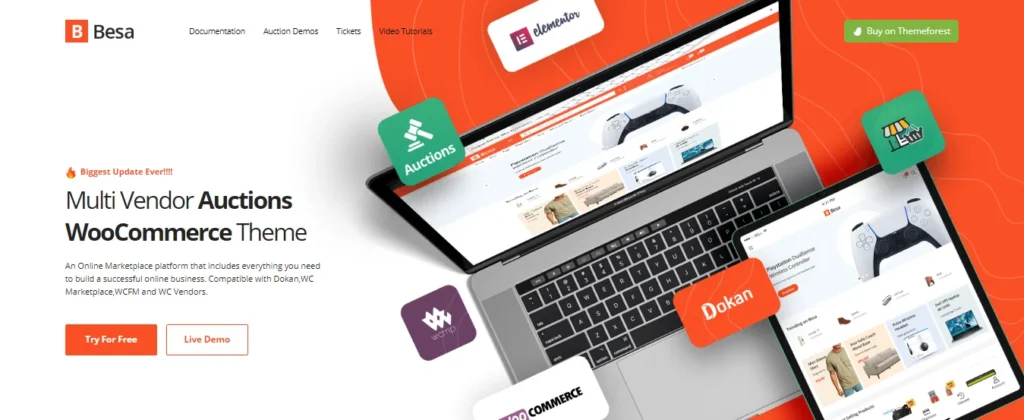
Best for: WordPress marketplaces optimized for Elementor with a mobile-friendly design.
Besa is a professional WordPress theme for online eCommerce platforms. The theme is optimized for Elementor, so building a website will be easier and faster. It is suitable for any online store. With Besa, you do not need much work with the pre-defined home and index layouts.
Besa is well-known for these things:
- Multivendor compatibility
- Mobile optimized
- User-friendly and interactive searches
- Ajax mini cart
- Vertical menu
- Flexible theme options
Pros
- Demo available
- Zero coding required
- Eliminate the need for multiple plugins
Cons
- Limited customization
5. Stocky

Best for: Digital asset marketplaces (photos, images, stock media).
Stocky theme helps you find the photos, images, or other digital assets you’re looking for. Its layout is easy to navigate, and you can present your photos and images neatly with the auto-generated product gallery. The Stocky theme includes these features:
- Full responsive layout
- High-quality image previews
- Integration with secure payment gateways
- Responsive design
- Advanced search filters
- Translate the website into any other language
Pros
- Hosting flexibility
- Great customer support
- Comprehensive documentation
Cons
- Limited payment options
Which Multi-Vendor Marketplace Software is Best for You?
Look at the table below and understand which multi-vendor marketplace software is best for your business.
| Your Requirement | Recommended Platform |
| WooCommerce marketplace | Dokan |
| Food delivery marketplace | Enatega |
| No-code marketplace | Sharetribe |
| Open-source marketplace | Spree |
| Ready-made marketplace | Yo!Kart |
| Magento marketplace | CedCommerce |
| Shopify marketplace | ShipTurtle |
How to Set Up a Multi-Vendor Marketplace?
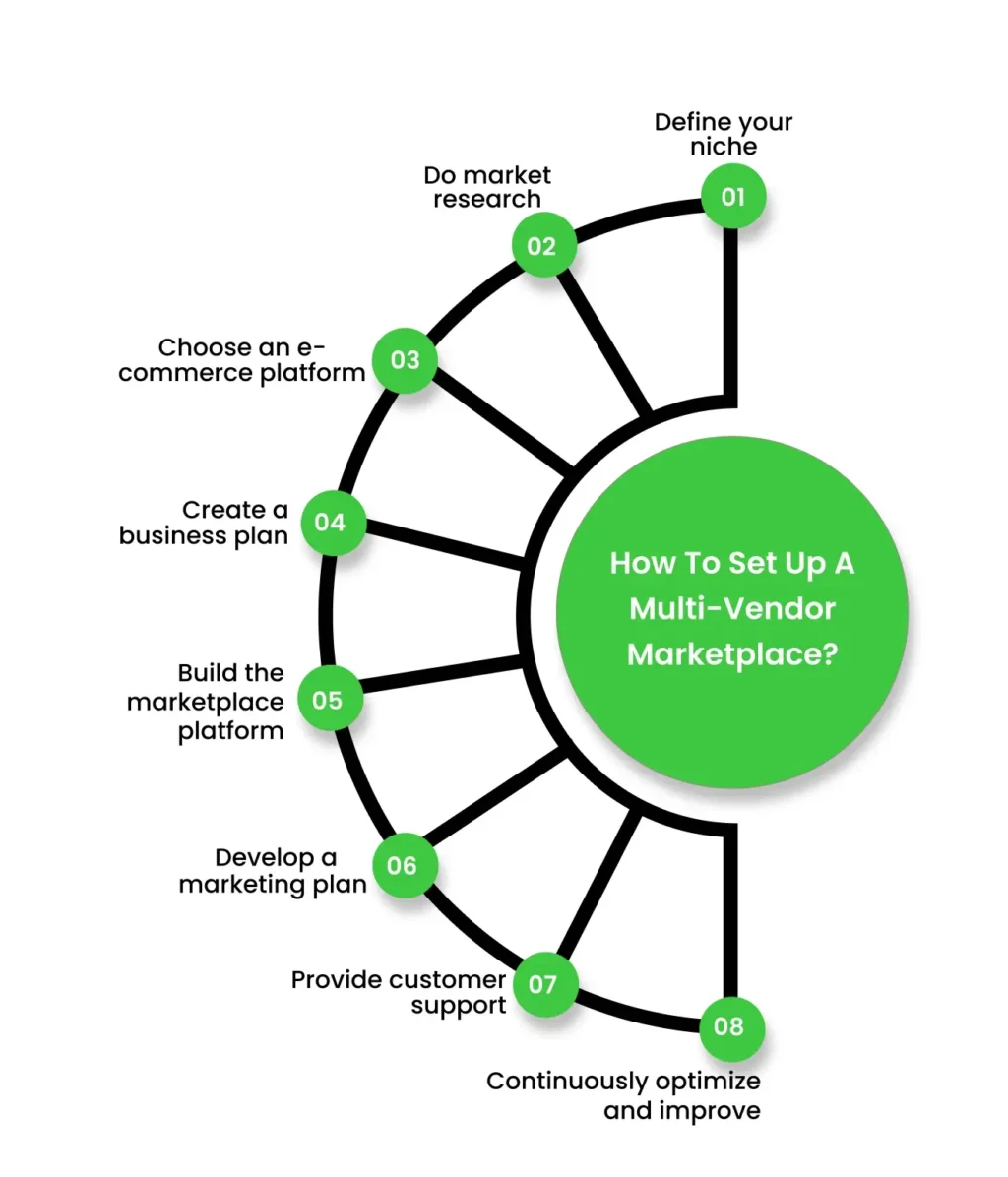
Building a multi-vendor marketplace requires:
- Define your niche
- Do market research
- Choose an e-commerce platform
- Create a business plan
- Build the marketplace platform
- Develop a marketing plan
- Provide customer support
- Optimize and improve
1. Define your niche
Determine the target market and niche for your marketplace. Consider which products or services will be offered and identify the specific audience you want to attract.
2. Do market research
Conduct market research to understand the demand for your marketplace. Identify potential competitors and analyze their strengths and weaknesses.
3. Choose an e-commerce platform
Select a suitable e-commerce platform that supports multi-vendor functionality. Some popular platforms include Magento, WooCommerce, Shopify, and OpenCart.
4. Create a business plan
Outline your marketplace’s goals, revenue model, marketing strategies, and operational processes in the business plan.
5. Build the marketplace platform
Hire a web developer or a development team to build your marketplace platform. Ensure that the platform includes essential features such as seller registration, product listing, shopping cart, payment gateway integration, customer reviews, search functionality, and order management.
6. Develop a marketing plan
Create a marketing plan to attract both sellers and buyers to your marketplace. Promote your platform on various channels, such as social media.
7. Provide customer support
Offer efficient customer support to address any queries or issues from sellers and buyers. Promptly respond to inquiries and strive to provide excellent customer service to build trust and loyalty.
8. Continuously optimize and improve
Regularly monitor and analyze the performance of your marketplace. Gather feedback from users and make improvements to improve the user experience. Stay updated with the latest market trends and technology advancements to stay competitive.
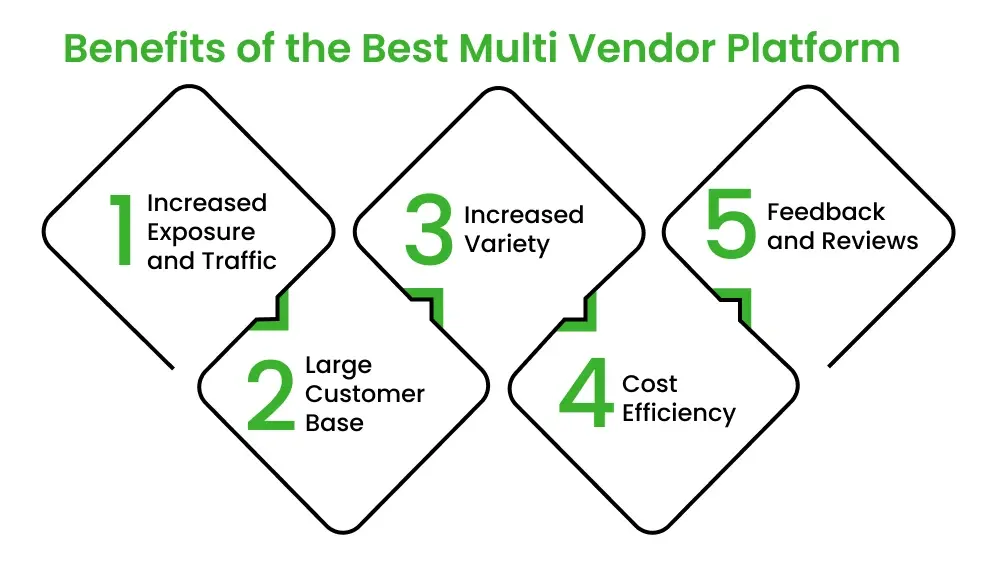
Benefits of the Best Multi Vendor Platform
Here are some benefits of a multi-vendor marketplace.
- Increased Exposure and Traffic
Most of the time, a well-established multi-vendor platform has more visitors than individual vendors’ websites. This can help potential customers discover a vendor’s products, increasing sales possibilities.
- Large Customer Base
The marketplace already has a customer base that vendors can use to reach a bigger audience without starting from scratch. This can help sales and growth happen faster.
- Increased Variety
Unless you’re selling something unique, people will want options. And you can easily offer that in your store; you get goods from multiple vendors instead of just one.
- Cost Efficiency
Joining a multi-vendor marketplace can be cheaper for sellers than creating and keeping their e-commerce websites. The marketplace takes care of sellers’ infrastructure, technology, and marketing costs.
- Feedback and Reviews
It is the best benefit that customers leave reviews and feedback. Their feedback helps vendors improve and build their reputation. Also, it helps them to improve their offerings based on customer input.
How Much Does it Cost to Build a Multi Vendor Marketplace?
The cost to build a multi-vendor marketplace can vary widely depending on the platform, design, features, development, and ongoing requirements. You may spend $5,000 to $100,000+ on development, while the total project cost can increase further with hosting, marketing, security, legal fees, and maintenance.
| Cost Component | Estimated Cost Range | Description |
| Domain Name | $10 – $50 per year | Cost for purchasing a domain name for the marketplace. |
| Hosting | $20 – $500 per month | Monthly fees for web hosting services depending on traffic. |
| Website Design | $500 – $5,000+ | Costs for custom design or templates, including UI/UX. |
| Development | $5,000 – $100,000+ | Costs for building the platform can vary widely based on complexity. |
| Payment Gateway | $0 – $500+ | Fees for integrating payment solutions (transaction fees may apply). |
| Security Features | $500 – $2,000 | SSL certificates, firewalls, and other security measures. |
| Marketing | $1,000 – $10,000+ | Initial marketing and advertising costs to attract vendors and customers. |
| Maintenance | $100 – $1,000+ per month | Ongoing costs for updates, bug fixes, and server maintenance. |
| Legal Fees | $500 – $3,000 | Costs for contracts, terms of service, and compliance. |
| Other Tools & Software | $100 – $1,000+ | Costs for additional tools like CRM, analytics, etc. |
Tips to Choose the Best Online Multi Vendor Marketplace Platform for Your Business
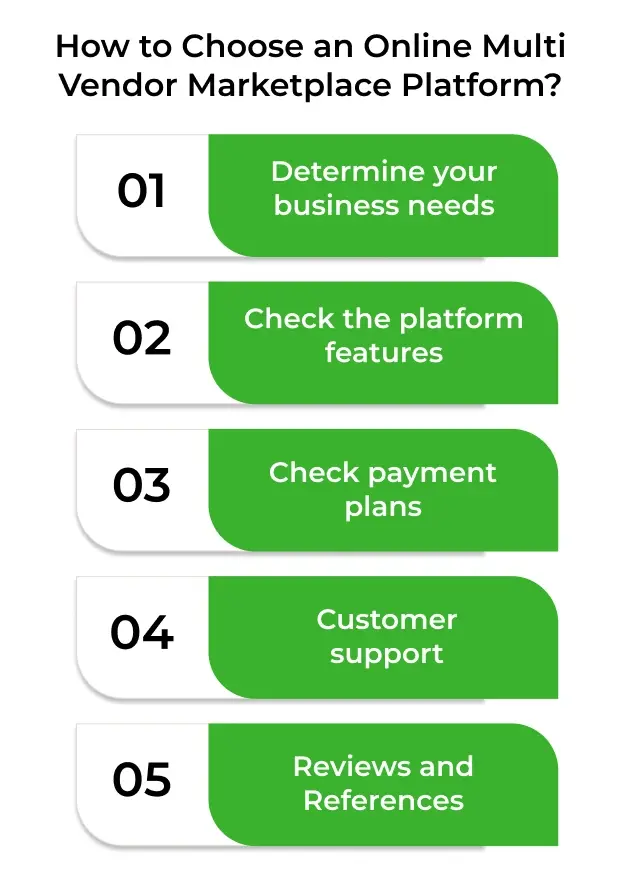
Selecting the best platform for a multi-vendor marketplace for your business is important. It can help you grow your business and impact your success. However, choosing a platform could be hard because there are so many to choose from.
Therefore, for your help, we gathered some tips to help you make a better decision.
Determine your business needs
First, you must identify your business goals. Also, consider the types of products, target audience, and services you offer.
Check the platform features
Look for the platform’s features. Plus, see that they meet your business needs.
Check payment plans
Don’t forget to check prices. Some charge a monthly fee, while others take a percentage of sales. Consider both upfront costs and long-term expenses.
Customer support
Always check customer support. The responsive support team addresses your issues and concerns quickly.
Reviews and References
You can read reviews online. Read what others say about this platform. It can help you make a better decision.
Case Study of Successful Multi-Vendor Marketplace
Amazon is a great example of a successful multi-vendor marketplace. It started as an online bookstore but quickly expanded its offerings to become the world’s largest e-commerce platform.
Today, Amazon serves as a global marketplace connecting millions of buyers and sellers across various product categories.
Let’s take a closer look at the success factors of Amazon as a multi-vendor marketplace.
Wide Product Selection
One of the primary reasons for Amazon’s success is its extensive product selection. Amazon offers a vast range of products, including home goods, electronics, books, clothing, and more.
Third-Party Seller Program
Amazon’s third-party seller program plays a pivotal role in its marketplace success. The program enables independent sellers to list and sell their products directly on Amazon. It provides sellers with access to a large customer base.
Customer Trust and Satisfaction
Amazon has built a strong reputation for customer trust and satisfaction. It prioritizes customer experience by providing a user-friendly interface, customer reviews, and detailed product descriptions.
Supercharge your deliveries with Enatega.
Book a callFAQs
Yes, a multi-vendor marketplace can be highly profitable when managed effectively. You can earn through:
Seller commissions
Subscription fees
Listing charges
Featured product fees
Advertising
Profitability depends on your niche, pricing model, customer base, and ability to attract both vendors and buyers.
Below are some steps to help you start a multivendor website.
Determine your niche
Find the online vendors
Attract buyers
Focus on your customers and vendors
A peer-to-peer (P2P) marketplace is an online platform where individuals can buy, sell, rent, or exchange products and services directly with each other. The platform connects buyers and sellers and usually handles payments, communication, and transactions.
Examples include marketplaces for second-hand products, rentals, freelance services, and local goods.
Below is the list of the best multi-vendor marketplace platforms.
Dokan
Yo!Kart
Arcadier
CedCommerce
In a single vendor marketplace, businesses have a website or app to manage every aspect. On the contrary, in a multi-vendor marketplace, the marketplace owner maintains the website while vendors sell.
Shopify can support a multi-vendor marketplace, but it does not offer full multi-vendor functionality by default. You need a third-party app to add features such as vendor management, seller dashboards, commissions, and payouts. It can be a good option for businesses that already use Shopify and want to add marketplace features.
Open-source platforms like Spree can be among the cheapest options because the software itself is free to use. However, you may still need to pay for hosting, development, customization, and maintenance.
Yo!Kart, Sharetribe, and Enatega are suitable options for startups, depending on the business model. Sharetribe works well for no-code marketplaces, while Yo!Kart offers a ready-made eCommerce solution. Enatega is a strong option for startups building food delivery or delivery-based marketplaces.
Conclusion
The first step is to get the right platform, no matter what business model you want to use for your online store or how you want to make money from it. Nowadays, multi vendor marketplace platforms are best for eCommerce vendors to boost their business.
Each platform discussed above offers distinct features and caters to different business needs. Therefore, carefully evaluate your business needs. Then, choose the platform that aligns with your goals.
About the author

Hudaibia Khalid is a senior content writer with several years of experience in creating clear and easy-to-understand content. Over the years, she has worked closely with startups, restaurants, and entrepreneurs, helping them simplify complex digital and technical topics into actionable insights.
Her expertise lies in writing about on-demand platforms, food delivery solutions, and business growth strategies in a way that is accessible even to non-technical readers. With her experience in the industry, she focuses on guiding businesses step by step, from understanding ideas to turning them into fully working solutions.
SHARE






 IOS
IOS Android
 Web
Web