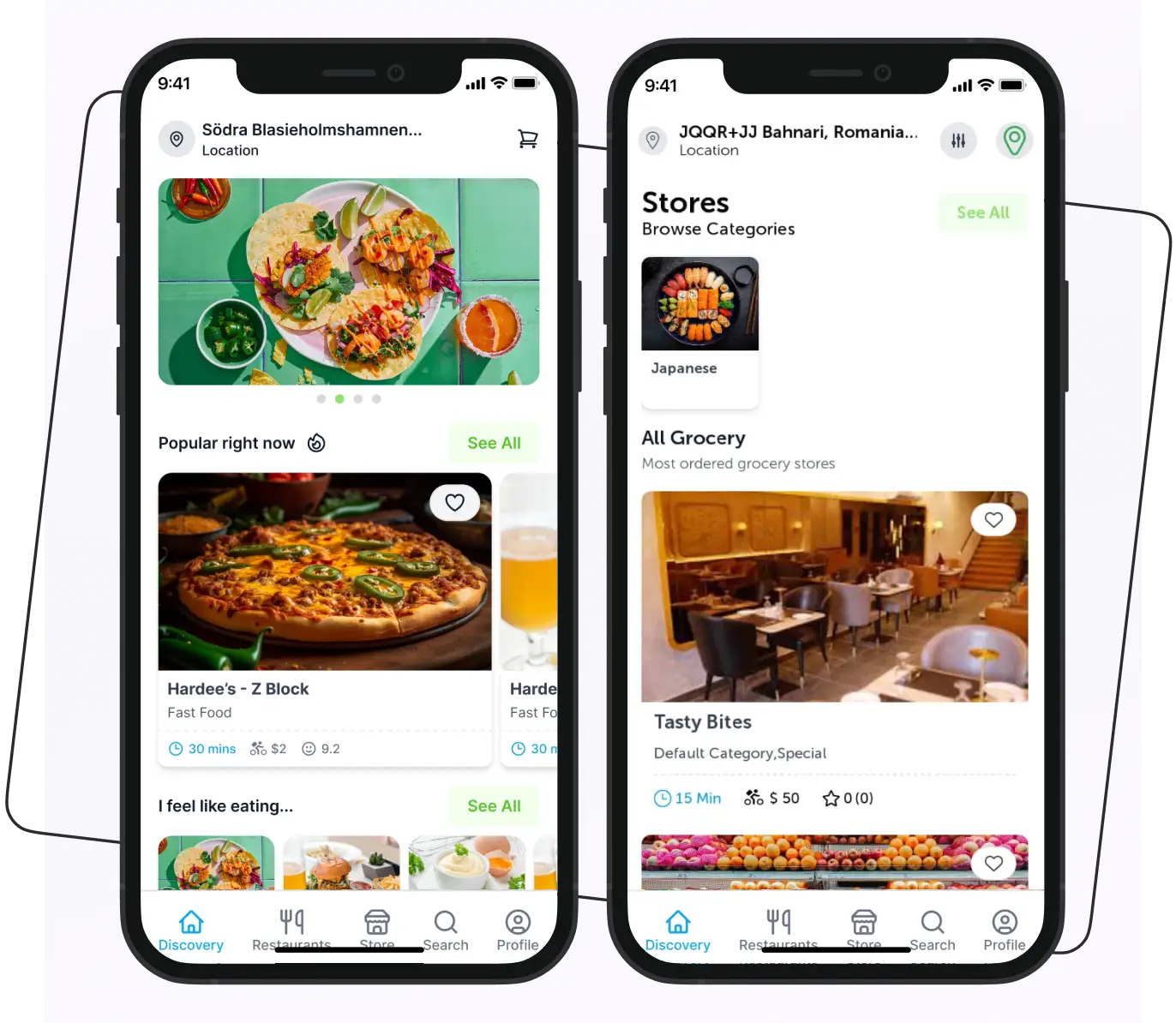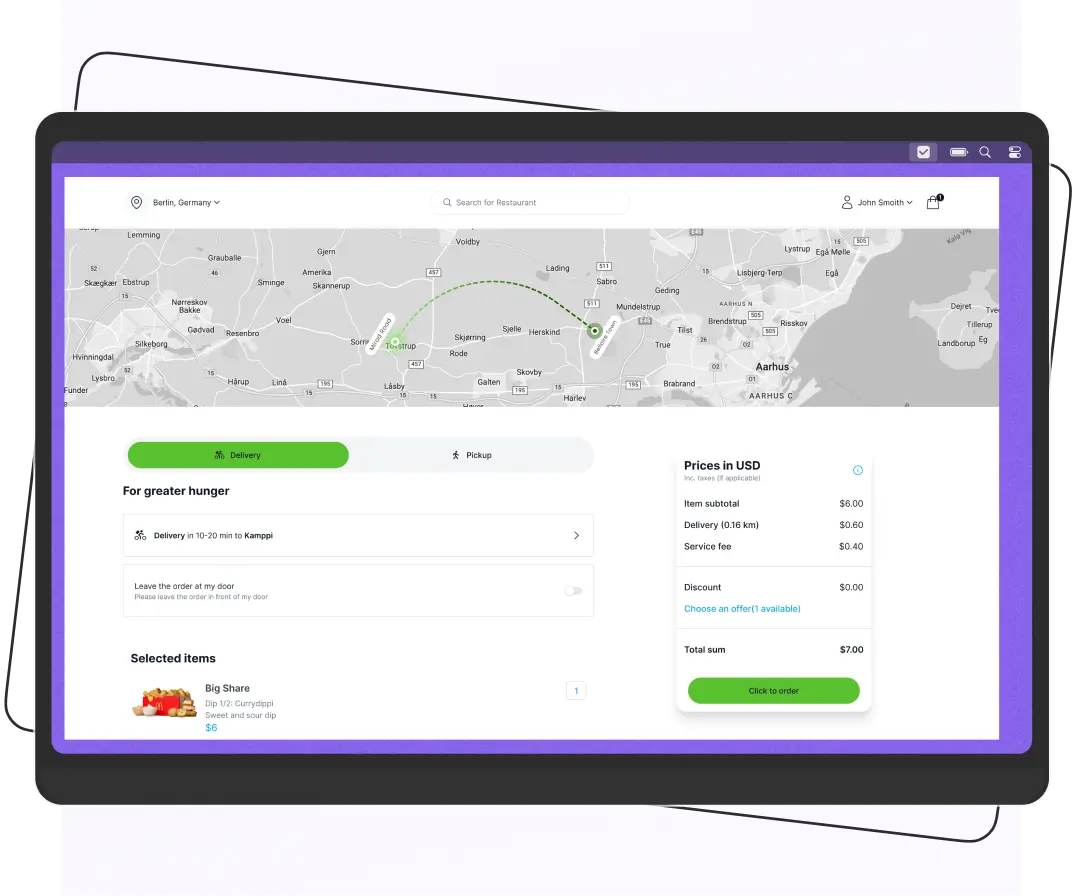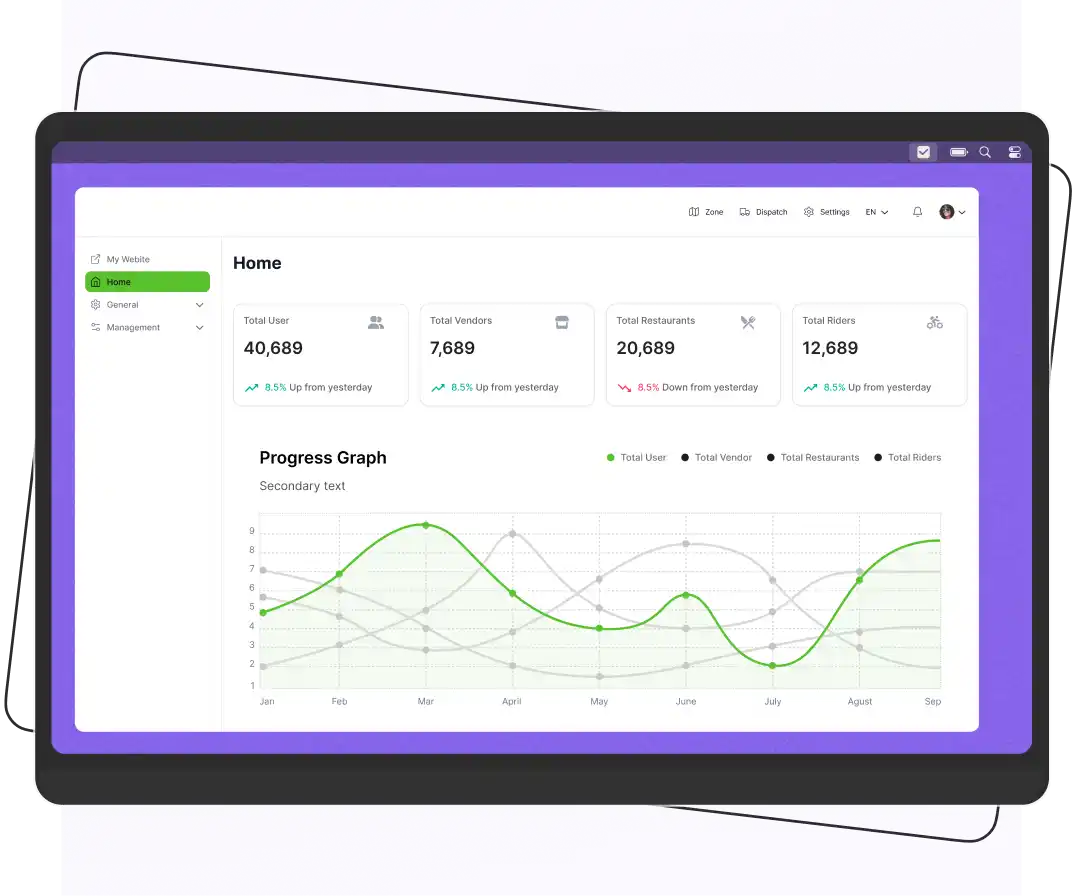


To build a Just Eat clone app, choose a food delivery business model, define the required customer, restaurant, rider, and admin features, select a suitable technology stack, develop and test the platform, and launch it on the app stores.
A ready-made Just Eat clone script can shorten the development process by providing pre-built apps and delivery features that can be customized to your brand.
Launch your own Just Eat-like food delivery app quickly with a clone script. A ready-to-use, white-label Just Eat clone script saves on development costs with customer, restaurant, and rider apps, plus an admin panel.
If you’re launching your first food delivery business or expanding an existing restaurant operation, a clone script can help you get to market faster while keeping development costs predictable.
We walk through the business models, features, tech stack, and steps involved in building a Just Eat–style app.
What is the Just Eat Clone App?
A Just Eat clone app replicates the functionalities and features of the original app, but with some advanced features. It is an affordable solution that assists you in launching your own food delivery business and serving your customers better.
The main purpose of creating the Just Eat clone app is to:
- Start your business in no time.
- Make the online ordering and delivery process seamless.
- Make your food delivery business more profitable.
- Help to grow your business online.
- Provide convenience to customers for placing orders online.
Supercharge your deliveries with Enatega.
Register NowWhy Choose a Just Eat Clone Over Custom Development?
The table below shows the differences between a Just Eat clone and custom development.
Factor | Just Eat Clone Script | Custom App Development |
| Time to Launch | Faster than building from scratch because core modules are pre-built. | Usually requires a longer development cycle because the core platform, workflows, integrations, and infrastructure are built and tested from scratch. |
| Initial Setup | Pre-built customer, restaurant, rider apps, and admin panel | Everything is built from scratch |
| Risk Level | Lower development risk because core modules and workflows are already built and tested. | Higher development risk because the core platform, workflows, integrations, and infrastructure must be designed, developed, and tested from scratch. |
| Customization | High. Branding, features, and workflows can be customized | Full customization, but costly and time-consuming |
| Scalability | Built to scale across cities and countries | Scalable but requires heavy backend planning |
| Technical Complexity | Minimal. Ready infrastructure and integrations | High. Requires full tech planning |
Time to Revenue | Potentially shorter time to revenue because pre-built modules can reduce development time and initial development effort. | Takes longer to reach market because the platform is developed from scratch, which can increase the initial development timeline and investment. |
Benefits of the Just Eat Clone App for Businesses
When launching a food delivery service, there are a few advantages to using a Just Eat alternative app. Let’s look at a few of these advantages that food businesses get from them.
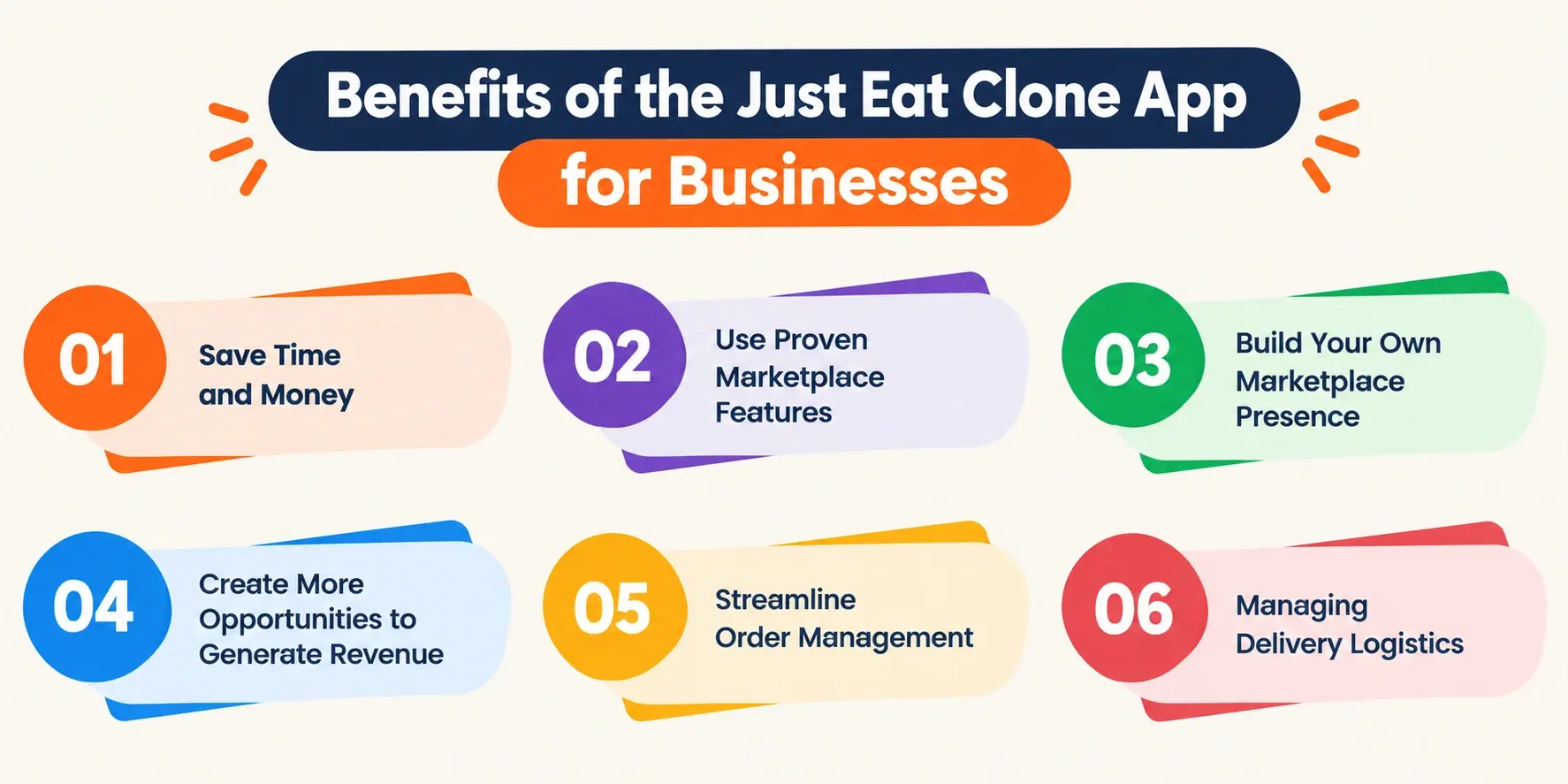
Save Time and Money
Building the app from scratch can be time-consuming and costly. However, by using the Just Eat clone app, you can save on the development costs, allowing you to allocate those resources to other crucial areas of your business, such as marketing and customer acquisition.
Use Proven Marketplace Features
A Just Eat-inspired delivery platform can provide established workflows for restaurant discovery, menu browsing, and delivery management.
Starting with these pre-built capabilities can reduce the effort required to develop common marketplace functionality. You can customize the platform around your target market, pricing model, and business requirements.
Build Your Own Marketplace Presence
A branded food delivery app gives you a direct channel for attracting and retaining customers instead of relying entirely on third-party marketplaces.
You can promote your platform through digital marketing, restaurant partnerships, and other customer acquisition strategies while maintaining control over your brand experience.
Create More Opportunities to Generate Revenue
A food delivery platform can give businesses additional ways to generate revenue through:
- Restaurant commissions
- Delivery fees
- Service fees
- Promoted listings
- Subscriptions
- Other business models
A simple ordering experience can also reduce issues during checkout, but actual sales and conversion rates depend on factors such as:
- Pricing
- Restaurant selection
- Delivery times
- Customer demand
- Promotions
- User experience
Better Order Management
Using the Just Eat app clone script admin panel, businesses can centralize incoming orders and dispatch orders efficiently. This streamlined approach reduces errors, improves order accuracy, and ensures timely deliveries.
Managing Delivery Logistics
From the app, businesses can optimize rider routes and manage the allocation of delivery riders for timely deliveries. This efficient route planning and scheduling help minimize idle time and maximize the utilization of resources, leading to cost savings.
Benefits of the Just Eat Clone App for Customers
Customers also get several benefits from the Just Eat clone script app, which include:
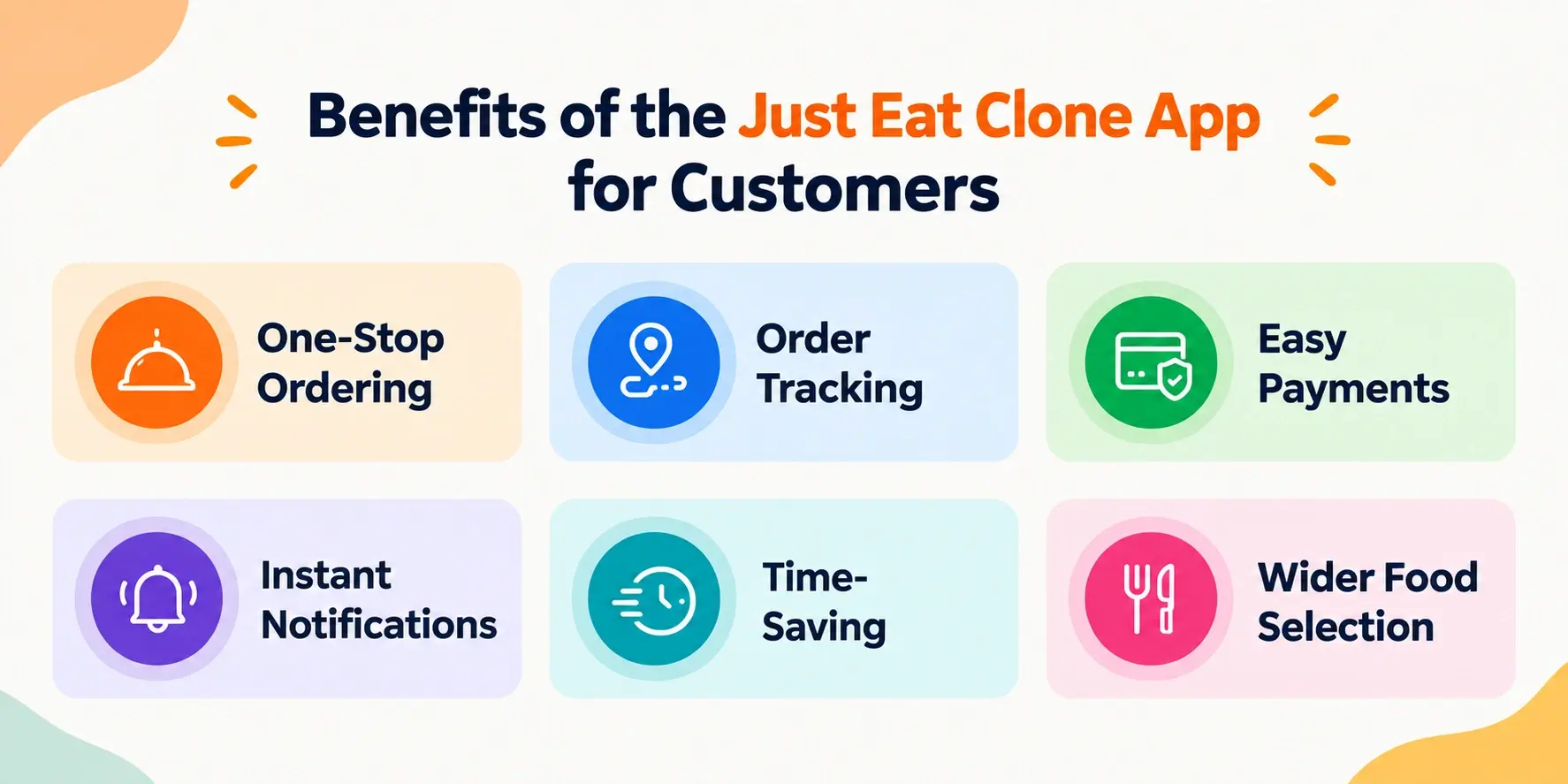
One-Stop Ordering
The food clone app allows customers to discover, browse, and order from multiple food delivery options all in one place. This centralizes the ordering experience, saving customers the effort of navigating between different delivery providers.
Order Tracking
Using the food ordering app clone script provides real-time order tracking so customers can monitor the status of their delivery and plan accordingly.
Easy Payments
Customers can easily pay with their preferred payment methods. Also, saved payment information allows customers to check out quickly without having to re-enter their details every time.
Instant Notifications
Push notifications are perfect for customers to know about happy hour specials, new menu items, and limited-time offers. They keep the customers up-to-date and save their money.
Time-Saving
Customers don’t have to spend time calling restaurants, waiting on hold, or driving to pick up their food. The clone app enables them to order their meals with just a few taps on their mobile device.
Wider Food Selection
By aggregating multiple restaurants and cuisines, customers get access to a broader range of food options to choose from in a single platform.
Key Features of Just Eat Clone Script
The white-label Just Eat clone platform consists of three dedicated apps:
- Customer app
- Restaurant app
- Rider app, along with a web-based admin dashboard
Each component has role-specific features for managing orders, restaurants, deliveries, and other platform operations.
Customer App
| Features | Description |
| Live Tracking | Users can track their deliveries in real time. They get updates on every status of their order, from food preparation to the rider’s arrival at their place. |
| Ratings and Reviews | It allows users to write reviews on the food and the delivery service. The review helps other customers make good decisions about their food. |
| Multiple Payment Methods | Customers can pay with various payment methods such as cash on delivery, credit/debit card, etc, that suit them. |
| Multiple Restaurants | Under one platform, users can get several restaurants. It helps them to place an order from various restaurants without leaving the comfort of their home or office. |
| Smart Search | Customers can search for restaurants, cuisines, dishes, or specific menu items and narrow results using filters such as location, price, ratings, delivery time, and availability. Search results should prioritize relevant restaurants and dishes based on the customer’s query and selected filters, making it easier to find and order what they want. |
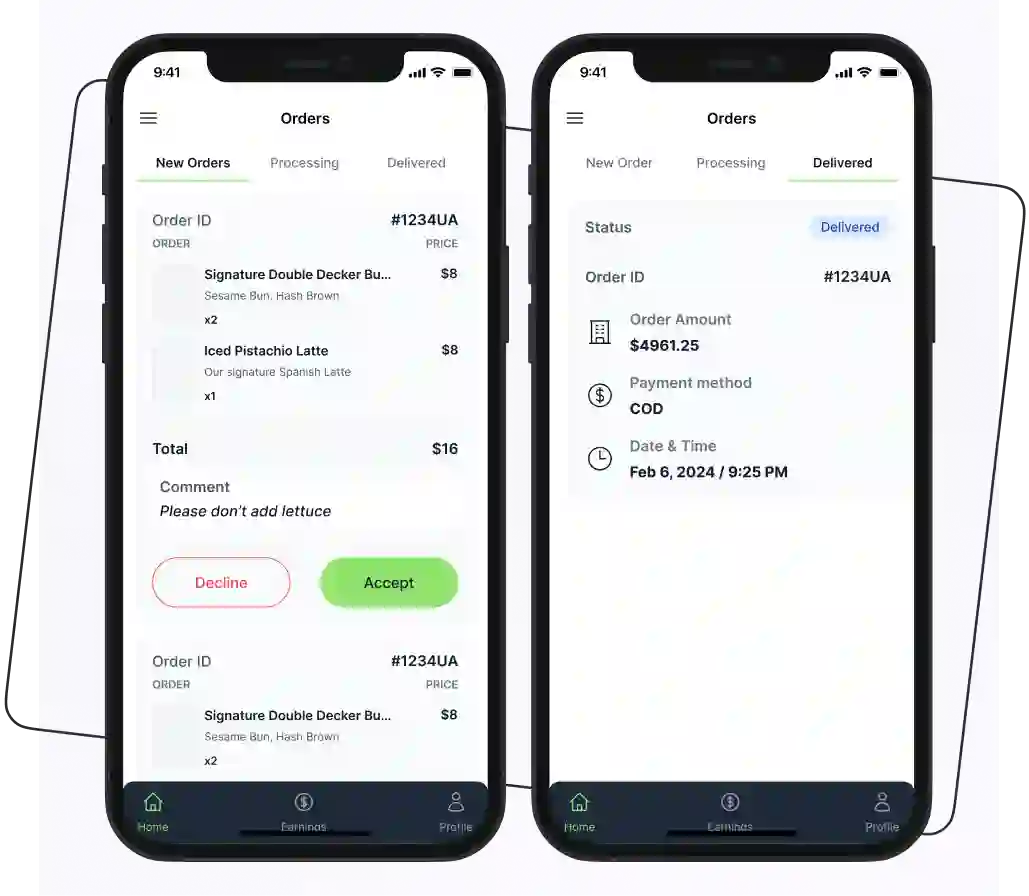
Restaurant App
| Features | Description |
| Menu Management | Restaurant owners can add, edit, or remove menu items and update details such as names, descriptions, prices, images, categories, and availability. They can also mark items as unavailable when ingredients are out of stock, helping keep the online menu accurate for customers. |
| Restaurant Registration | Restaurant owners can create an account and submit their business details, including: Restaurant name Address Contact information Operating hours Other required information The admin can review and approve the restaurant before it becomes available on the platform. Once approved, restaurant owners can manage their profile, menu, availability, and orders from the restaurant app. |
| Reply to Reviews | This feature of custom food delivery solutions allows restaurants to reply to customer reviews. It helps to build a relationship between the user and the restaurant. |
| Managing Promos | Managing promos and ads posted in the app by the restaurant can help them increase their sales and revenue. |
| Order Management | Restaurant staff can view incoming orders and update their status as they move through the fulfillment process, such as accepting an order, preparing it, and marking it ready for pickup or delivery. The restaurant can also view order details, including customer information, ordered items, quantities, special instructions, and payment status. |
| Earnings and Payments | Restaurant owners can view their order revenue, commissions, delivery or service charges, and the amount payable to them. The app can provide transaction and payout details so restaurants can track completed orders, earnings, and payment status in one place. |
| Offers and Discounts | Restaurant owners can create promotional offers for their menu items or orders by setting discounts, minimum order values, and validity periods. These promotions can be displayed to eligible customers during browsing and checkout, helping restaurants run targeted campaigns without changing their regular menu prices. |
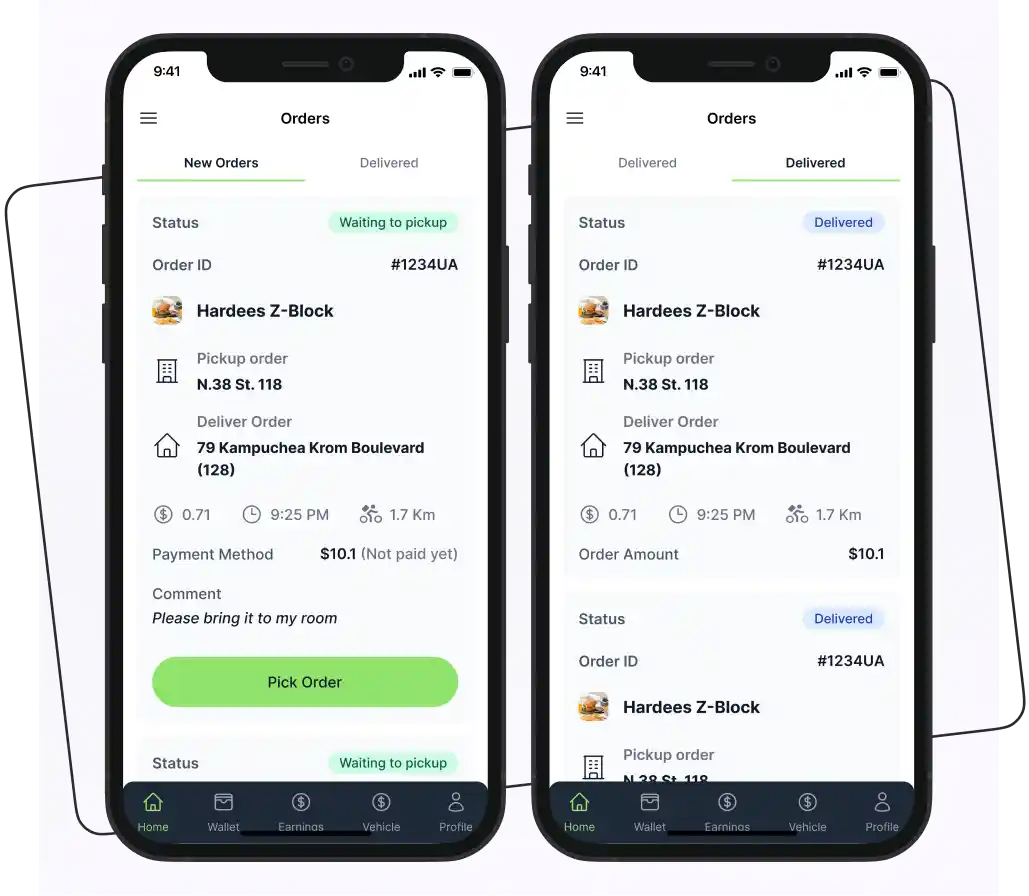
Rider App
| Features | Description |
| Order Assignment | Riders can receive delivery requests with details such as the pickup location, restaurant, customer destination, and order information. They can accept or decline available requests and view their assigned deliveries from the rider app, allowing them to manage their active orders from one place. |
| Navigation and Route Management | Riders can view the pickup and delivery locations on a map and use navigation to reach the restaurant and customer address. The app can provide route guidance and location updates during an active delivery, helping riders follow the delivery route and complete orders efficiently. |
| Delivery Status Updates | Riders can update an order’s delivery status as it progresses, such as when they arrive at the restaurant, pick up the order, start the delivery, and complete the drop-off. These updates are shared with the platform and customer so everyone can see the current delivery stage. |
| Accept/Reject Orders | The rider has the option to accept or reject the order request according to their convenience. With this feature, riders can better manage their workload and availability. This allows them to prioritize orders that fit their current schedule and location, leading to more efficient delivery times and a better overall experience for both the rider and the customer. |
| Payment Tracking | Using this feature, riders can keep track of all the payments they get for each delivery. This allows them to easily monitor their earnings and ensure they are being properly compensated for the work they perform. In addition, riders can view details like the order amount, any tips received, and the total payment for each completed delivery. This transparency helps riders better understand their income stream and make informed decisions about managing their time and workload. |
| Order Information | Detailed data of the order assigned is shared with the rider so they don’t misplace any items or miss any dishes. This ensures the rider has all the necessary information to fulfill the order correctly. |
| Manage Profile | The delivery rider can edit and manage their profile data. This allows them to maintain up-to-date personal and contact information associated with their rider account. |
Admin Dashboard
| Features | Description |
| Customer Management | Admins can view and manage customer accounts from the dashboard, including basic profile information, account status, and order activity. They can also review account issues and take appropriate actions, such as restricting or deactivating accounts when required by the platform’s policies. |
| Analytics Dashboard | An analytics dashboard keeps business owners updated about sales and all the key business activities in real time. This centralized reporting tool provides a comprehensive view of the restaurant’s performance and helps owners to make data-driven decisions. |
| Restaurant Management | Admins can review restaurant registrations, approve or reject applications, and manage restaurant profiles from the dashboard. They can also monitor restaurant status, menu activity, and order performance to keep the marketplace information accurate and up to date. |
| Rider Management | Admins can review rider registrations, manage rider profiles, and monitor account status from the dashboard. They can view assigned deliveries, track rider availability, and manage rider access based on the platform’s operational requirements. |
| Order Management: | Admins can view and manage orders across the platform. They can monitor orders throughout the fulfillment process and review issues such as cancellations, failed deliveries, or other exceptions that require administrative action. |
| Payments and Transactions | Admins can monitor payments and financial transactions across the platform. Transaction records can be reviewed by order or payment status, helping admins identify failed payments, refunds, or other discrepancies that require attention. |
| Reports and Analytics | Admins can analyze key marketplace metrics such as: Order volume Revenue Commissions Restaurant performance Delivery activity Customer activity Reports can be filtered by relevant time periods or categories to help identify trends. |
Steps for Building the Just Eat Clone App
Below are the steps to help you build the Just Eat clone app.

1. Conduct Market Research
First, you have to do in-depth research and gather all the information that helps you in creating the best app. In this phase, you have to understand your competitor’s app, its strengths, weaknesses, latest market trends, target market audience interests, etc.
With this information, you will have a better understanding of the current market and implement these learnings in your own business.
2. Choose the Food Delivery Model
Before development begins, decide how your marketplace will handle orders and delivery.
Below are the main types of food delivery business models.
- Order-Only Business Model
In this model, the platform connects customers with restaurants and manages the ordering process; each restaurant handles its own delivery. The platform can generate revenue through restaurant commissions, listing fees, subscription plans, or other agreed charges.
- Order and Delivery Business Model
In this model, the platform manages both ordering and delivery. Deliveries can be handled by the platform’s own riders, third-party logistics providers, or a combination of both. The platform may generate revenue through restaurant commissions, delivery fees, service fees, or other charges.
- Hybrid Business Model
A hybrid model combines restaurant-managed and platform-managed delivery. Restaurants can fulfill some orders themselves, and the platform or a logistics partner handles deliveries in areas where additional delivery capacity is needed. This approach can provide greater flexibility as the marketplace expands.
Also define how the platform will make money, such as through:
- Restaurant commissions
- Delivery fees
- Service fees
- Subscriptions
- Promoted listings
- Combination of these
3. Select the App Features
Map the features needed for each part of the platform: customer app, restaurant app, rider app, and admin dashboard. Start with the core workflows required to accept, prepare, assign, deliver, and complete an order.
Prioritize the features required for your initial launch and add advanced functionality after validating the core ordering and delivery workflow.
4. Select the Technology Stack
Choose the appropriate programming languages, frameworks, and tools for your app development. Some popular options include:
Frontend: React.js, Angular, Vue.js
Backend: Node.js, Ruby on Rails, Django
Database: MongoDB, MySQL, PostgreSQL
Mobile app: React Native, Flutter, Native Android/iOS
Here are some tips to help you choose the right technology stack.
- Consider the skills and experience of your development team. Choosing technologies that your team is already familiar with can speed up development and reduce the learning curve.
- Look for technologies that have a strong community and good documentation.
- Choose a stack that can grow with your project. Think about potential future requirements, such as increased traffic or additional features, and select technologies that can accommodate those changes.
- Ensure that the technologies you choose can work well together and can easily integrate with existing systems or third-party services you may need.
- Consider the costs associated with licenses, hosting, and development. Open-source technologies can reduce costs but may require more investment in support and maintenance.
- Choose a stack that allows for easy updates and maintenance to keep your project running smoothly.
5. Start the Just Eat Clone App Development
First, you have to develop the frontend and backend components. Integrate the necessary features and functionalities and ensure a seamless user experience and smooth app performance.
- Design the UI/UX
Design the customer, restaurant, rider, and admin interfaces around the tasks each user needs to complete. For customers, focus on a simple journey from restaurant discovery and menu browsing to cart, checkout, payment, and order tracking. Restaurant and rider interfaces should prioritize quick access to incoming orders, delivery information, and status updates.
Create wireframes for the main screens before moving to the final visual design. The design should also work consistently across supported mobile devices and screen sizes.
- Develop the Platform
Develop the customer app, restaurant app, rider app, and admin dashboard around the core ordering and delivery workflow. Build the backend services and database alongside the interfaces so information such as users, restaurants, menus, orders, payments, and delivery status can be synchronized across the platform.
Integrate the services required for your business model. If you are using a clone script, customize the existing modules instead of rebuilding features that are already included.
6. Testing and Launching
Conduct thorough testing, including unit tests, integration tests, and end-to-end tests. Fix any identified bugs or issues. After making the app error-free, deploy the app to the relevant app stores (e.g., Google Play Store, Apple App Store).
Moreover, promote the food clone app on social media platforms and engage with your target audience. Continuously monitor, maintain, and update the app based on user feedback and market changes.
How Much Does It Cost to Build a Just Eat Clone App?
A Just Eat clone app can cost around $50,000-$450,000+. However, the actual cost may vary depending on these factors:
- Development approach
- Number of apps
- Features
- Customization
- Development team’s experience
- Integrations
- Ongoing infrastructure
A ready-made clone script can reduce the initial development cost because core customer, restaurant, rider, and admin modules are already available. A fully custom platform requires a larger development budget.
Look at the table below that shows the cost of building each module from scratch, which is useful for understanding where the development budget goes.
If you choose a ready-made Just Eat clone script, you may spend less than building everything from scratch. The main costs are usually the script license, customization, branding, and required integrations because the core modules are already developed.
| Feature/Component | Estimated Cost |
| User App Development | |
| User Registration and Login | $5,000 – $10,000 |
| Browse Restaurants and Menus | $8,000 – $15,000 |
| Place Orders and Manage the Cart | $10,000 – $20,000 |
| Payment Integration | $8,000 – $15,000 |
| Order Tracking and Notifications | $7,000 – $12,000 |
| User Profile Management | $5,000 – $10,000 |
| Rider App Development | |
| Rider Registration and Login | $5,000 – $10,000 |
| Order Assignment and Tracking | $8,000 – $15,000 |
| Navigation and Delivery Optimization | $10,000 – $20,000 |
| Real-time Order Updates | $7,000 – $12,000 |
| Rider Profile Management | $5,000 – $10,000 |
| Restaurant App Development | |
| Restaurant Registration and Profile | $8,000 – $15,000 |
| Menu Management and Updates | $10,000 – $20,000 |
| Order Management and Fulfillment | $10,000 – $20,000 |
| Analytics and Reporting | $8,000 – $15,000 |
| Admin Panel Development | |
| User, Rider, and Restaurant Management | $12,000 – $25,000 |
| Order Monitoring | $10,000 – $20,000 |
| Business Analytics and Reporting | $12,000 – $25,000 |
| Platform Settings and Configurations | $8,000 – $15,000 |
| Backend and Infrastructure | |
| API Development and Integration | $15,000 – $30,000 |
| Database Design and Implementation | $10,000 – $20,000 |
| Cloud Infrastructure and Hosting | $5,000 – $10,000 |
| Security and Compliance | $8,000 – $15,000 |
| Other Costs | |
| UI/UX Design | $15,000 – $30,000 |
| Quality Assurance and Testing | $10,000 – $20,000 |
| Project Management | $8,000 – $15,000 |
| Maintenance and Support | $5,000 – $10,000 per year |
However, the actual cost may vary depending on the complexity of the features, the development team’s experience, the chosen technology stack, and other project-specific factors.
How to Choose the Best Just Eat Clone Script
Before choosing one, test a live demo, verify source code ownership, check mobile apps and admin features, and review the vendor’s track record. Also compare the total cost, integrations, compliance, and ongoing maintenance requirements to avoid limitations after launch.
Use the following checklist to evaluate a Just Eat clone script before making a decision:
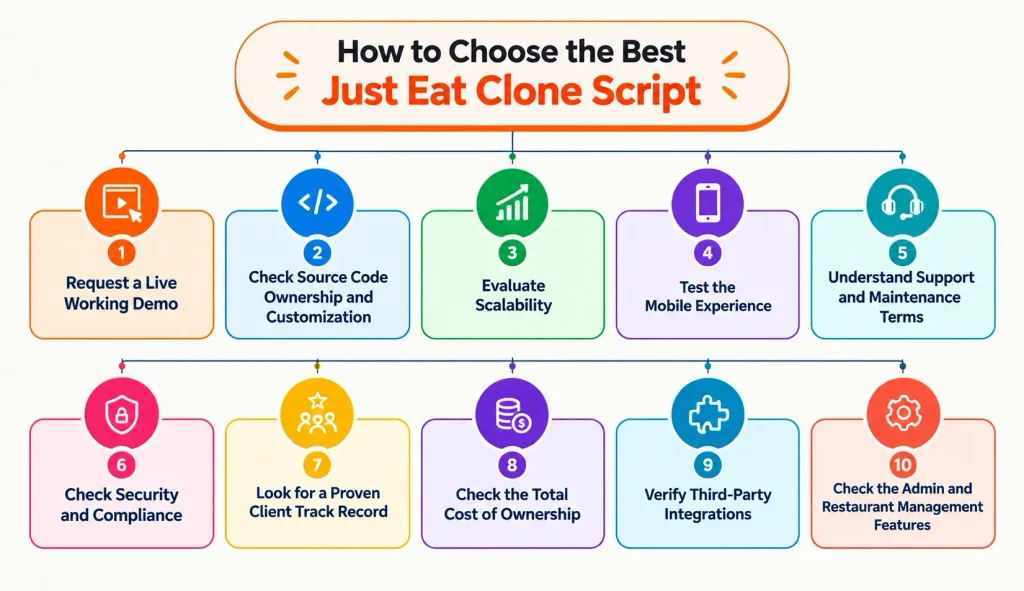
1. Request a Live Working Demo
Don’t rely only on screenshots or pre-recorded videos. Ask for access to the live customer, restaurant, and delivery driver apps, along with the admin dashboard.
Test the complete ordering and delivery flow yourself. Check that the features, user experience, and workflows match your business requirements.
2. Check Source Code Ownership and Customization
Some vendors provide only a license to use their software, which can limit your ability to customize the platform or migrate it to your own infrastructure.
Check that the source code is included in the price and that you have the rights to modify and host it yourself. Full source code ownership gives you greater control over future customizations, integrations, and platform development.
3. Evaluate Scalability
Your food delivery platform should be able to grow with your business. A script that works for a small launch may struggle when you expand to more cities, restaurants, customers, and orders.
Ask how the platform handles high traffic. Also check whether its architecture allows you to scale the infrastructure as demand increases.
4. Test the Mobile Experience
Food delivery is primarily a mobile-driven business, so the customer and delivery apps need to provide a fast and smooth experience.
Test all the workflows. Also check that the apps are built using native or reliable cross-platform technologies and they support both iOS and Android.
5. Understand Support and Maintenance Terms
Technical issues can directly affect orders and revenue, so understand what support you will receive after purchasing the script.
Ask about:
- Bug-fixing timelines
- Technical support channels
- Software updates
- Maintenance and upgrade policies
- Support hours and response times
- Whether support is included or charged separately
Clear support terms can help you avoid unexpected costs and delays after launch.
6. Check Security and Compliance
Your platform will handle customer information, payments, addresses, and potentially other sensitive data. Make sure the solution follows the security and compliance requirements relevant to your target market.
For example, if you operate in the EU or UK, check how the platform handles GDPR requirements. For payment processing, verify that the payment setup and providers meet applicable PCI DSS requirements.
7. Look for a Proven Client Track Record
A vendor’s previous deployments can tell you more than a feature list. Ask for relevant case studies, client references, or examples of live platforms built with the script. Look for businesses operating in markets or at a scale similar to yours.
8. Check the Total Cost of Ownership
Don’t compare scripts based only on their upfront price. Ask about the full cost of running and scaling the platform.
Consider expenses such as:
- Source code or licensing fees
- Customization and development
- Hosting and infrastructure
- Payment gateway charges
- App store fees
- Maintenance and updates
- Third-party APIs and services
- Technical support
Understanding the total cost upfront makes it easier to compare different solutions and plan your budget accurately.
9. Verify Third-Party Integrations
A food delivery platform rarely operates on its own. You may need payment gateways, maps, SMS, email, push notifications, analytics, accounting tools, and other third-party services.
Check which integrations are already supported and whether new APIs can be added without modifying the entire platform.
Alternatives to a Just Eat Clone Script
If a Just Eat clone isn’t ideal for your business, consider these alternatives.
| Alternative | Description | Pros | Cons |
| Custom-Built App | Build a food delivery app from scratch, tailored to your needs. | Fully customizable, unique branding, no dependency on clone scripts. | High development cost, longer time to launch, and requires experienced developers. |
| Other Clone Scripts | Clone apps based on other popular platforms like Uber Eats, Zomato, or Deliveroo. | Quicker launch, proven features, and cost-effective. | May still be similar to competitors, with limited uniqueness. |
| White-Label Delivery Platforms | Pre-built SaaS platforms for restaurants or delivery services (e.g., GloriaFood, Flipdish). | No development required, fast setup, subscription-based pricing. | Less control over features and branding, and monthly fees. |
| Marketplace Aggregators | Partner with existing platforms like Uber Eats, DoorDash, or Deliveroo. | Instant exposure, minimal setup, marketing support. | High commissions, limited control over customer data, and dependency on platform policies. |
| Hybrid Approach | Start with a clone script or white-label solution, then gradually add custom features. | Balanced cost and customization, faster launch with scaling options. | Requires technical planning and ongoing development. |
Why Enatega for Your Just Eat Clone App
If you’re looking for a ready-made solution to build a food delivery platform, Enatega offers the tools you need to get started.
- Own the Source Code
Enatega gives you access to the source code, so you have more control over hosting, customization, and future development.
- Try the Platform Before You Decide
You can explore the customer, restaurant, and rider apps, along with the admin dashboard, through a live demo before choosing the platform.
- Customize it for Your Business
You can customize the platform to match your brand, business model, workflows, and target market instead of starting the entire platform from scratch.
- Support for Multiple Delivery Businesses
Enatega supports food delivery along with other delivery-based use cases. It gives businesses the flexibility to expand their platform as their requirements change.
- Real-World Deployments
Enatega has been deployed for businesses in different markets and use cases, providing experience with launching and operating delivery platforms.
FAQs
Just Eat was established in Denmark in 2001, and Takeaway.com was founded in the Netherlands in 2000. The two companies combined in 2020 to form Just Eat Takeaway.com.
No. Just Eat is part of Just Eat Takeaway.com, while Grubhub is a separate company. Just Eat Takeaway.com completed the sale of Grubhub to Wonder Group in January 2025.
A clone script can go from setup to launch in a few weeks to a couple of months, depending on the level of customization, integrations, and testing required, compared to 6-12+ months for a fully custom build.
Most vendors handle initial setup and customization, but having a developer or technical partner is recommended for deeper customizations, integrations, and ongoing maintenance after launch.
Supercharge your deliveries with Enatega.
Register NowConclusion
A Just Eat clone script isn't a shortcut around doing the work; it's a shortcut around rebuilding infrastructure that's already been solved.
The real work is still yours: securing restaurant partners, lining up delivery capacity, and giving customers a reason to choose your app over Just Eat, Deliveroo, or Uber Eats.
Choose a vendor like Enatega with full source code ownership and a track record you can verify. Now, you can move from decision to launch in weeks rather than months.
About the author

Hudaibia Khalid is a senior content writer with several years of experience in creating clear and easy-to-understand content. Over the years, she has worked closely with startups, restaurants, and entrepreneurs, helping them simplify complex digital and technical topics into actionable insights.
Her expertise lies in writing about on-demand platforms, food delivery solutions, and business growth strategies in a way that is accessible even to non-technical readers. With her experience in the industry, she focuses on guiding businesses step by step, from understanding ideas to turning them into fully working solutions.
SHARE






 IOS
IOS Android
 Web
Web