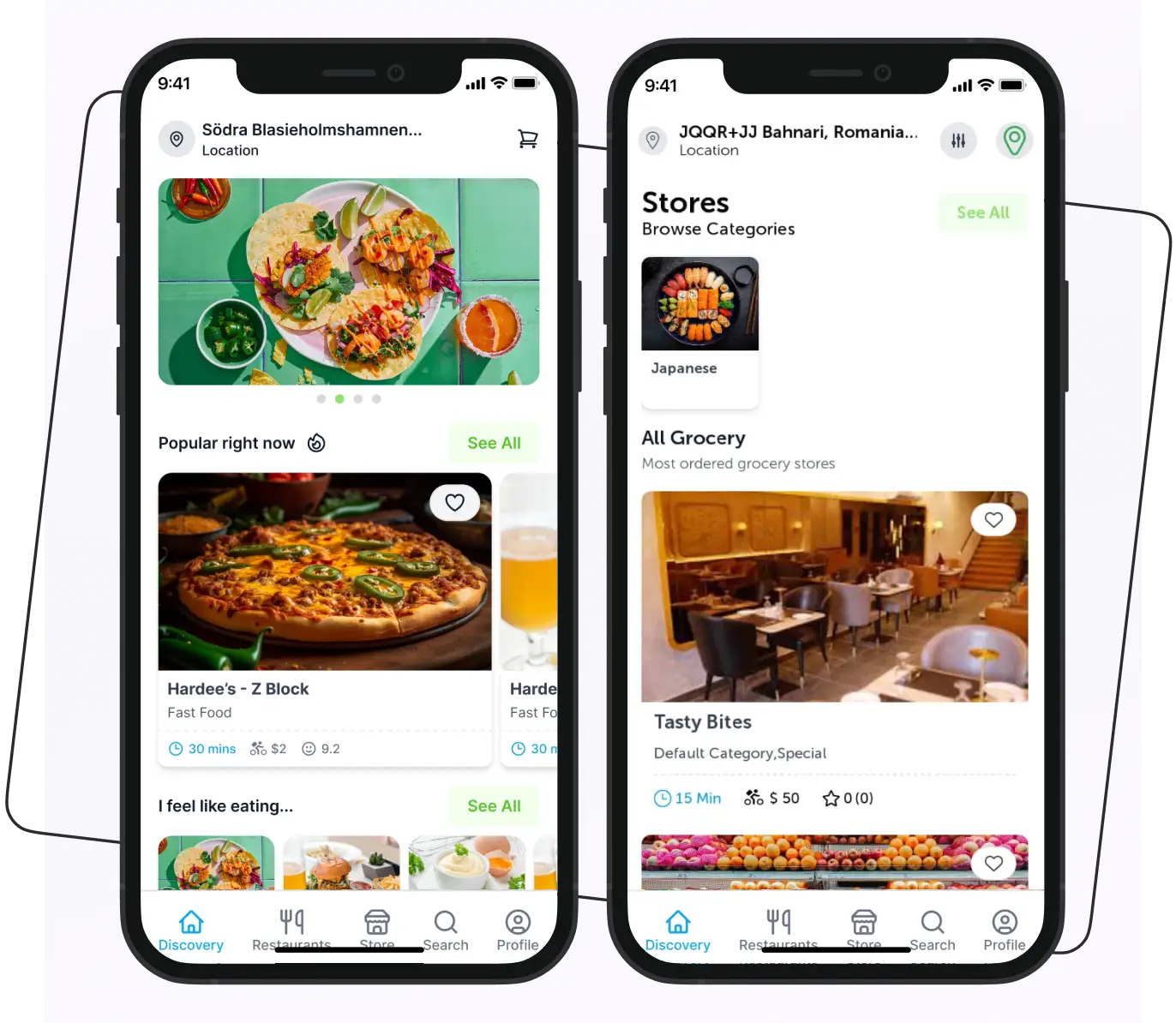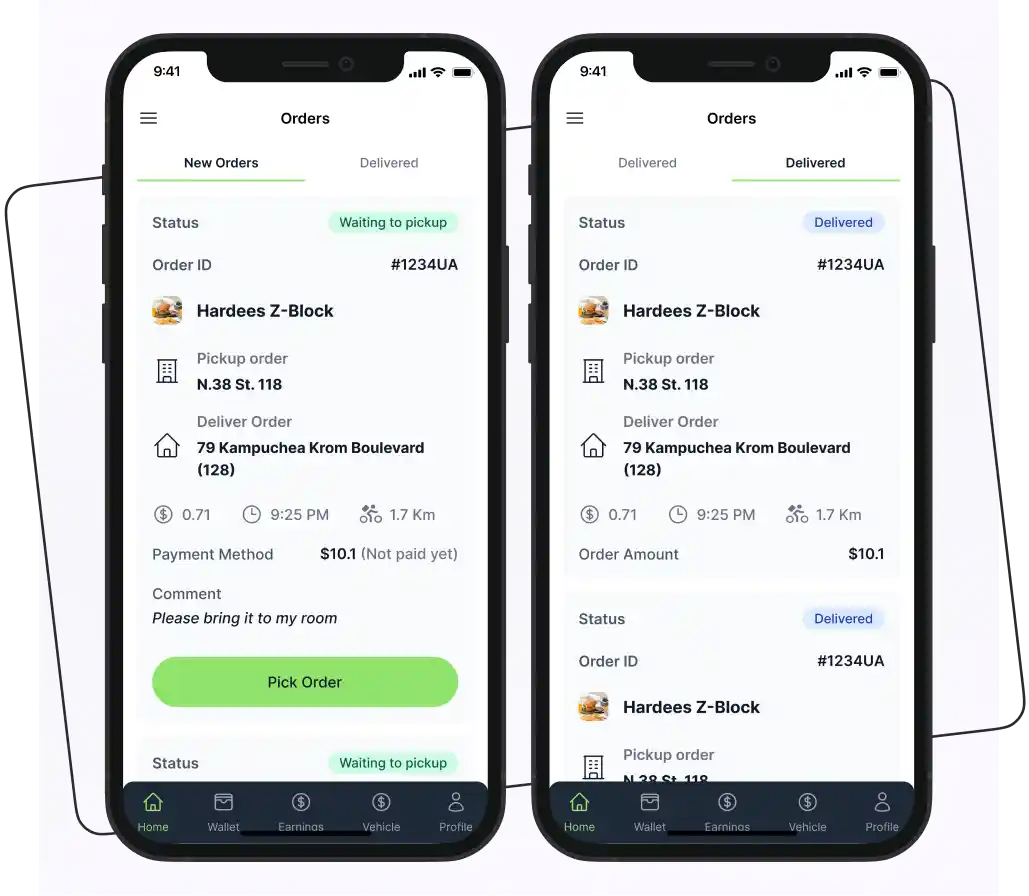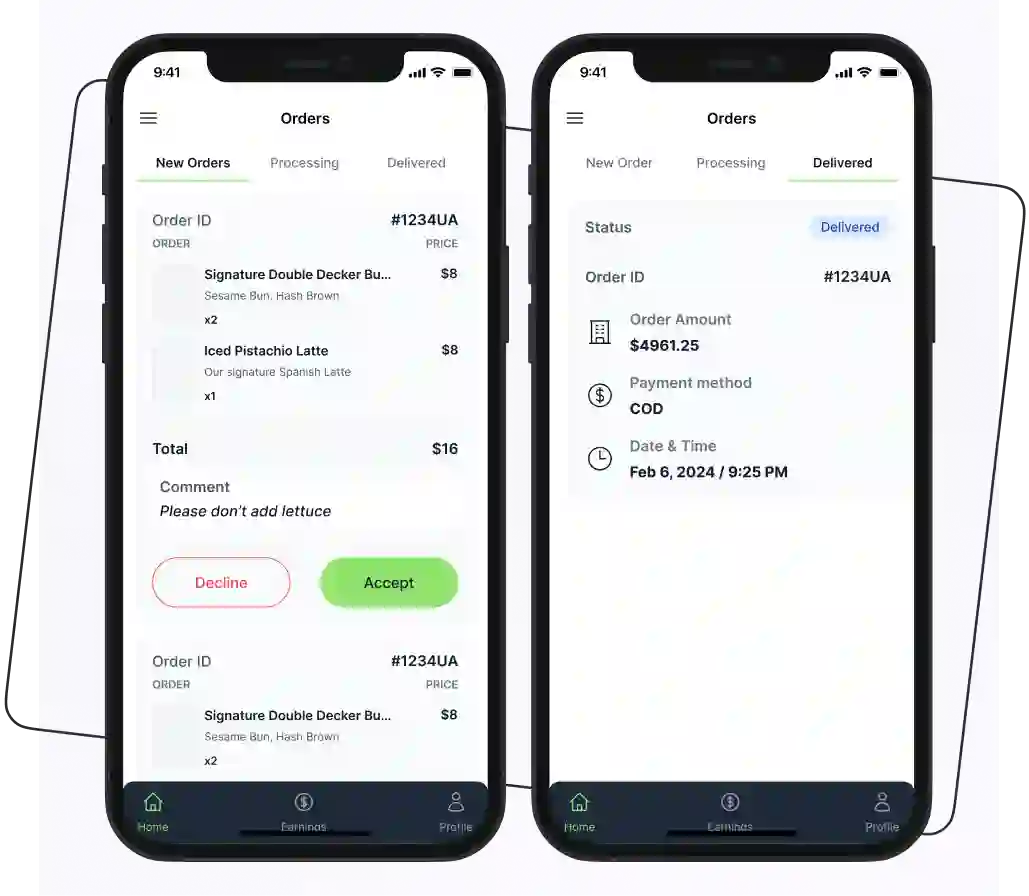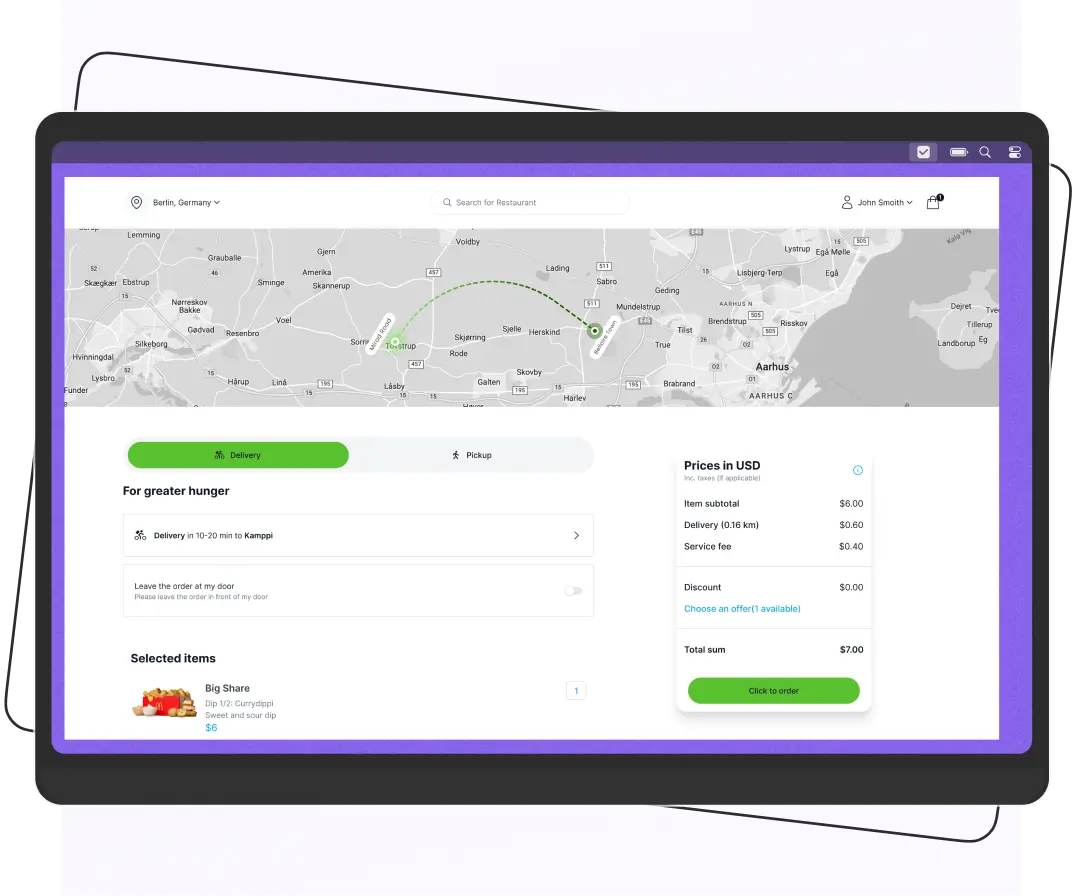


To create a grocery delivery app, define your business model, research your target market, choose the business model, select the app features, choose the tech stack, start development, and launch. Starting with an MVP or a white-label solution can help reduce development time, costs, and time to market.
Grocery delivery is no longer limited to giants like Instacart and Amazon Fresh. Today, startups, supermarkets, and local grocery chains are launching their own delivery apps to meet growing customer demand.
But before you invest, you need to understand the development process, expected costs, essential features, and the right business model.
In this blog, you’ll learn exactly how to build a grocery delivery app, what it costs, the technology you’ll need, and tips to launch faster while avoiding common mistakes.
Grocery Delivery Market Size and Growth
The grocery delivery industry has experienced rapid growth over the past few years. As more people prefer ordering groceries online, businesses have a significant opportunity to enter this expanding market.
According to Grand View Research, the global online grocery market is expected to reach $992.35 billion by 2033.
Additionally, Statista projects the grocery delivery segment to grow at a compound annual growth rate (CAGR) of around 25% through 2030, with same-day delivery emerging as one of the fastest-growing fulfillment options.
Here are a few key statistics that highlight the potential of the grocery delivery market:
| Metric | Figure |
| Global online grocery market (2033 projection) | $992.35 billion |
| Grocery delivery CAGR (2023–2030) | ~25% |
| Consumers who’ve ordered groceries online at least once | 60%+ |
Sources: Grand View Research, Statista
What is a Grocery Delivery App?
A grocery delivery app is a digital platform that allows customers to browse, select, and order groceries online. These apps make grocery shopping easier by offering convenience and faster service. Instead of going to a physical store, customers can order groceries anytime and from anywhere using their mobile phones.
Most grocery delivery apps support one or more of the following delivery models:
- On-Demand Delivery: Orders are delivered as quickly as possible, often within a few hours (e.g., Instacart).
- Scheduled Delivery: Customers select a preferred delivery date and time that fits their schedule.
- Hybrid Delivery: Combines on-demand and scheduled delivery, giving customers greater flexibility.
For businesses, grocery delivery apps help improve daily operations and reduce costs. With fewer customers shopping in-store, supermarkets can lower overhead expenses. However, success depends on building a grocery delivery app that is fast, simple to use, and reliable. If the app is slow, difficult to use, or full of bugs, customers are unlikely to keep using it.
Grocery Delivery Market Trends
The grocery delivery industry is growing rapidly as more people prefer the convenience of ordering groceries online.
Here are some of the biggest trends shaping the market.
Growth of Quick Commerce
Customers now expect groceries to arrive within minutes instead of hours. This has increased the demand for quick commerce (Q-commerce), where businesses focus on delivering daily essentials in 10 to 30 minutes.
Omnichannel Shopping is Becoming the Standard
Shoppers no longer choose between online and in-store shopping. They use both. Many retailers now offer home delivery, curbside pickup, and in-store shopping to provide a better customer experience.
AI-Powered Personalization
Grocery apps are using artificial intelligence to recommend products, suggest repeat purchases, and display personalized offers based on customer shopping habits. This helps improve customer engagement and increase sales.
How Does a Grocery App Work?
Before developing a grocery app, it’s important to understand its functionality. Here are the main steps involved in how a grocery app works.

1. Download and Sign up
Users begin by downloading the grocery app from the App Store. They create an account by providing basic information such as their email address and password.
2. Browse Products
After signing up, users can browse through various categories, including fruits, vegetables, dairy, and snacks, making it easy to find what they need.
3. Search Function
The search feature allows users to type in specific items or brands, facilitating quick access to products without scrolling through multiple pages.
4. Add to Cart
Once users find their desired products, they can select quantities and add them to their virtual shopping cart for easy checkout later.
5. Apply Promo Code (If Any)
If users have promotional codes, they can enter them at checkout to receive discounts. It enhances their shopping experience and saves money.
Supercharge your deliveries with Enatega.
Launch Now6. Checkout
Users review their shopping cart to ensure they have everything they need. They can make adjustments before proceeding to the payment stage.
7. Payment Processing
The app securely processes payments, offering various methods such as credit/debit cards, digital wallets, or cash on delivery.
8. Order Confirmation
After payment, users receive an order confirmation via email or in-app notification, detailing their purchase and estimated delivery time.
9. Order Fulfilment
The grocery store then prepares the order, picking and packing the items as per the user’s selection and readying them for delivery.
10. Delivery
Finally, the order is delivered to the user’s specified address. The user also provides feedback based on their experience.
Grocery Delivery App Monetization
A grocery delivery app can generate revenue in several ways. Choosing the right monetization model is necessary for generating revenue.
Here are some of the most common ways grocery delivery apps make money.
Delivery Fees
Charge customers a fee for delivering their orders. The fee can vary based on distance, order size, or delivery speed.
Vendor Commissions
If your app connects multiple grocery stores, you can earn a commission on every order placed through the platform.
Subscription Plans
Offer monthly or yearly memberships that provide benefits such as free delivery, exclusive discounts, or faster delivery.
Featured Listings
Allow grocery stores or brands to pay for featured placement in search results or on the app’s homepage to increase their visibility.
In-App Advertising
Display ads from grocery brands or related businesses to generate additional income without affecting the shopping experience.
Service Fees
Charge a small service fee on each order to cover platform maintenance and operational costs.
How to Create a Grocery Delivery App?
Creating an on-demand grocery delivery app is your golden opportunity to stand out in the competitive market. However, it requires careful planning and preparation.
Therefore, for your help, we gathered some steps to help you create a top-notch grocery delivery solution.

1. Market Research
Before you start creating your grocery delivery app, it’s important to understand your market and define what makes your app unique.
The success of your app relies on the information you gather during this stage. Without it, you won’t be able to compete effectively or identify gaps in the market that you can fill.
Here are some key areas to focus on:
- Identify Your Target Audience: Know who they are and what they want.
- Understand Market Trends: Stay updated on what’s popular in the grocery delivery industry.
- Analyze Competitors: Look at their strengths and weaknesses.
To gather this information, you can use various research methods, such as:
- Interviews
- Surveys
- Online databases
- Journals
- Observations
If you’re short on time, consider hiring professionals to help with your market research.
2. Choose the Business Model
Defining the business model is necessary if you want to create a grocery delivery app like Instacart. Select the business model that best aligns with your requirements.
Below are some grocery delivery app business models that you should consider when creating an app.
- Inventory Model
In this model, the grocery store owner is responsible for purchasing and storing inventory. Inventory is usually sourced directly from manufacturers, wholesalers, distributors, or suppliers, not retailers. They are fully responsible for managing stock levels and ensuring the timely delivery of grocery orders to customers.
By integrating a GS1 QR code system, store owners can efficiently track inventory, streamline product identification, and enhance supply chain transparency.
- Multi-Vendor Marketplace Model
Using the multi-vendor marketplace model, multiple sellers, like local farmers, large grocery chains, or specialty food stores, can sell their products directly to customers via a single platform.
This model is similar to a virtual grocery market where the platform earns a commission on each order.
In addition, this model is known as the “zero inventory model”, as the owner of the platform does not hold any inventory on its own.
- Hyper-Local Model
The hyperlocal model refers to a model where customers can order groceries online from nearby local stores. The main unique selling proposition of this model is that it delivers groceries within a short time frame, usually within an hour, to the customer’s doorstep.
- Scheduled Delivery Model
This model enables grocery deliveries to be scheduled according to the needs of the retailer, delivery staff, and customers, ensuring convenience for all parties involved.
- BOPIS (Buy Online, Pick Up In-Store) Model
This grocery model allows customers to browse and order groceries online through a dedicated website or app and then have them physically pick them up at their chosen local grocery store. This combines the ease of online shopping with the immediacy of in-store pickup.
3. Identify the Grocery Delivery App Features
More and more people are moving to online grocery shopping. Therefore, it is pivotal to make their journey remarkable, and this can be done by providing great features.
Below are some great features that you should incorporate into your online grocery delivery service.
For Customers
| Features | Description |
| Simple Signup | Customers can easily sign up on the app using their email, phone number, or social media account. This process ensures that users can get started quickly without any complicated steps. |
| Custom Search | Users can take advantage of advanced search filters to find products that match their specific needs. Whether looking for a particular brand, price range, or dietary preference, these filters help users save time and make informed choices. |
| Multiple Payment Options | This essential feature offers various payment methods, including cash on delivery, credit/debit cards, and digital wallets. By providing multiple options, customers can choose the payment method that suits them best, ensuring a smooth and hassle-free checkout experience. |
| Multi-language Support | Users can access the app in multiple languages, allowing them to choose their preferred language for a better experience. This inclusivity helps break language barriers, making the app accessible to a wider audience. |
| Order Tracking | The order tracking feature lets users monitor the status of their orders in real time, from placement to delivery. Customers receive updates on their order’s journey, providing peace of mind and transparency throughout the process. |
| Ratings and Reviews | Customers can provide feedback on their experience by giving a star rating and writing a review. This feature not only helps other users make informed decisions but also helps store owners to improve their services based on customer input. |
| Grocery Store Virtual Tour | Users can explore the grocery store virtually, making it easier to find products. This interactive feature allows customers to familiarize themselves with store layouts and locate items quickly, improving their shopping experience. |
| Push Notifications | Stay updated with timely notifications about order status, promotions, and more. These alerts keep customers informed about new offers and important updates, helping them stay engaged with the app. |
| In-app Chat | Customers can communicate directly within the app for support or inquiries. It provides a convenient way for users to get assistance, ensuring that their questions are answered promptly. |
| Substitution Preferences | Customers can choose how out-of-stock items are handled. They can receive a similar product, select a preferred replacement, or request a refund instead. |
| Weight-Based Pricing | For items sold by weight, such as fruits and vegetables, the app shows an estimated price at checkout. The final price is updated based on the actual packed weight. |
| Expiration/Freshness Info | The app displays freshness details or “best before” dates for perishable items. This helps customers buy groceries with confidence. |
| Cold-Chain Delivery Confirmation | For frozen or refrigerated items, the app confirms proper storage during transit (insulated bags, cold-pack use). |
For Grocery Store Owners
| Features | Description |
| Store Registration | Store registration is designed to be quick and straightforward, allowing owners to set up their accounts without unnecessary delays. This streamlined process helps new store owners get started with minimal hassle. |
| Product Management | With product management, store owners can easily add new items, update existing listings, and organize their inventory efficiently. It ensures that customers always have access to the latest products available in the store. |
| Order Management | The order management feature simplifies the tracking of all customer orders, making it easier to manage fulfillment and delivery. |
| Payment Management | Store owners can securely store their payment information and keep detailed records of all transactions. It provides transparency and simplifies financial management, making it easier to track sales and payments. |
| Order History Management | Accessing and managing the history of all orders is effortless with grocery delivery software. It allows store owners to keep track of all orders in one place and avoid mistakes that can occur if they handle them manually. |
For Riders
| Features | Description |
| Rider Registration | Riders can easily create an account on the app by entering their name, vehicle details, contact number, and uploading identification documents. This process ensures they are ready to deliver groceries. |
| Order Notification | Riders receive instant push notifications whenever a new grocery order is placed, keeping them informed and ready to respond quickly. |
| Accept and Reject Orders | Riders have the flexibility to accept or reject incoming orders based on their availability, allowing them to manage their time effectively. |
| GPS Tracking | This feature enables real-time tracking of the rider’s location, helping them navigate efficiently to pick up and deliver groceries. |
| Order History Management | Riders can view and manage their past orders, allowing them to keep track of their deliveries and earnings easily. |
| Route Optimization | The app provides optimized routes for riders, ensuring they take the most efficient paths to deliver groceries quickly and save time. |
AI Features Shaping Grocery Delivery Apps
Basic personalization used to be a differentiator. In 2026, it’s closer to a baseline expectation. Here’s where AI is actually making a measurable difference in grocery delivery apps.
Personalized Recommendations
Machine learning models analyze purchase history, browsing behavior, and even time-of-day patterns to surface relevant products on the home feed and at checkout not just “customers also bought” suggestions, but recommendations that adjust to each shopper’s actual habits.
Dynamic Pricing and Demand Forecasting
AI can adjust prices and delivery fees in real time based on demand, competitor pricing, and current inventory levels. On the supply side, demand forecasting helps store owners plan purchase orders more accurately, which directly reduces waste on perishable items, one of the costliest problems in grocery retail.
Smarter Inventory Management
Rather than reacting to stockouts after they happen, AI can predict demand by product based on historical sales, seasonal patterns, and even local events or weather. This shifts inventory management from reactive to proactive, cutting both out-of-stock incidents and overstocking.
Natural Language Search
Instead of matching exact keywords, NLP-powered search can understand a query like “something for pasta night under $20” and return relevant product combinations rather than a generic keyword-matched list. This shortens the time between browsing and checkout.
4. Select the Tech Stack
The choice of tech stack for grocery delivery app development depends heavily on the goal that you are going to achieve.
The table below shows some tech stack options that you can consider for developing your grocery app.
| Category | Tech Stack Options | Description |
| Frontend | React, Angular, Vue.js | Frameworks for building dynamic user interfaces. |
| Backend | Node.js, Ruby on Rails, Django | Technologies to handle server-side logic and database interactions. |
| Database | MongoDB, PostgreSQL, MySQL | Options for data storage and management. |
| Mobile App | React Native, Flutter, Swift, Kotlin | Frameworks for building cross-platform or native mobile applications. |
| Cloud Services | AWS, Google Cloud, Azure | Platforms for hosting, storage, and scalable infrastructure. |
| Payment Gateway | Stripe, PayPal, Square | Services for handling online payments securely. |
| Real-time Services | Socket.io, Firebase Realtime Database | Solutions for real-time updates and notifications. |
| APIs | RESTful APIs, GraphQL | Protocols for communication between frontend and backend. |
In addition, here are some tips to help you choose the right tech stack.
- Scalability: Choose technologies that can grow with your user base.
- Performance: Ensure that the tech stack can handle high traffic efficiently.
- Development Speed: Opt for frameworks and tools that facilitate rapid development and deployment.
- Community Support: Select technologies with strong community backing for easier troubleshooting and resources.
5. Design and Development of the App
This is the most important step, and it will take time and effort. Whether you choose to hire a developer or do it yourself, it’s essential to understand how to build a grocery delivery app.
Here are some stages to help you create the best grocery delivery platform.
Design the User Interface (UI): Create an intuitive and visually appealing design. Focus on user experience (UX) to make navigation easy.
Develop the App: Start coding the app based on your designs and features. Ensure to follow best practices for security and performance.
App Testing: Test the app to identify and fix any bugs. Make sure it works smoothly on various devices and platforms.
6. Launch and Marketing
Once everything is ready, launch your app on the App Store and Google Play Store. Promote your open source grocery delivery app on various platforms to reach your target audience. Collect user feedback to understand what works and what can be improved.
Regularly update the app with new features and improvements based on user feedback and changing market trends.
Benefits of Creating a Grocery Delivery App
Below are some benefits of building an on-demand grocery delivery app.
| Benefits | Customers | Businesses |
| Convenience | Shop from home anytime without visiting stores. | Easily manage order processing and delivery systems. |
| Time-Saving | Reduces time spent shopping and waiting in line. | Increases efficiency in inventory and logistics. |
| Variety | Access to a wider range of products and brands. | Ability to showcase more products online. |
| Cost-Effective | Potential discounts and promotions exclusive to app users. | Increased sales through targeted marketing. |
| Personalization | Customized shopping experience based on preferences. | Data collection for tailored marketing strategies. |
| Accessibility | Helps those with mobility issues or a lack of transportation. | Expands customer base beyond physical location. |
| User Reviews and Ratings | Helps make informed purchasing decisions. | Builds trust and credibility through customer feedback. |
| Payment Flexibility | Multiple payment options for user convenience. | Easier financial transactions and management. |
How Much Does It Cost to Build a Grocery Delivery App?
Building a grocery delivery app costs between $57,000 and $175,000. The cost of building the grocery delivery app depends on various factors, such as:
- App design
- App complexity
- Number of platforms
- Maintenance and updates
- Location of the development team
- Tech stack and more
Look at the table below and understand the estimated cost of building the grocery delivery platform.
| Cost Component | Estimated Cost (USD) |
| Market Research | $2,000 – $5,000 |
| UI/UX Design | $5,000 – $15,000 |
| Development | |
| iOS App | $10,000 – $30,000 |
| Android App | $10,000 – $30,000 |
| Web App | $5,000 – $15,000 |
| Backend Development | $15,000 – $40,000 |
| API Integration | $5,000 – $15,000 |
| Testing and QA | $5,000 – $10,000 |
| Launch and Marketing | $5,000 – $20,000 |
| Maintenance (Annual) | $10,000 – $20,000 |
| Total Estimated Cost: $57,000 – $175,000 | |
How Long Does it Take to Build a Grocery Delivery App?
A basic grocery delivery app with essential features usually takes 2 to 4 months to develop. A more advanced app with multiple user panels, real-time tracking, payment integration, and custom features can take 6 to 9 months or longer.
The time required to build a grocery delivery app depends on its features, complexity, and whether you’re developing it from scratch or using a ready-made solution.
If you choose a white-label grocery delivery solution, you can launch your app in just a few days or weeks since the core features are already built and only require branding and customization.
- Basic App (MVP): 2–4 months
- Advanced App: 6–9 months
- Enterprise-Level App: 9–12+ months
- White-Label Solution: A few days to a few weeks
Popular Grocery Delivery Apps
All grocery delivery apps are designed to make online grocery shopping easier; each one works differently. They offer different business models, features, and delivery options based on their target customers.
Below are some of the most popular grocery delivery apps and what makes each of them stand out.
Instacart
Instacart is one of the most popular grocery delivery apps in the United States. It partners with local supermarkets and retail stores, allowing customers to order groceries online and receive same-day delivery. It is known for its large store network and easy-to-use app.
Amazon Fresh
Amazon Fresh is Amazon’s grocery delivery service that offers fresh produce, pantry items, and household essentials. Customers can choose home delivery or scheduled delivery slots. It is especially popular among Amazon Prime members.
Walmart Grocery
Walmart Grocery allows customers to shop online from their nearest Walmart store. Users can choose between home delivery and curbside pickup based on their convenience. It offers competitive pricing and a wide range of grocery products.
Shipt
Shipt is a membership-based grocery delivery platform that partners with major retailers across the U.S. It provides same-day grocery delivery and lets customers communicate directly with personal shoppers during the shopping process.
Kroger
Kroger offers online grocery shopping through its mobile app and website. Customers can order fresh groceries, pharmacy items, and household products for home delivery or curbside pickup. The app also provides personalized deals and digital coupons.
FreshDirect
FreshDirect specializes in delivering fresh groceries, including fruits, vegetables, meat, seafood, and prepared meals. It focuses on providing high-quality products sourced directly from farms and suppliers. The service is available in selected regions.
Blinkit
Blinkit is a popular quick-commerce grocery delivery app in India. It delivers groceries, snacks, medicines, and daily essentials in just a few minutes. The app is known for its fast delivery and convenient shopping experience.
Zepto
Zepto is another leading instant grocery delivery app in India. It promises grocery delivery in around 10 minutes and offers a wide range of products, from fresh produce to household essentials. Its speed and user-friendly interface have made it a popular choice among urban shoppers.
Tips to Keep in Mind When Creating a Grocery Delivery App
Here are some tips to keep in mind when developing a grocery delivery app.
- Ensure the layout is easy to navigate with clear categories and search functionality.
- Enable users to filter products by category, price, brand, and dietary preferences (e.g., vegan, gluten-free).
- Integrate a system to update inventory in real-time to prevent users from ordering out-of-stock items.
- Offer multiple payment methods, including credit/debit cards, digital wallets, and cash on delivery.
- Ensure secure payment processing through encryption and compliance with payment standards.
- Implement efficient route optimization to reduce delivery times.
- Offer flexible delivery options (e.g., same-day delivery, scheduled delivery).
- Include a help section with FAQs and a way for users to contact support easily (chat, email, phone).
- Provide information about safety measures taken during the delivery process, especially for fresh produce.
FAQs
Yes, white-label platforms let you launch a grocery app with core features (ordering, payments, tracking) already built, requiring only customization and store onboarding.
Hyperlocal apps (like Blinkit, Zepto) connect customers to nearby dark stores for fast delivery. Inventory-based apps (like Amazon Fresh) manage their own stock and fulfillment centers, giving more control but requiring more capital.
Instacart is one of the most widely used grocery delivery apps in the U.S., popular for its partnerships with multiple retailers and its user-friendly interface.
Below are some steps to help you start a grocery delivery service.
Market research
Choose the business model
Create the business plan
Obtain necessary licenses and permits
Develop a user-friendly app or website
Establish relationships with local stores
Develop a delivery system
Develop a marketing plan
Supercharge your deliveries with Enatega.
Launch NowConclusion
Creating a grocery delivery app is the most profitable way for businesses to connect with many customers and gain more revenue. Therefore, it is not wrong to say that investing in this business can help you succeed in this industry.
Ready to launch your grocery delivery business? Enatega provides a customizable, white-label grocery delivery solution with customer, store owner, and rider apps, helping businesses launch faster without starting from scratch.
Register with us today to explore how you can go live in weeks instead of months.
About the author

Hudaibia Khalid is a senior content writer with several years of experience in creating clear and easy-to-understand content. Over the years, she has worked closely with startups, restaurants, and entrepreneurs, helping them simplify complex digital and technical topics into actionable insights.
Her expertise lies in writing about on-demand platforms, food delivery solutions, and business growth strategies in a way that is accessible even to non-technical readers. With her experience in the industry, she focuses on guiding businesses step by step, from understanding ideas to turning them into fully working solutions.
SHARE






 IOS
IOS Android
 Web
Web