


The taxi industry is no longer just about waving down a cab; it’s about tapping a button and getting a ride within minutes. As transportation rapidly shifts toward digital platforms, taking your taxi business online has become a vital step in staying competitive.
But with countless ride-hailing apps already dominating the market, standing out can feel like an uphill battle.
That’s exactly why building a Curb clone app could be your breakthrough moment.
Curb has earned massive popularity for its simplicity and reliability. Creating your own version customized for your brand lets you get the same success while offering something uniquely yours. And with the global taxi market projected to reach $120.89 billion by 2027 at a steady 12.3% CAGR, the opportunity is too big to ignore.
In this blog, we’ll explore how a Curb clone app can change your business and help you launch your own online taxi business smoothly.
Supercharge your deliveries with Enatega.
Launch NowWhat is a Curb Clone App?
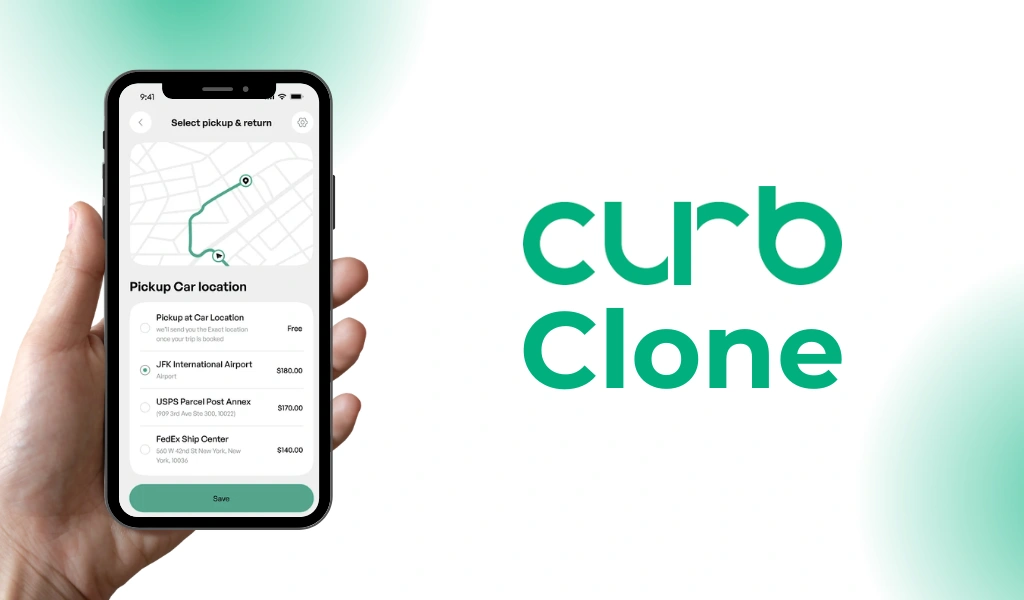
A Curb clone app is a ready-made or custom-built taxi booking application designed to replicate the features, functionality, and business model of the popular taxi-hailing service Curb.
With the Curb clone script, anyone can start their own taxi booking service quickly. It’s a smart choice for startups and business owners who want to offer a smooth ride service like Curb without building everything from scratch.
Moreover, it allows passengers to book licensed taxis through a mobile app. It enables drivers and fleet owners to manage rides, earnings, and operations efficiently.
Who Needs a Curb Clone App?
- Taxi companies want to digitize their operations
- Entrepreneurs entering the ride-hailing industry
- Fleet owners looking for automation
- Businesses offering city transportation
How a Curb Clone App Works?
A Curb clone app operates just like a modern taxi-hailing platform, offering a smooth, automated flow between passengers, drivers, and the admin.
Here’s a step-by-step process of how it works.
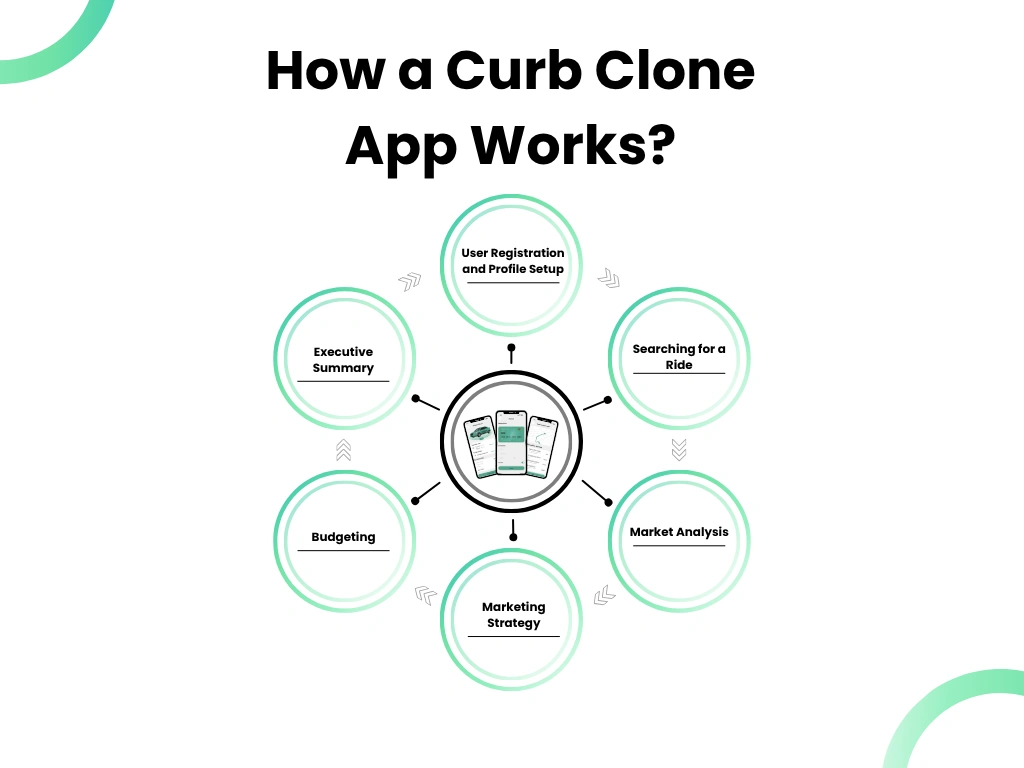
User Registration and Profile Setup
Passengers download the app, sign up using email/phone/social logins, and set up their profile. Drivers also register, upload required documents, and wait for admin approval.
Searching for a Ride
The passenger enters their pickup and drop-off location. The app automatically detects their current location using GPS.
Real-Time Driver Matching
Once the user confirms the ride request:
- Nearby available drivers receive a notification
- Drivers can accept or reject the request
- The first driver to accept gets the booking
Ride Confirmation
After a driver accepts the request:
- The passenger receives the driver’s details (name, picture, vehicle number)
- ETA and live vehicle tracking are displayed
- The driver navigates to the pickup point using in-app maps
Start and Complete the Ride
When the driver arrives:
- The ride starts through the driver’s app
- Both parties can track the route in real time
- The app calculates fare based on distance, time, and pricing rules
Ratings and Feedback
Both drivers and passengers can rate each other and leave feedback. This helps improve service quality and trust.
Ready-Made vs. Custom-Built Curb Clone App
Choosing between a ready-made and a custom-built Curb app clone is one of the most important decisions when launching your taxi booking platform.
The table below highlights the key differences to help you decide which option fits your business goals.
| Factor | Ready-Made Curb Clone App | Custom-Built Curb Clone App |
| Best For | Startups or small taxi businesses with a limited budget | Established companies or entrepreneurs with a unique business model |
| Development Time | Very fast. Launch in days or weeks | Longer, it requires months of development |
| Cost | Affordable, budget-friendly | Higher investment due to custom work |
| Customization Level | Limited; basic features with minor edits | Fully customizable from UI to features |
| Scalability | Moderate scalability | Highly scalable for long-term growth |
| Unique Features | Mostly predefined; limited add-ons | Unlimited, tailored to your business vision |
| Branding | Basic branding options | Complete white-label solution with custom UI/UX |
| Ownership | Partial; some components may remain with the vendor | Full ownership of code, design, and IP |
| Maintenance and Updates | Provided by the vendor | Requires your own team or developer support |
Benefits of Launching a Curb Clone App
The Curb clone is a complete taxi booking app solution, and it offers several benefits to customers and businesses.
| For Customers | For Taxi Businesses |
| Quick and easy ride booking through a user-friendly app | Instant digital transformation without building from scratch |
| In-app support and SOS features for safety | Higher booking volume due to 24/7 online accessibility |
| Multiple payment options, including wallet, cards, and cash | Automated operations, less manual work, and fewer errors |
| Transparent fare estimation before confirming the ride | Better fleet management through live ride and driver monitoring |
| Faster pickups with smart driver-passenger matching | Improved revenue with optimized routes and surge pricing |
| Reliable licensed drivers, increasing passenger trust | Lower operational costs with automated dispatching |
| Ride history and invoices for easy record-keeping | Stronger brand identity with a white-label, personalized app |
Features of Building a Ride-Hailing Platform Like Curb
The success of a taxi booking app depends heavily on its features. The taxi booking clone app is designed to satisfy the requirements of three primary users: passengers (users), drivers, and administrators.
Below is a list of features for each user.
Passenger App Features
| Feature | Description |
| Easy Registration and Profile Management | Users can quickly create an account using email, phone number, or social logins. They can manage personal details, saved locations, payment methods, and view their travel history. |
| Flexible Payment Options | The app supports various payment methods, including debit/credit cards, mobile wallets, and cash, giving users the freedom to pay the way they prefer. |
| Real-Time Driver Tracking | After booking, passengers can track the driver’s live location on the map, ensuring transparency and reduced waiting time. |
| Rating and Feedback System | Passengers can rate their ride experience and leave feedback for drivers. This helps maintain service quality and improves accountability. |
| Trip History | Users can easily view all their past rides with details like fare, distance traveled, and payment receipts, making record-keeping simple. |
| Multi-Language Support | The app accommodates users from different regions by offering multiple language options. It is making the experience inclusive and highly accessible. |
Driver App Features
| Feature | Description |
| Driver Registration and Verification | Drivers can register by submitting essential documents. The admin reviews and verifies the details to ensure safety and trustworthiness. |
| Trip Alerts | Drivers receive instant notifications for new ride requests and can choose to accept or decline based on their availability and convenience. |
| Earnings Dashboard | A dedicated dashboard allows drivers to track their daily, weekly, and monthly earnings, view previous trips, and monitor payouts. It helps them meet financial goals. |
| Availability Control | Drivers can switch between online/offline modes, giving them full control over their working hours. |
| Google Maps Navigation | Integrated GPS and Google Maps provide turn-by-turn navigation, ensuring smoother and faster ride completion. |
| Referrals and Rewards | Drivers can earn bonuses or incentives by referring new users or achieving performance milestones. |
Admin Dashboard Features
| Feature | Description |
| Driver Management | This feature allows the admin to verify drivers, block suspicious accounts, request additional documents, and check performance metrics. |
| User Management | Admins can view rider profiles, track their booking activity (ongoing, canceled, or completed rides), and resolve customer issues directly from the dashboard. |
| Rides Management | Admin can monitor all ride statuses like ongoing, completed, canceled, missed, or rejected. They can also manually assign or dispatch rides during peak hours. |
| Fare Management | Admins can set, update, and optimize fare structures based on vehicle category, distance, peak hours, and demand to maintain competitiveness. |
Steps for Building a Taxi Booking App Like Curb
Investing in a Curb-like taxi booking business is the smartest move in the on-demand marketplace. However, creating an app that truly stands out requires strategic planning, the right technology, and a clear vision.
Below are some steps to help you build a ride-sharing app without hassle.
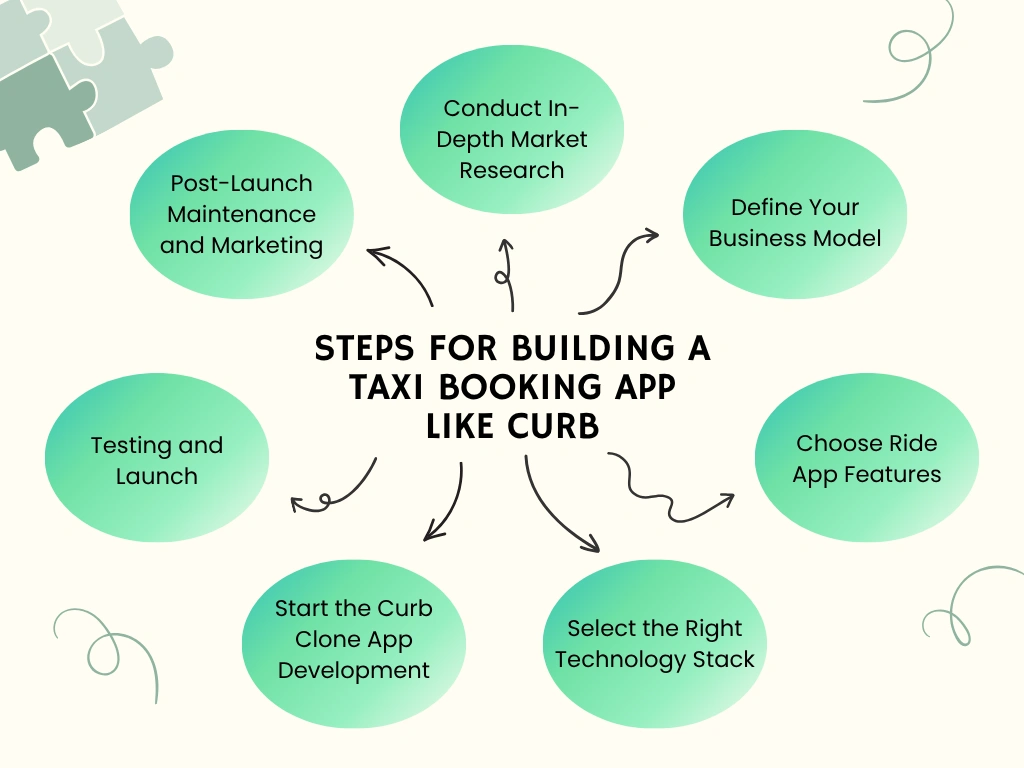
1. Conduct In-Depth Market Research
Before starting development, it’s important to understand the market. This involves:
- Analyzing competitors: Study popular taxi apps like Curb, Uber, and Lyft to identify their strengths and weaknesses.
- Understanding your audience: Identify your target customers, their preferences, pain points, and expectations from a taxi app.
- Regional regulations: Research licensing, local transportation laws, and safety regulations to ensure compliance.
- Market demand assessment: Evaluate city or regional demand for taxi services, peak hours, and potential growth opportunities.
A clear understanding of your market niche and a plan to differentiate your app from competitors.
2. Define Your Business Model
Your business model will determine how your app generates revenue and operates effectively. Below are some business models that help you generate revenue.
- Commission-based model: Earn a percentage from each ride completed.
- Subscription model: Offer subscription plans to drivers or passengers for premium features.
- Dynamic pricing: Introduce surge pricing during high-demand periods.
3. Choose Ride App Features
Features are the core of your app’s success. Decide which functionalities your passenger, driver, and admin apps should have:
Passenger App
- Easy registration and login
- Real-time driver tracking
- Fare estimation
- Multiple payment options
- Ride history and receipts
- Ratings and feedback
- Multi-language support
Driver App
- Driver registration and verification
- Trip alerts and notifications
- Earnings dashboard
- Availability control
- Google Maps navigation
- Referral and rewards system
Admin Dashboard
- Driver and passenger management
- Ride monitoring and dispatch
- Fare management
- Reports and analytics
- Support management
4. Select the Right Technology Stack
Choosing the proper technology stack ensures your app is scalable, fast, and reliable. Opt for technologies that allow easy future updates and support high traffic loads.
Here is a tech stack to help you build a great app.
- Frontend: React Native or Flutter for cross-platform apps
- Backend: Node.js, Laravel, or Django
- Database: MySQL, PostgreSQL, or MongoDB
- Maps and Navigation: Google Maps API or OpenStreetMap
- Cloud Hosting: AWS, Google Cloud, or Azure
- Payment Integration: Stripe, PayPal, or local gateways
5. Start the Curb Clone App Development
Once planning and tech stack are ready, start the app development phase. This phase contains:
- UI/UX Design: Create a simple, intuitive, and responsive design for all users.
- Frontend Development: Develop passenger and driver apps for iOS and Android.
- Backend Development: Build the admin panel, database, API integrations, and server logic.
- Feature Integration: Incorporate real-time tracking, payment gateways, notifications, and advanced features.
6. Testing and Launch
Testing is necessary to ensure smooth app performance. In this phase, you have to do these things:
- Ensure all features work as intended.
- Check app speed, server response, and scalability under load.
- Protect user data with encryption, secure payments, and compliance with privacy laws.
- Allow a small group of users to test the app and provide feedback.
Once testing is complete, deploy the app on the Google Play Store and Apple App Store.
7. Post-Launch Maintenance and Marketing
Your work doesn’t end at launch. For growth, you have to do:
- Regular Updates: Add new features, fix bugs, and optimize performance.
- Marketing and Promotion: Use social media, SEO, in-app promotions, and referral campaigns to attract users.
- Analytics and Reporting: Monitor rides, user engagement, revenue, and retention metrics to make data-driven decisions.
How Much Does It Cost to Develop a Curb Clone App?
The cost for a ride-sharing app like Curb can vary widely, ranging from $40,000 to over $300,000. The final price depends on several factors, including:
- The number of features you want
- Complexity of the platform
- The development team’s location
A basic version with essential functionalities may begin around $40,000, while a fully customized, feature-rich app with advanced technologies like AI can exceed $300,000. Additionally, you should consider ongoing expenses such as app maintenance, server hosting, technical support, and regular feature updates.
Supercharge your deliveries with Enatega.
Launch NowConclusion
The demand for mobile applications for booking taxis has grown over the past few years. By stepping into the market now, you can reshape how people move, connect, and rely on digital transportation in their everyday lives.
If you launch the Curb app clone in a single city or expand across multiple regions, the potential to scale your revenue and brand presence is limitless.
With the help of Enatega, you can create a taxi app that rivals industry leaders. So, register now and start building your high-performing taxi booking app today.
About the author

Hudaibia Khalid is a senior content writer with several years of experience in creating clear and easy-to-understand content. Over the years, she has worked closely with startups, restaurants, and entrepreneurs, helping them simplify complex digital and technical topics into actionable insights.
Her expertise lies in writing about on-demand platforms, food delivery solutions, and business growth strategies in a way that is accessible even to non-technical readers. With her experience in the industry, she focuses on guiding businesses step by step, from understanding ideas to turning them into fully working solutions.
SHARE






 IOS
IOS Android
 Web
Web




