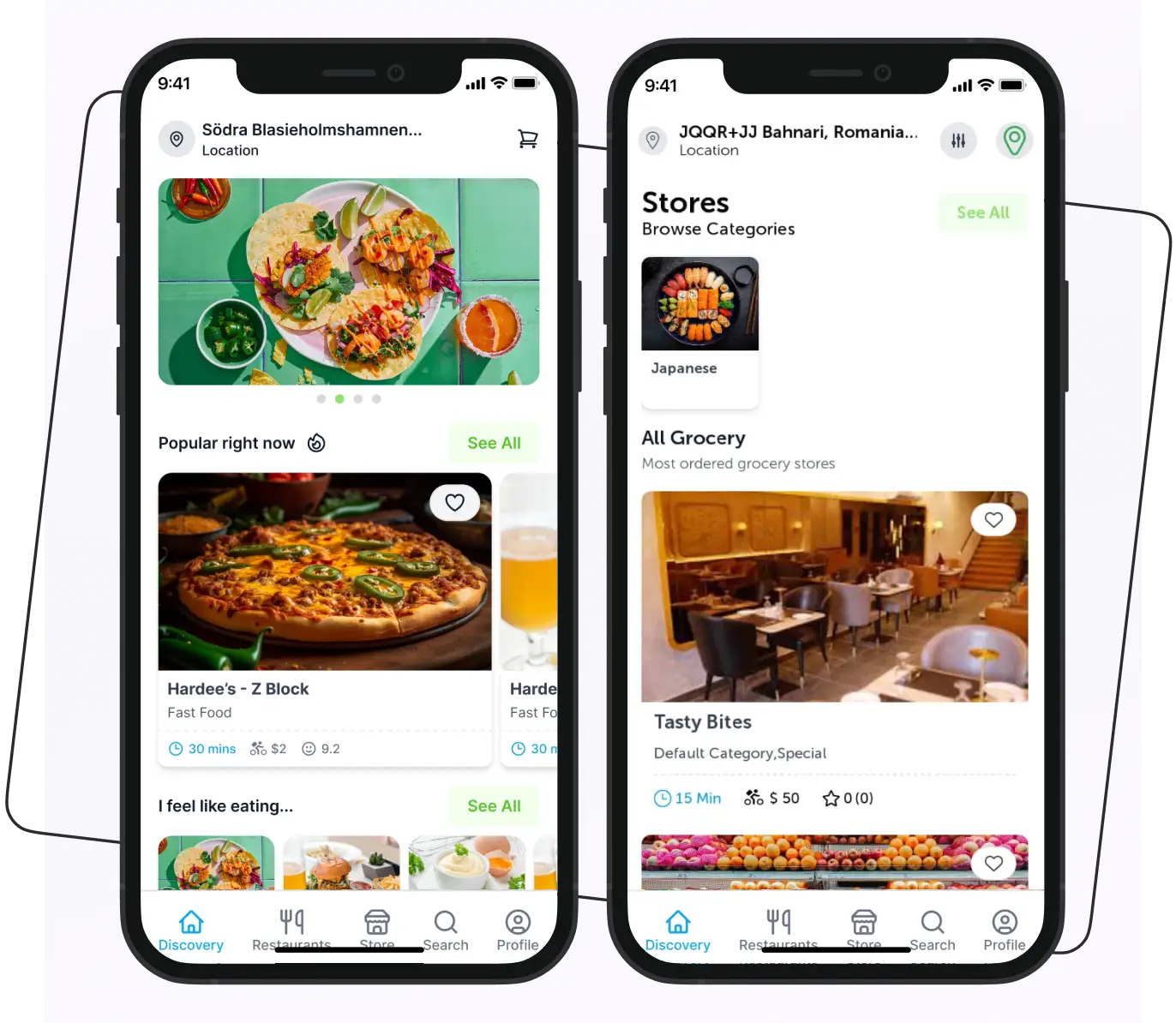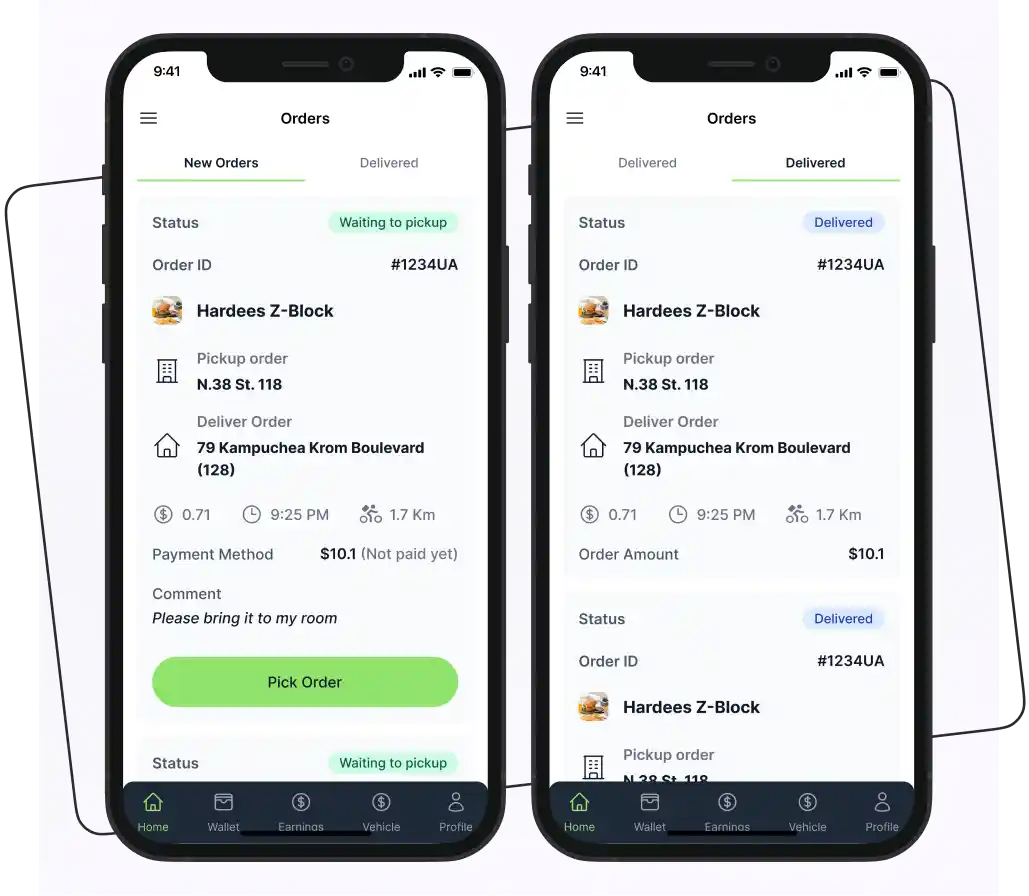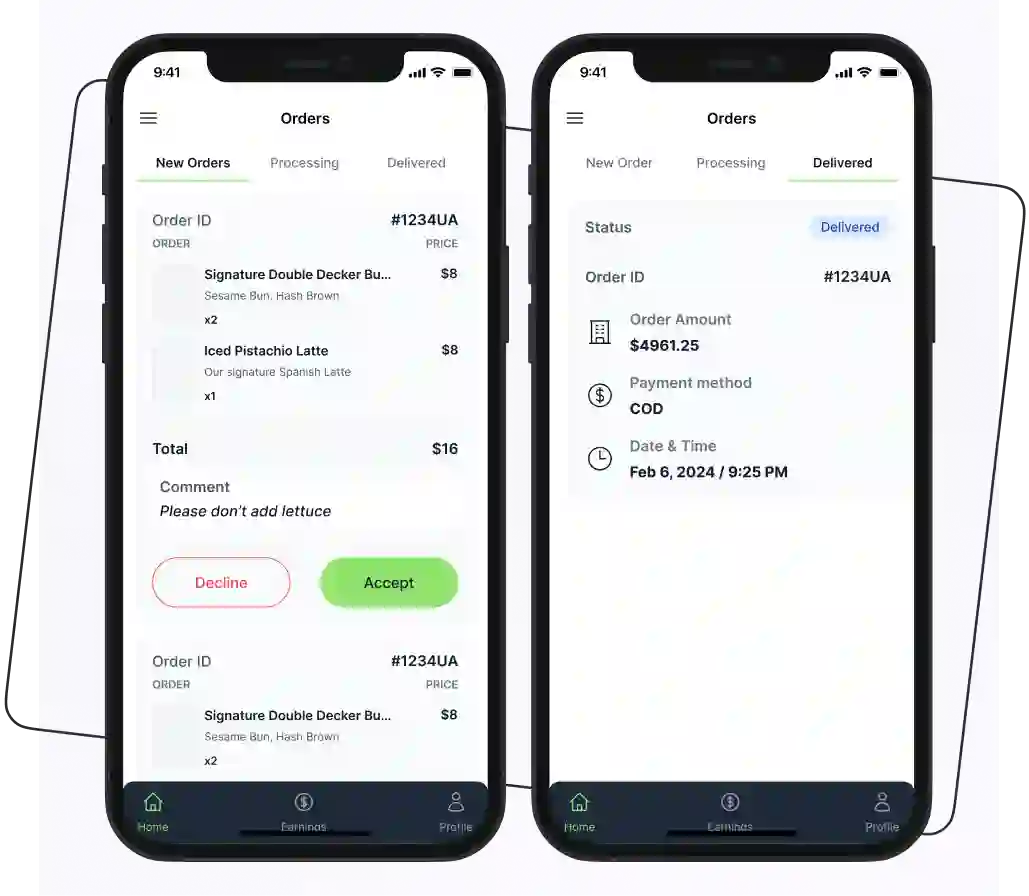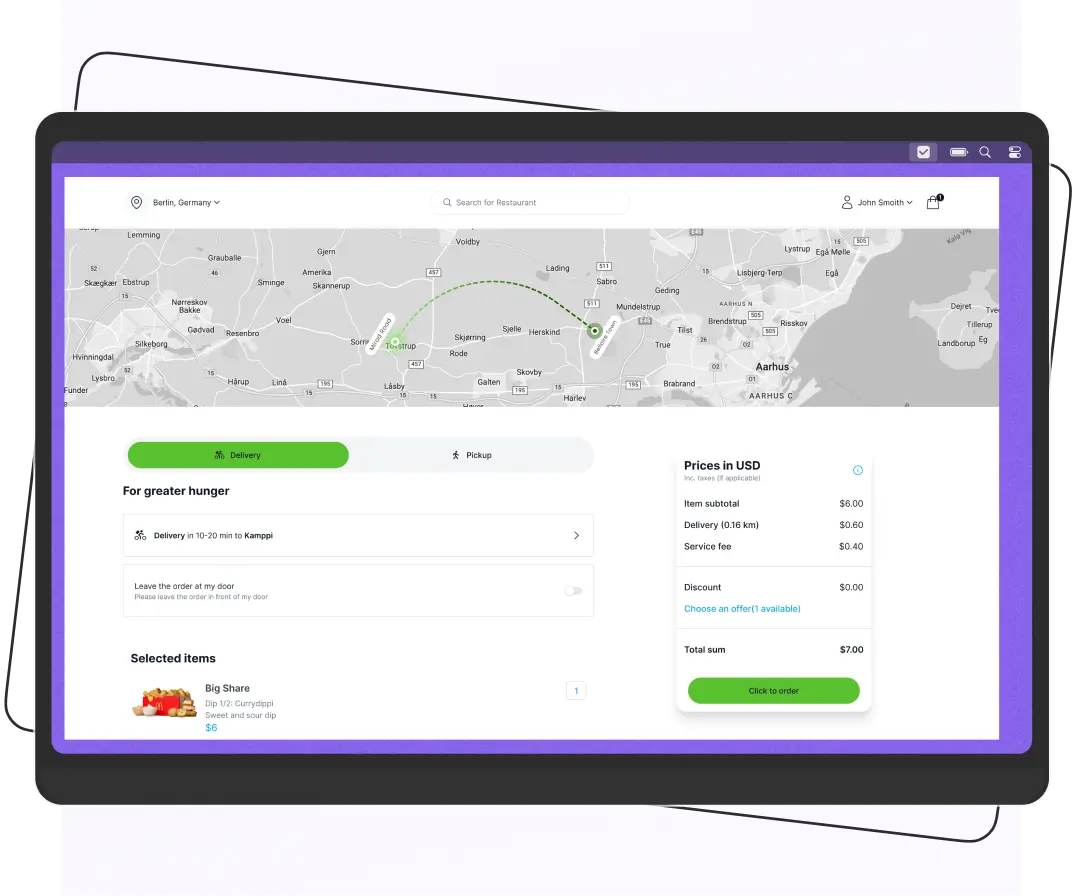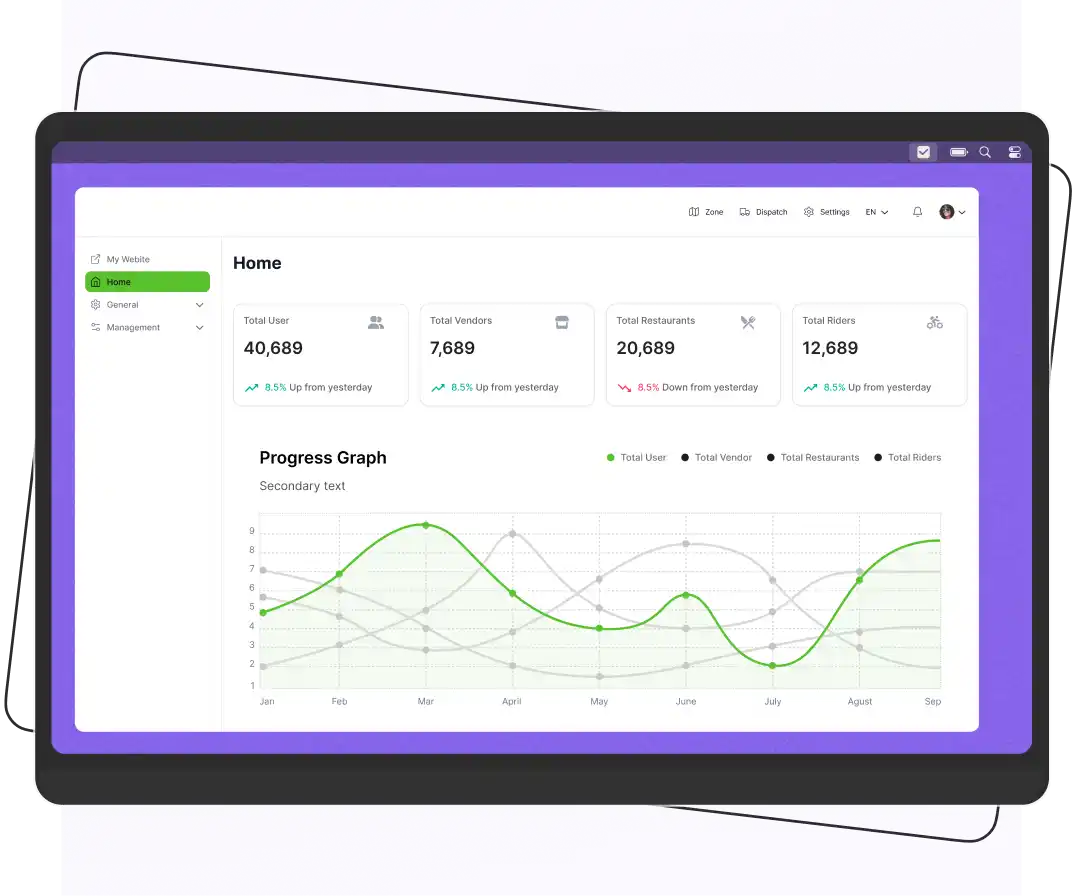


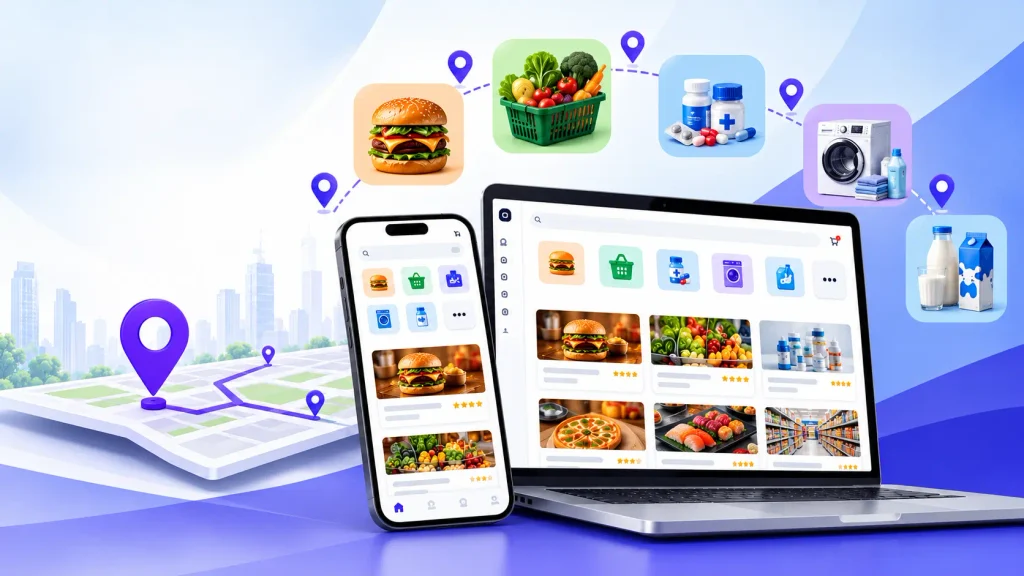
Enatega Multivendor is a ready-made, multi-vendor delivery marketplace platform with source code, available under a one-time license. It comes with a customer app, rider app, vendor app, web dashboard, and admin panel.
You pay once, own the code, and host it yourself. You can avoid the monthly fees and per-order commissions SaaS marketplace platforms often charge.
It is a good fit for entrepreneurs, agencies, and startups launching food, grocery, or local delivery marketplaces who want more ownership and customization instead of a hosted, low-maintenance subscription.
Your marketplace shouldn’t come with a monthly rent.
Yet that’s how most marketplace software works. You pay every month to keep the platform running, pay more as your business grows, and often have limited control over the software you depend on.
A one-time license marketplace flips that model. Pay for the software once, own the platform, customize it to fit your business, and keep more control as you grow.
Enatega Multivendor gives businesses the tools to build and run their own marketplace, including customer, vendor, rider, and admin apps.
If you’re tired of subscriptions, commissions, and software lock-in, here’s what a one-time license model can look like and what to check before you choose one.
Supercharge your deliveries with Enatega.
Launch NowWhat is a One-Time License Marketplace?
A one-time license marketplace is software you buy once for a fixed fee. You receive the application code or a deployable build, then host and manage it on your own infrastructure.
This is different from SaaS marketplace builders, where you rent the platform through a monthly or yearly subscription and may also pay a percentage of each order.
| Factor | One-Time License (e.g., Enatega Multivendor) | SaaS Marketplace Builder | Fully Custom Build |
| Upfront cost | Moderate, one payment | Low | High |
| Recurring platform fee | None for the license; hosting and other services still apply | Monthly or yearly, often plus commission | None, but ongoing development costs apply |
| Per-order commission | None | Common | None |
| Source code ownership | Yes | No | Yes |
| Customization depth | High | Limited to available features | Unlimited |
| Time to launch | Weeks | Days | Many months |
| Technical skill needed | Developer or agency for deployment | Low | High |
What Does Enatega Multivendor Include?
Enatega Multivendor includes the main apps and tools needed to run a delivery marketplace:
- Customer app (iOS and Android): Customers can browse stores, place orders, pay, and track deliveries in real time.
- Rider app: Riders can accept deliveries, navigate to locations, update order status, and manage their earnings.
- Vendor or restaurant app and dashboard: Vendors can manage menus, accept orders, and track sales.
- Admin dashboard: Admins can manage vendors, riders, customers, commissions, coupons, delivery zones, and settings.
- Customer web app: Customers can place orders from a browser without needing the mobile app.
The platform also supports features such as:
- Real-time order tracking
- Multiple payment gateways
- Push notifications
- Coupons and promotions
- Multi-language support
- Commission management
Enatega uses a modern JavaScript stack, including React Native for mobile and Node.js with GraphQL for the backend.
Why Choose a One-Time License Over a SaaS Marketplace?
A one-time license platform gives you more control without locking you into monthly subscriptions or per-order fees. You own the software, can customize it to your needs, and have more predictable costs as your marketplace grows.
Let’s discuss them in detail.
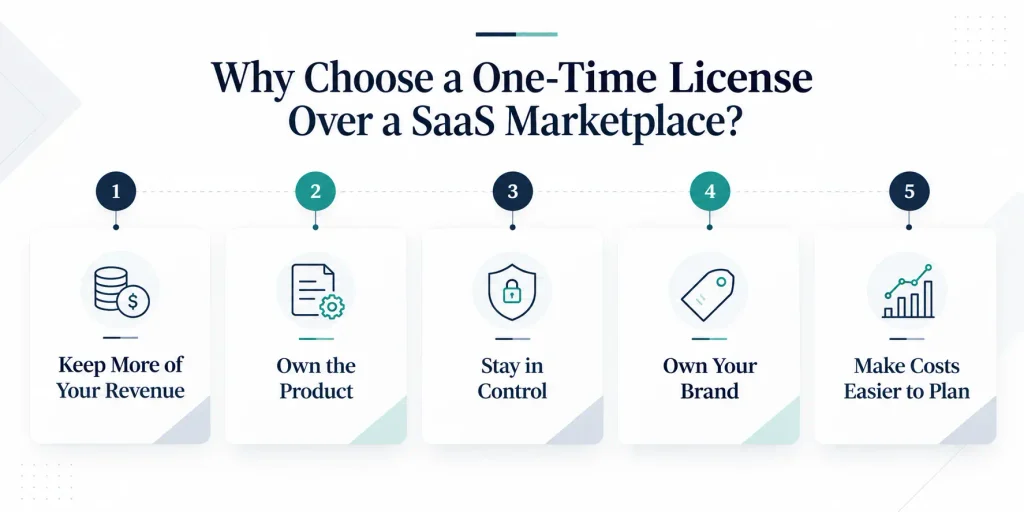
1. Keep More of Your Revenue
SaaS marketplace platforms usually make money through monthly subscriptions, transaction fees, or both. As your orders increase, these costs can add up quickly.
With a one-time license, your ongoing costs are mainly hosting, third-party services, and your own team instead of a fee on every order.
2. Own the Product
With access to the source code, you can change the checkout process, connect local payment providers, or move from food delivery to groceries or pharmacy. You don’t have to wait for the software provider to add the features you need.
3. Stay in Control
When you own the code and control your data, you can change developers, hosting providers, or cloud regions without having to move your entire business to another platform.
4. Own Your Brand
You can publish the apps under your own brand, app store accounts, and bundle IDs. Customers interact with your marketplace, not a third-party software brand.
5. Make Costs Easier to Plan
A fixed license fee, combined with hosting and maintenance costs, makes budgeting easier. You don’t have to worry about software costs increasing every time your order volume grows.
What a One-Time License Does Not Cover
A one-time license does not mean there are no other costs. You should also budget for:
- Hosting and infrastructure: Servers, databases, storage, and CDN.
- Third-party services: Maps, SMS, email, push notifications, and payment gateway fees.
- App store fees: Apple Developer and Google Play accounts.
- Deployment and customization: Your developer or agency costs, or Enatega’s paid services if available.
- Maintenance and updates: Security patches, OS compatibility, and software dependency updates. Check what support and updates are included with your license.
How Does Enatega’s One-Time License Model Work?
Enatega’s one-time license means you pay once for the software and run it on your own infrastructure under your own brand. There is no recurring software fee, although you still pay for hosting, third-party services, and other operating costs.
Here’s how it works from purchase to launch.
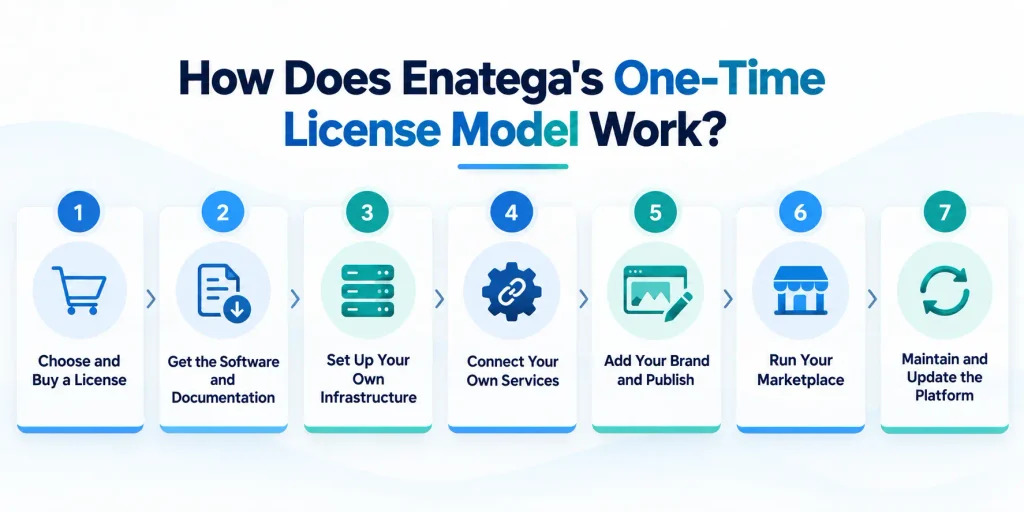
1. Choose and Buy a License
Choose the Enatega Multivendor product and select the license that matches your business needs. If you’re an agency planning to use it for multiple client projects, confirm the license scope before purchasing.
2. Get the Software and Documentation
After purchasing, you receive the Enatega software and the documentation needed to set it up. The platform includes the customer, rider, vendor, and admin components.
3. Set Up Your Own Infrastructure
Deploy the backend, database, and apps on your own server or cloud account. This gives you more control over your marketplace, data, and hosting environment.
4. Connect Your Own Services
Connect services such as payment gateways, maps, push notifications, SMS, and email using your own accounts and API keys. You pay these third-party providers directly based on their pricing.
5. Add Your Brand and Publish
Customize the platform with your own branding, app name, logo, colors, and other details. Publish the apps through your own Apple App Store and Google Play developer accounts.
6. Run Your Marketplace
Once live, you manage vendors, commissions, delivery fees, promotions, orders, and other marketplace operations through the admin panel. The revenue generated by your marketplace belongs to your business.
7. Maintain and Update the Platform
Like any software platform, Enatega requires ongoing maintenance. Your team or developer can handle security patches, OS compatibility, and new releases based on the support and update period included with your license.
How to Launch a Marketplace With Enatega Multivendor
Launching a marketplace is more than buying the software and putting an app online. You need to set up the platform, prepare your vendors and riders, and make sure the ordering and delivery process works before bringing in customers.
Below are some steps to help you launch a marketplace with Enatega.
1. Choose Your Market and Service Area
Start by deciding what your marketplace will offer and where it will operate.
Choose your niche, such as:
- Restaurants and food delivery
- Grocery delivery
- Pharmacy delivery
- Local stores and retail
Then choose the city or service area you want to target. Starting with one city or a small delivery zone can make it easier to manage vendors, riders, and orders.
You should also decide how you will make money, such as through vendor commissions, delivery fees, customer fees, or a combination of these.
2. Purchase the Enatega License
Once you know what you want to build, purchase the Enatega Multivendor license.
Review the documentation and setup requirements before starting the deployment. This helps you understand the hosting, technical skills, integrations, and other resources you will need.
3. Set Up Your Infrastructure
Before launching the platform, prepare the infrastructure needed to run it.
This may include:
- Cloud hosting or a server
- Database
- Domain name
- SSL certificate
- Storage and backups
- Maps API
- Payment gateway
- Push notification services
- Email or SMS services
Your technical team can use the Enatega setup documentation to configure the required services.
4. Deploy the Platform
Next, deploy the Enatega backend, admin dashboard, customer app, vendor app, and rider app.
If you have an in-house developer, they can handle the setup and configuration. You can also work with a development agency or Enatega’s team if deployment or customization requires additional technical support.
At this stage, test the complete ordering process from customer checkout to vendor acceptance and rider delivery.
5. Customize Your Marketplace
Make the platform look and feel like your business.
Update elements such as:
- Logo
- Colors
- App name
- Store listings
- Website
- Languages
- Marketplace settings
You can also customize workflows or add integrations based on your business requirements.
6. Add Vendors and Riders
Don’t wait until launch day to build your supply side.
Start onboarding vendors and adding their products, menus, prices, operating hours, delivery areas, and other details. At the same time, recruit and onboard riders if you manage your own delivery fleet.
Having enough vendors and riders ready before launch gives customers something to order and helps you test the system with real operations.
7. Test the Full Ordering Process
Before promoting the marketplace, run test orders from start to finish.
Check:
- Customer registration and login
- Vendor onboarding
- Product or menu listings
- Cart and checkout
- Payment processing
- Order acceptance
- Rider assignment
- Delivery tracking
- Notifications
- Order completion
- Refunds or cancellations
Fix any issues before opening the marketplace to the public.
8. Publish Your Apps
Once your apps are ready, submit them to the Apple App Store and Google Play.
Make sure your app listings, screenshots, descriptions, privacy information, and other required details are ready before submission. App review can take time, so include it in your launch timeline.
9. Launch in a Small Area First
You don’t need to launch everywhere on day one. Start with one city, neighborhood, or delivery zone. This gives you a chance to understand how customers, vendors, and riders use the platform before expanding.
Track important numbers such as:
- Number of orders
- Average delivery time
- Order cancellations
- Vendor retention
- Rider utilization
- Customer retention
- Average order value
10. Improve and Scale
Once the marketplace is running smoothly, start expanding. Add more vendors, delivery areas, riders, and customers based on demand. Continue improving the app, delivery operations, and vendor experience as your marketplace grows.
How Does Enatega Compare With Alternatives?
Choosing marketplace software comes down to how much you want to own, customize, and manage. Enatega sits between SaaS and fully custom development, giving businesses a ready-made platform with more control than a SaaS solution without the time and cost of building everything from scratch.
SaaS Marketplace Builders
SaaS platforms are usually faster to launch and require less technical work because the provider manages the hosting and infrastructure. The trade-off is that you have less control over the software and may have to pay recurring subscription or transaction fees.
Enatega gives you more control over the code, branding, hosting, customization, and long-term costs.
Generic Delivery App Scripts
Many delivery app scripts also use a one-time pricing model, so price alone should not be the deciding factor. Compare the code quality, documentation, update frequency, support, and included features.
Check whether the platform provides all the main components, including customer, rider, vendor, and admin apps. A live demo and recent release history can also help you judge how actively the product is maintained.
Fully Custom Development
A custom marketplace gives you complete control over every part of the product, but it usually requires a much larger budget, a dedicated development team, and a longer launch timeline.
Enatega gives you a ready-made foundation that you can customize for your business instead of building the entire marketplace from scratch.
FAQs
Enatega Multivendor is a delivery marketplace platform that lets multiple vendors sell through one branded system. It includes apps and tools for customers, vendors, riders, and admins.
Yes. Enatega uses a one-time license model for the software instead of a recurring subscription. Hosting, third-party services, support, and custom development may cost extra.
No software commission is charged on your orders under the one-time license model. You can set your own vendor commissions and marketplace fees.
Yes. Enatega can support different delivery businesses beyond restaurants, including grocery, pharmacy, and retail marketplaces. Some use cases may need configuration or customization.
Yes. You can use your own brand, app name, logo, and store accounts to launch the marketplace rather than sending customers to a third-party marketplace brand.
A focused team can launch within weeks. The actual timeline depends on your customization needs, infrastructure, integrations, vendor onboarding, and app store approval.
It can be, especially when your orders grow. SaaS may cost less at the start, but monthly fees and commissions can add up over time. Compare the total cost of both options for 2–3 years before deciding.
Supercharge your deliveries with Enatega.
Launch NowConclusion
You don’t need to build your marketplace from zero. You just need to own what you build.
That’s the biggest advantage of Enatega Multivendor. Instead of paying ongoing software fees, you get a ready-made marketplace platform that you can brand, customize, host, and grow around your business.
So, why wait? Register with us now.
About the author

Hudaibia Khalid is a senior content writer with several years of experience in creating clear and easy-to-understand content. Over the years, she has worked closely with startups, restaurants, and entrepreneurs, helping them simplify complex digital and technical topics into actionable insights.
Her expertise lies in writing about on-demand platforms, food delivery solutions, and business growth strategies in a way that is accessible even to non-technical readers. With her experience in the industry, she focuses on guiding businesses step by step, from understanding ideas to turning them into fully working solutions.
SHARE






 IOS
IOS Android
 Web
Web