

To build a Rappi clone app, define your service verticals, research the target market, choose the required features, select the tech stack, develop the customer, merchant, rider, and admin apps, integrate payments and maps, then test and launch the platform.
Thinking about launching your all-in-one delivery platform? Whether it’s food, groceries, medicines, or even courier services, a Rappi clone app could be exactly what you need. Designed for versatility, this multi-service app is perfect for entrepreneurs ready to enter the growing on-demand economy.
With a Rappi clone, you can bring together multiple delivery services under one roof and give your customers a fast, smooth, and reliable experience, all managed from a single platform. It’s a smart way to start your delivery business without building everything from scratch.
In this blog, we’ll cover everything you need to know about how to build your app like Rappi.
Let’s get into it!
Supercharge your deliveries with Enatega.
Launch NowWhat is Rappi?
Rappi has become a household name across Latin America. Instead of focusing only on food, it brings food, groceries, pharmacy products, and other services into one app and delivers them to the customer’s door.
Alongside delivery, Rappi has expanded into travel, insurance, and financial services. It operates in nine Latin American countries: Colombia, Brazil, Mexico, Costa Rica, Peru, Ecuador, Chile, Argentina, and Uruguay.
Rappi made its first appearance on TIME magazine’s list of the 100 Most Influential Companies in 2024, named in the Leaders section alongside Pinterest and Reddit. LatamList
According to Contrary Research’s May 2024 analysis, Rappi had more than 150 million app downloads, around 10 million monthly active users, and more than 125,000 businesses on its platform across Latin America.
According to Statista, Rappi was the first Colombian startup to reach a valuation of over $1 billion, becoming a “unicorn”.
Unique Features of Rappi
Rappi stands out because it combines multiple services within a single platform instead of focusing only on food delivery. Its model gives businesses several features and capabilities to consider when building a similar multi-service delivery app.
- Multi-Service Marketplace
Rappi brings food, groceries, pharmacy products, retail items, and other services into one platform. An app like Rappi can use separate service verticals while maintaining a shared customer account, payment system, and delivery infrastructure.
- Rappi Prime
Rappi offers a subscription model that provides delivery-related benefits and other perks. For a similar platform, a membership system can create recurring revenue.
- Rapid Delivery
Rappi Turbo focuses on fast delivery for selected products in eligible areas. Building a similar service requires nearby inventory, strategically located fulfillment points, rider availability, and real-time delivery tracking.
- Financial Services
Rappi has expanded beyond delivery into financial products and payment services. A platform like Rappi can similarly integrate wallets, digital payments, refunds, and other financial features based on the target market and applicable regulations.
- Merchant Advertising
A multi-service marketplace can generate additional revenue by allowing restaurants, stores, and other merchants to promote products or appear in sponsored placements within the app.
- AI-powered Supply Chain Optimization
In September 2024, Rappi announced the acquisition of Fountain9’s assets, including its intellectual property and team. Fountain9 developed AI-driven inventory planning technology designed to improve demand forecasting and inventory management. Rappi said the technology would support its TURBO operations and broader supply-chain capabilities.
These capabilities show that building an app like Rappi involves more than creating a food delivery application. The platform needs to support multiple service categories, merchant operations, subscriptions, and other services through a shared technology infrastructure.
How Does Rappi Make Money?
Rappi makes money using these methods:
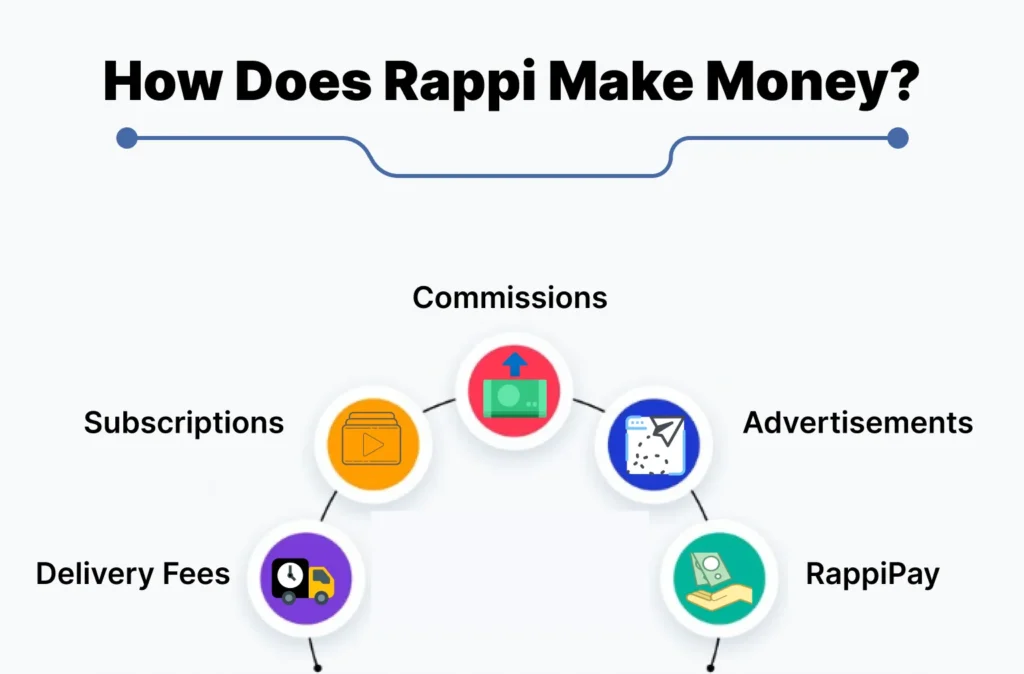
Delivery Fees
This is Rappi’s main income source. Every time a delivery is made, the user pays a fee. The fees can change based on demand or distance.
Subscriptions
Rappi Prime is a subscription service that allows users to enjoy free deliveries for a monthly fee. This helps users save money if they order often, and Rappi gets regular income.
Commissions
Rappi earns money from restaurants and shops it partners with. When users order from these places, Rappi takes a percentage of the sale.
Advertisements
Businesses can pay to be featured on the Rappi app, which helps them get noticed by users.
RappiPay
Rappi has expanded beyond delivery into financial services through RappiPay. In Colombia, RappiPay operates as a regulated financial entity and offers products such as RappiCuenta and RappiPrestamo.
For a platform like Rappi, financial services can be introduced as a later-stage feature rather than part of the initial MVP. Depending on the target market and local regulations, a platform could integrate:
- Digital wallets
- Online payments
- Refunds and payment reversals
- Customer credits or promotional balances
- Merchant payouts
- Rider earnings and withdrawals
- Subscription billing
What is a Rappi Clone?
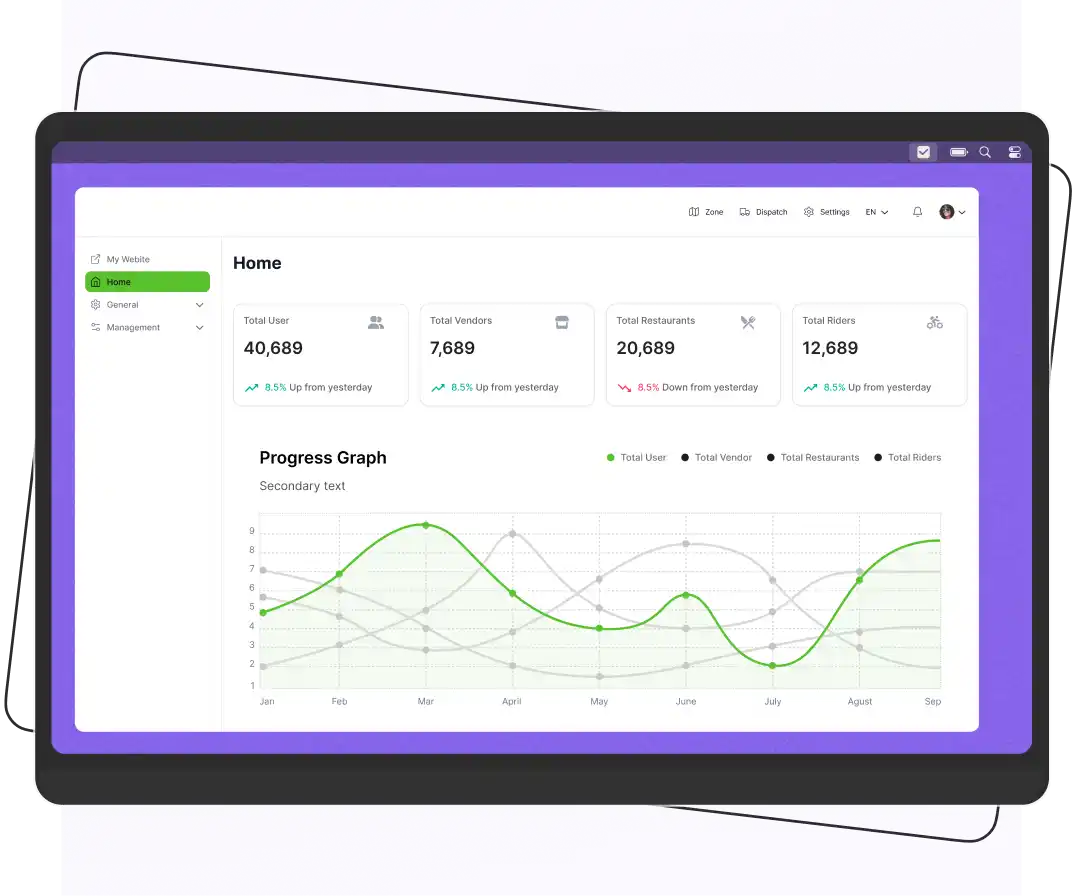
A Rappi clone is a delivery or multi-service platform designed around the core model of Rappi. It can connect customers with restaurants, stores, pharmacies, and other service providers. Help to managing orders, payments, delivery partners, and administration through a unified system.
The term “Rappi clone” can refer to different development approaches:
- White-label platform
A pre-built delivery platform that can be branded and configured for your business. It is generally faster to launch because core customer, merchant, rider, and admin features already exist.
- Customized clone
An existing platform that is modified with your branding, workflows, integrations, service categories, or additional features.
- Custom-built app like Rappi
A platform developed from the ground up around your specific business requirements. This provides greater control over the architecture and functionality but usually requires more development time and resources.
Services You Can Offer With a Rappi-Like App
A platform like Rappi can support multiple service verticals. However, each vertical may require different catalogs, workflows, and integrations.
Here are some services you can offer with the Rappi clone script app.
- Food delivery
- Grocery delivery
- Flower and gift delivery
- Package delivery
- Medicine delivery
- Beverage delivery
- Meat delivery
Workflow of a Rappi Clone App
Creating a smooth and reliable food and grocery delivery experience requires a well-organized system.
Here’s a step-by-step process of how a Rappi clone app works.
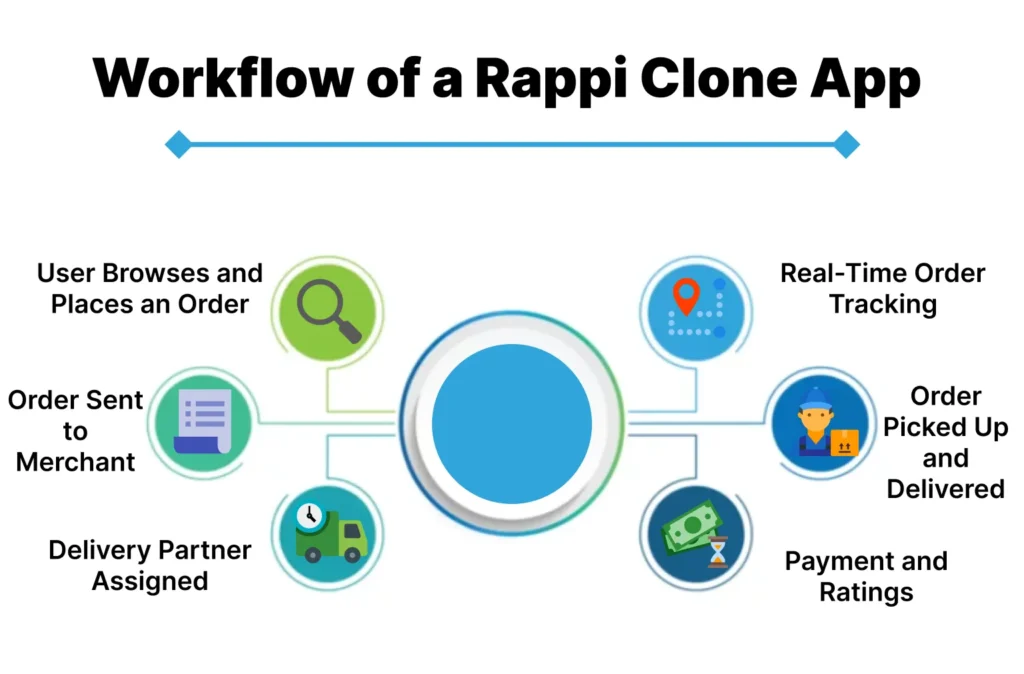
1. User Browses and Places an Order
The user opens the app, browses nearby restaurants or stores, and selects the items they want. After adding everything to the cart, they proceed to checkout and place the order.
2. Order Sent to Merchant
Once the user confirms the order, the merchant (restaurant or store) receives the details in their dashboard. They review it, accept it, and start preparing the order.
3. Delivery Partner Assigned
The merchant is preparing the order, and the system automatically assigns a nearby delivery partner. The delivery rider receives the pickup details and estimated delivery time.
4. Real-Time Order Tracking
Users can track the order in real time, from preparation to pickup and delivery. They’ll see updates like “Order confirmed,” “Out for delivery,” and an ETA for arrival.
5. Order Picked Up and Delivered
Once the order is ready, the delivery partner picks it up and heads to the user’s location. The app provides turn-by-turn navigation to ensure timely delivery.
6. Payment and Ratings
For online payments (card or wallet), the payment is authorized when the customer places the order at checkout. For cash on delivery, the rider collects the payment at the doorstep. After delivery, the customer can rate the delivery partner and the merchant, which helps maintain service quality.
Benefits of Building the Rappi Clone
Building a Rappi clone offers numerous advantages for businesses looking to enter the on-demand delivery market.
Here are some key advantages.
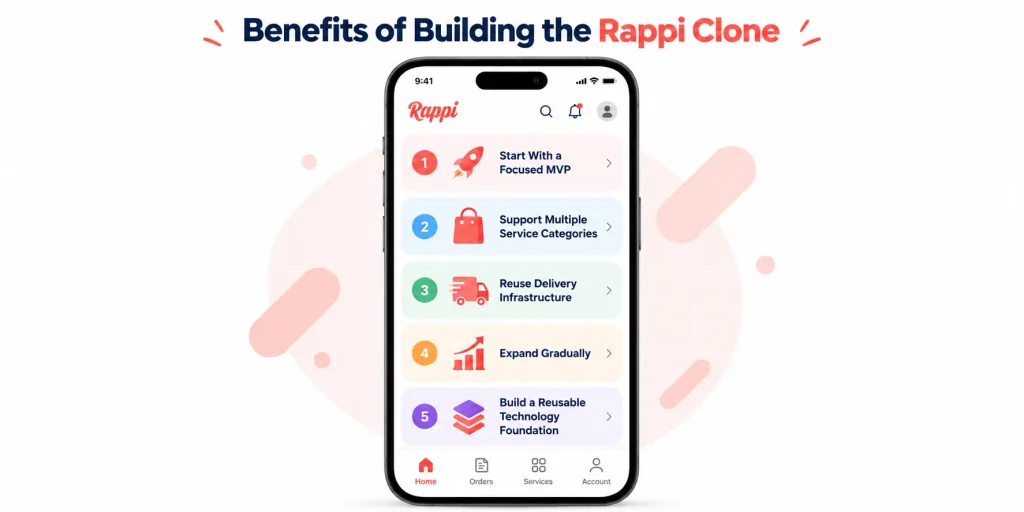
1. Start With a Focused MVP
A business does not need to launch every Rappi-style service at once. Starting with one or two service categories allows the team to validate demand before investing in additional workflows and integrations.
2. Support Multiple Service Categories
A shared platform can connect customers with different types of businesses through the same application. Food, grocery, pharmacy, retail, and courier services can use common capabilities such as customer accounts, payments, notifications, delivery tracking, and administration.
3. Reuse Delivery Infrastructure
Once the core delivery system is established, the same rider management, delivery zones, tracking, and earnings infrastructure can support additional service categories.
4. Expand Gradually
A business can launch in a specific city or service category and use real operational data to determine where expansion makes sense. This approach allows the platform to improve its ordering, delivery, merchant, and customer-support processes before adding more complexity.
5. Build a Reusable Technology Foundation
A well-designed platform can provide reusable components for customers, merchants, riders, payments, orders, and administration. New service categories can then be added without rebuilding the entire platform, provided the underlying architecture supports them.
Features of Rappi Clone
Below are some features that you should add to your clone app.
Customer App Features
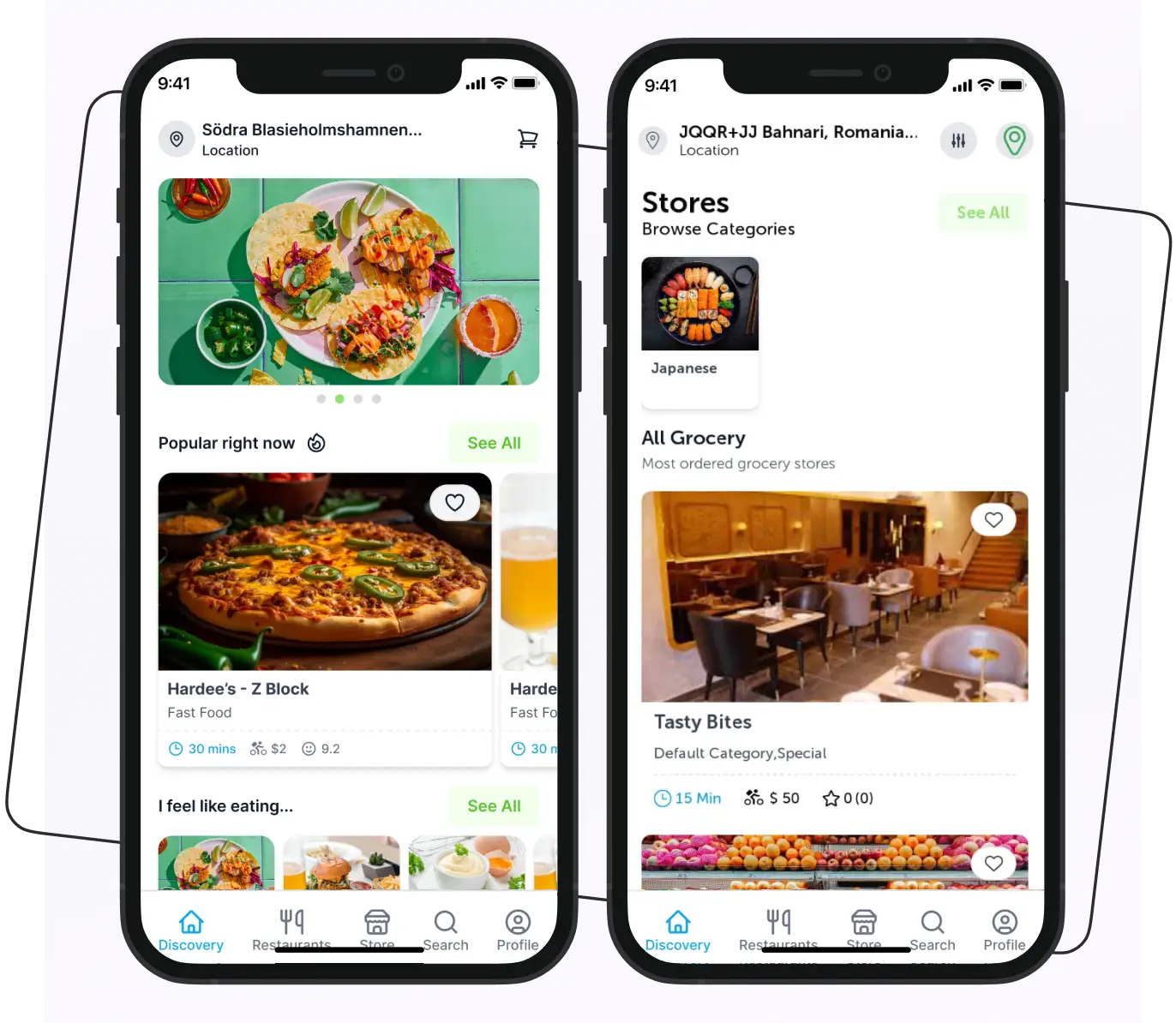
The customer app is the main interface through which users discover services, place orders, make payments, and track deliveries. A customer app can include the following features:
- Service Discovery
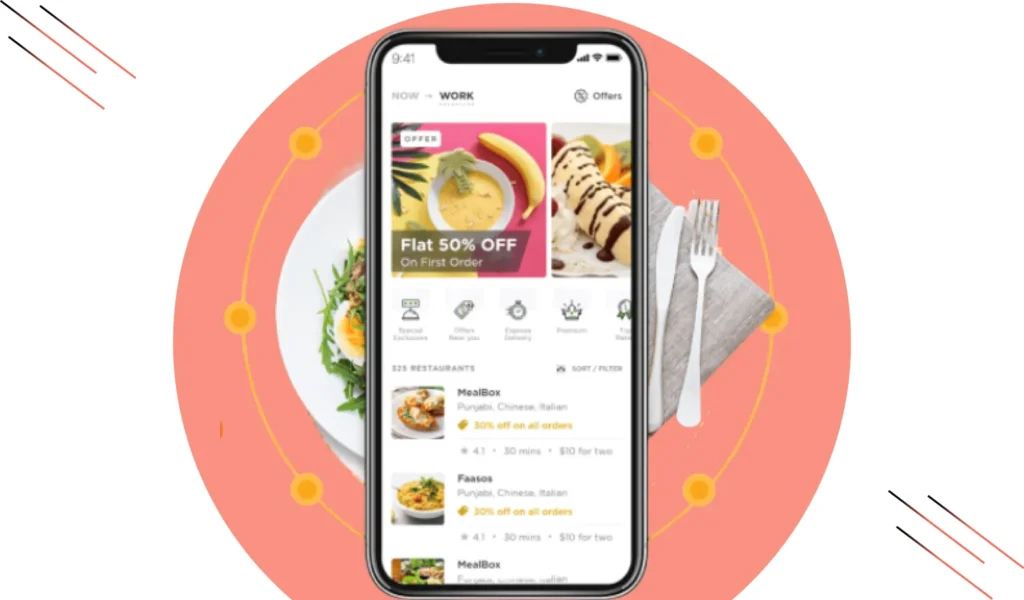
Customers can select a service category such as food, groceries, pharmacy, retail, or courier delivery from the home screen. The app can display businesses and services available within the customer’s location.
- Search, Filters, and Sorting
A search system helps customers find restaurants, stores, products, or services quickly. Filters can include category, price, rating, delivery time, distance, and availability. Sorting options can help users organize results based on relevance, rating, delivery time, or price.
- Product and Service Catalog
Customers can view product details, prices, images, descriptions, variations, add-ons, availability, and other relevant information before adding an item to the cart.
- Cart and Checkout
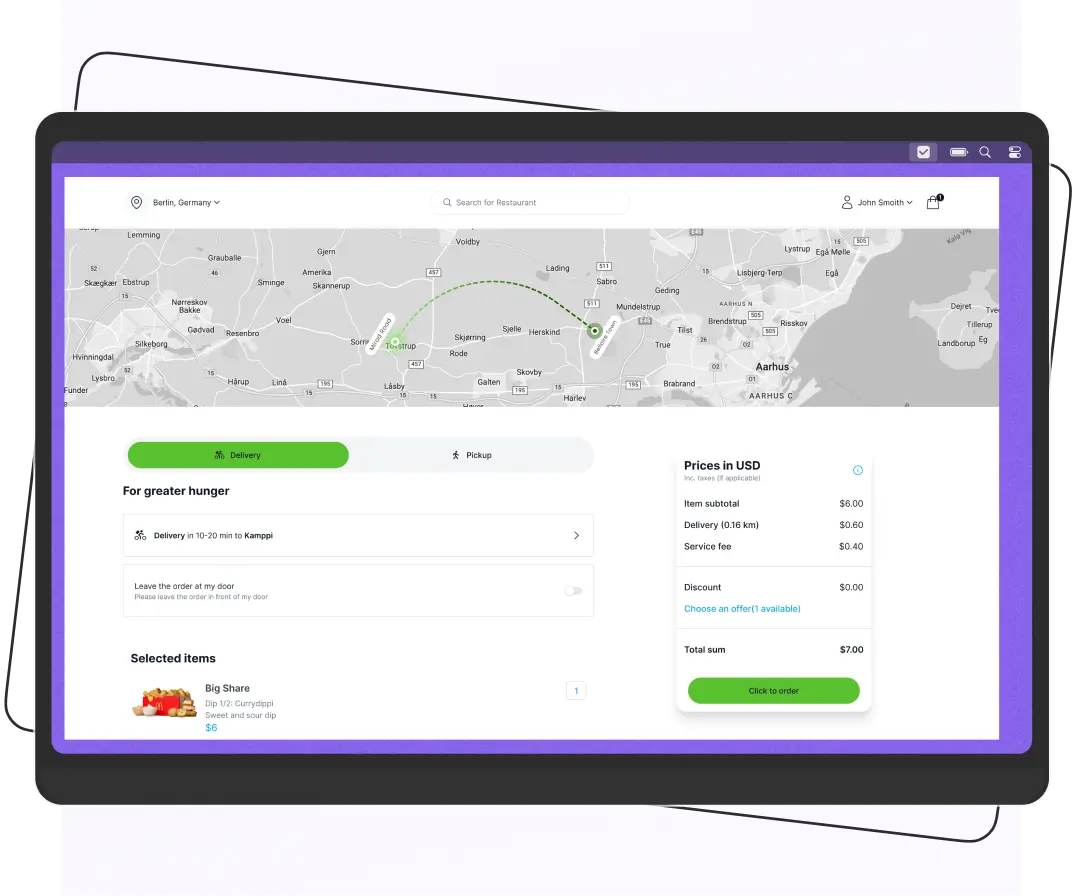
The cart should display selected items, delivery fees, taxes, tips, and the final order total. Customers can review and modify their order before confirming checkout.
- Multiple Payment Methods
Depending on the target market, the platform can support credit and debit cards, digital wallets, local payment gateways, and cash on delivery. Payment options should be selected based on local customer preferences and regulatory requirements.
- Scheduled Orders
Customers can place an order for immediate delivery or select a future delivery time where the service supports scheduled orders.
- Real-Time Order Tracking
After placing an order, customers can view its progress through statuses such as:
- Confirmed
- Preparing
- Ready for pickup, picked up, and out for delivery
GPS-based tracking can also display the delivery partner’s location and estimated arrival time.
- Ratings, Reviews, and Tips
Customers can rate their order, merchant, and delivery experience after completion. Where supported, they can also leave a tip for the delivery partner.
- Order History and Reordering
Customers can view previous orders and quickly reorder frequently purchased products or meals.
- Customer Support
Customers should have access to support for issues such as:
- Missing items
- Incorrect orders
- Delivery problems
- Cancellations
- Refunds
- Payment issues
Support can include FAQs, chat, tickets, or other channels depending on the platform’s support model.
- Multilingual and Multicurrency Support
For platforms operating across multiple countries, the customer app can support multiple languages and currencies. The exact implementation depends on the target markets and payment infrastructure.
Merchant App Features
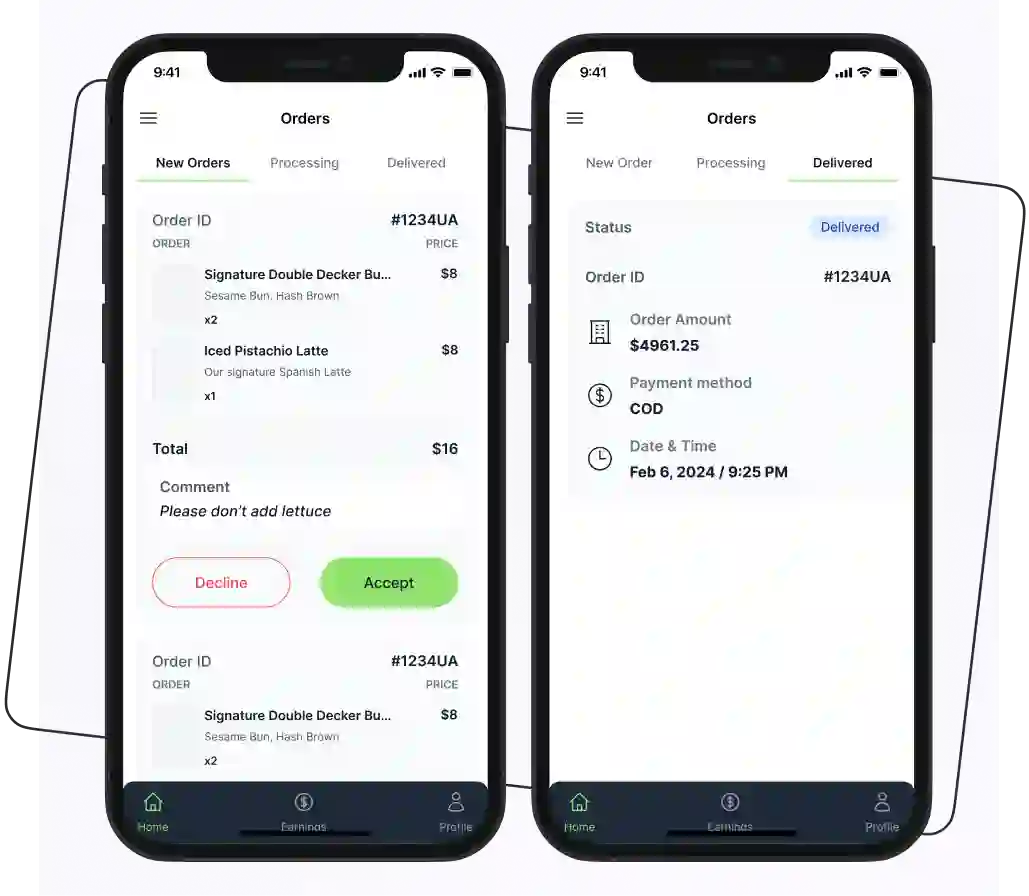
The merchant app or dashboard allows restaurants, grocery stores, pharmacies, retailers, and other service providers to manage their operations on the platform. The features should support everything from catalog management to order fulfillment and payouts.
- Business Profile Management
Merchants can create and update their business profile with information such as:
- Business name
- Address
- Contact details
- Operating hours
- Service areas
- Logo
- Images
- Business category
- Product and Menu Management
Merchants can add, edit, or remove products and menu items. They can manage prices, descriptions, images, variations, and product availability.
- Inventory Management
For applicable service categories, merchants can track stock availability and update product quantities. Grocery and retail businesses may also need inventory synchronization to prevent customers from ordering unavailable products.
- Order Management
Merchants can receive new orders and accept or reject them based on product availability and operating capacity. The dashboard can show order statuses such as new, accepted, preparing, ready for pickup, completed, and canceled.
- Preparation and Delivery Time
Merchants can provide estimated preparation or processing times. The platform can use this information when calculating delivery estimates and coordinating delivery partners.
- Delivery Zone Management
Merchants can define or view the areas where their products or services are available. Delivery zones can be managed centrally by the platform or configured according to the merchant’s operating model.
- Bank and Payment Details
Merchants can provide the payment or bank information required to receive payouts. The platform should handle this information securely and according to applicable payment and data-protection requirements.
- Customer Communication
Merchants can communicate with customers or platform support regarding order issues, product availability, substitutions, or other service-related questions.
Rider App Features
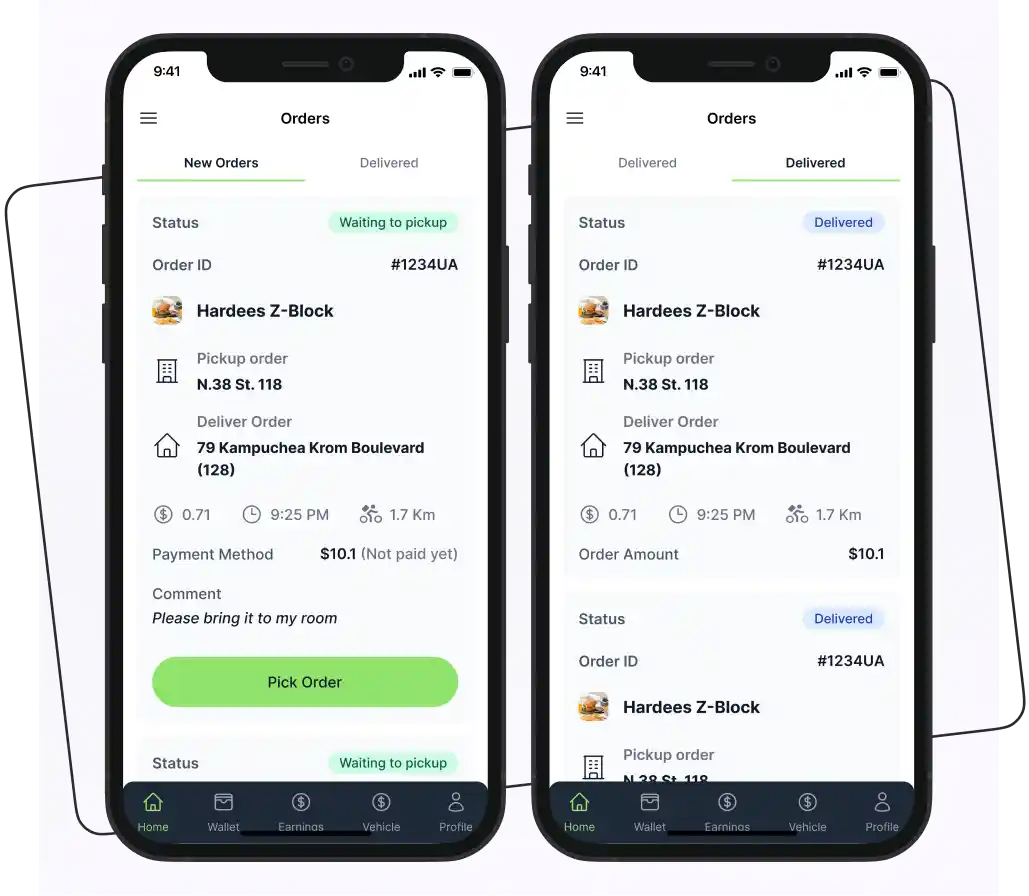
The rider or delivery partner app manages the delivery side. It helps delivery partners receive orders, navigate to pickup and drop-off locations, update delivery status, and track their earnings.
- Rider Registration and Verification
Delivery partners can create an account and submit the information required by the platform. Depending on the market and business model, the verification process may include identity, vehicle, license, or other required documentation.
- Online and Offline Status
Riders can switch between online and offline status based on their availability. The platform can use this status when identifying eligible delivery partners for new orders.
- Delivery Requests
Available delivery partners can receive delivery requests with relevant information. The platform can then assign or offer deliveries based on its dispatch rules.
- Pickup and Drop-Off Details
The app should provide clear pickup and customer delivery information. Riders can view the required locations and update the order as they move through each stage of the delivery.
- Navigation and Route Optimization
Integration with mapping services can provide turn-by-turn navigation. More advanced platforms can use route optimization to help riders handle multiple stops or improve delivery planning.
- Multiple-Order Delivery
If the business model supports batch deliveries, riders can receive multiple orders that can be collected or delivered within an appropriate route. The dispatch system should consider factors such as location, delivery windows, order readiness, and vehicle capacity.
- Real-Time Delivery Status
Riders can update statuses such as accepted, arriving at pickup, picked up, out for delivery, and delivered. These updates can be reflected in the customer and merchant applications.
- In-App Communication
Where necessary, riders can communicate with customers, merchants, or support teams through chat or calling features. Privacy and platform rules should be considered when implementing communication tools.
- Payout and Withdrawal Management
Depending on the payment model, riders can view available balances and payout history. The platform can support withdrawals through configured payment methods or financial partners.
Admin Panel Features
The admin panel provides centralized control. For a multi-service app like Rappi, the admin system should be flexible enough to manage different business models from one dashboard.
- User Management
Administrators can view and manage customer accounts, update account status, review order history, and handle account-related issues.
- Merchant Management
The admin panel can be used to:
- Approve merchants
- Manage business profiles
- Review documents
- Configure commissions
- Monitor performance
- Suspend or deactivate accounts when required
- Rider Management
Administrators can manage delivery partner profiles, verification status, availability, delivery history, earnings, and account status.
- Support and Dispute Management
A support module can help administrators manage customer complaints, merchant issues, delivery disputes, and other support tickets.
- Role-Based Admin Access
Larger platforms can use role-based permissions so different employees have access only to the sections required for their responsibilities. For example, support staff may manage tickets while finance staff access payment and settlement information.
How to Build the Rappi Clone App?
If you’re planning to build an app like Rappi, there are several steps you’ll need to follow. Here are some steps to help you build a great food app like Rappi.
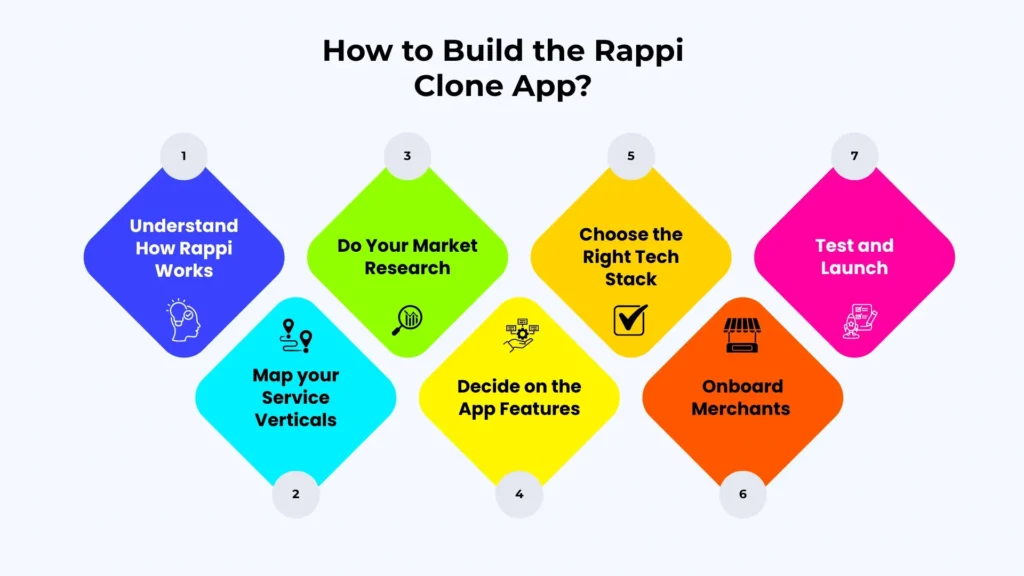
1. Understand How Rappi Works
Before jumping into development, it’s important to fully understand Rappi’s business model. What services does it offer? How does it earn revenue? The more clarity you have on how Rappi operates, the better you’ll be able to replicate (and improve on) its model.
2. Map your Service Verticals
A common mistake in multi-service delivery projects is trying to launch every vertical at once. Decide which verticals you’ll support at launch (for example, food and grocery) and which ones you’ll add in later phases.
Each vertical requires different merchant onboarding logic, catalog structures, and delivery SLAs. Scoping this upfront prevents expensive rework.
3. Do Your Market Research
Next, start research. Don’t just study the delivery market in general. This step is all about identifying opportunities and avoiding pitfalls.
- Study your city. What’s the average basket size?
- Are customers more price-sensitive or convenience-sensitive?
- Look at your potential competitors. What are they doing well? Where are they falling short?
- Who are the top 10 restaurants or stores that, if you onboarded them on day one, would instantly validate your platform?
4. Decide on the App Features
Now, list out the features you want to include. Be realistic; adding every possible function might sound good, but it’s better to focus on what matters.
Here is a list of features that you should include in your app.
| User App | Store App | Rider App | Admin |
| Sign up | Item management | Profile management | User management |
| Multiple language | Store management | Pickup information | View stores |
| Pop-up notification | Offers management | In-app communication | Earning reports |
| Advanced filters | Order notification | Check earnings | Manage stores |
| Order tracking | Order accept/reject | Order status updates | Manage user feedback |
| Easy payment | Assign deliveries | ||
| Review and rating | |||
| Tips option | |||
| Takeaway and delivery options | |||
| Contactless delivery | |||
| Scheduled deliveries |
5. Choose the Right Tech Stack
This is where you decide what technologies you’ll use to build your app. The right tools will depend on your budget, timeline, and scalability goals. Popular choices include:
- Frontend: React Native or Flutter
- Backend: Node.js, Express
- Database: MongoDB, PostgreSQL
- APIs: Google Maps, Stripe, Twilio
If you’re choosing a white-label Rappi clone solution, make sure you get the full source code, not just access to a hosted app. Also, check that the app is built using reliable technology so it’s easy to customize and update as your business grows.
6. Onboard Merchants
Your app is useless to customers if there’s nothing to order. Spend 4-6 weeks before launch exclusively signing up restaurants, stores, and pharmacies. Even 20-30 strong merchant partners in a single neighborhood are enough to create a compelling first-day experience.
7. Test and Launch
Before going live, thoroughly test your app. Fix bugs, check performance, and make sure everything works across different devices. Once you’re confident, launch it and start gathering user feedback right away.
Cost of Rappi Clone App Development
A Rappi clone costs between $10,000–$250,000+, for a basic white-label solution, 25,000–75,000+ for a customized one, and $75,000–$250,000+ for a fully custom build. Plan for ongoing maintenance of roughly 20% of the initial cost per year.
App development cost is an important thing to consider when wanting to build a new app. Look at the table below and understand the estimated cost of building the Rappi app clone.
| Development Approach | Cost Range | Estimated Timeline |
| Basic white-label solution | $10,000 – $25,000+ | 2–6 weeks |
| Customized white-label platform | $25,000 – $75,000+ | 1–3 months |
| Custom-built platform like Rappi | $75,000 – $250,000+ | 4–9+ months |
Factors that Affect App Development Cost
Here are a few factors that affect app development cost.
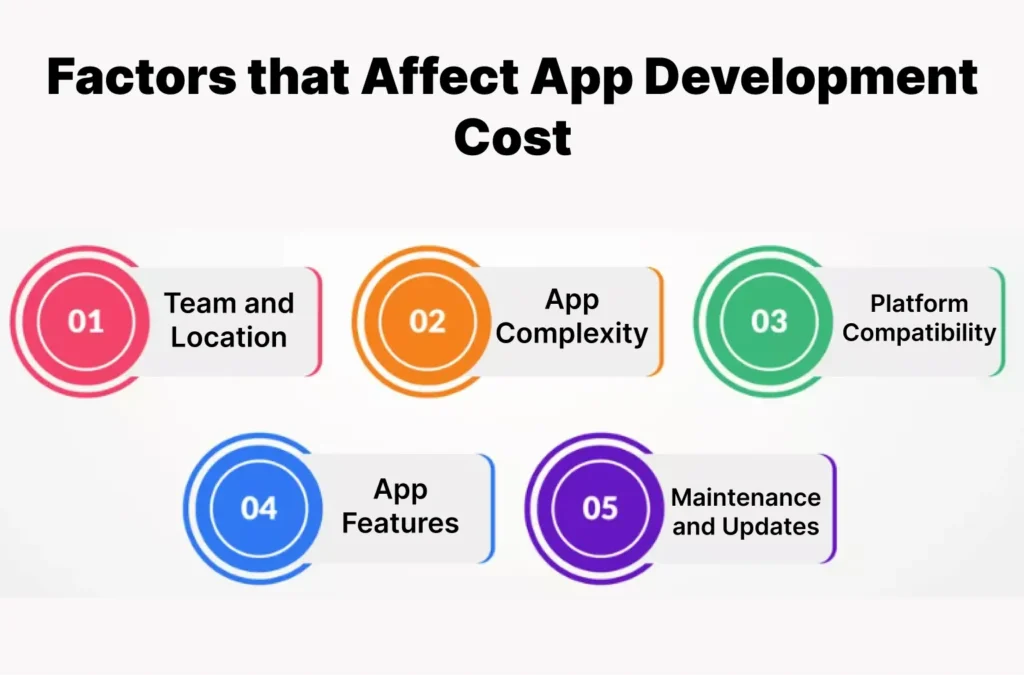
Team and Location
- Geographic Location: The cost can vary based on where the development team is located. Teams in areas with lower wages can help reduce costs, but may lead to communication challenges.
- Onshore vs. Offshore: Onshore teams (in your country) often work better together, but they can be more expensive.
App Complexity
- Simple vs. Complex Apps: Basic apps are cheaper to build. However, apps with advanced features require more time and resources, significantly increasing costs.
Platform Compatibility
- Number of Platforms: Building separate native apps for iOS and Android increases development and testing effort. Cross-platform frameworks such as Flutter or React Native can reduce this by sharing most of the code across both platforms, though some platform-specific work is still needed. Adding web or desktop versions increases the cost further.
App Features
- Additional Features: Extra features can raise the total development cost, as they require more time and resources.
Maintenance and Updates
- Ongoing Costs: After launch, apps need regular updates and maintenance, which can add 20% or more to the initial development costs each year. This includes bug fixes, feature additions, and hosting fees.
Rappi Clone App Development Timeline
The development timeline depends on the number of service verticals, platforms, integrations, and level of customization. A basic white-label launch can take considerably less time than a custom multi-service platform.
| White-Label | 2-6 weeks |
| Customized White-Label | 4-12 weeks |
| Custom Multi-Service Platform | 4-9+ months |
A custom development process can be divided into the following stages:
| Development Stage | Timeline |
| Business and feature planning | 1–2 weeks |
| UI/UX design | 2–4 weeks |
| Backend and API development | 6–12 weeks |
| Customer, merchant, and rider apps | 8–16 weeks |
| Admin dashboard | 3–6 weeks |
| Third-party integrations | 2–5 weeks |
| Testing and bug fixing | 3–6 weeks |
| Deployment and app-store release | 1–2 weeks |
These stages can overlap, so the total project duration should not be calculated by simply adding every number together.
A focused MVP may be completed faster, and a multi-service platform can require substantially more development time.
Team Required to Build a Rappi-Like App
A multi-service delivery platform usually requires several technical and product roles. The exact team size depends on the development approach and project scope.
A custom project may involve:
- Product manager: Defines requirements, priorities, workflows, and release milestones.
- UI/UX designer: Designs customer, merchant, rider, and admin interfaces.
- Mobile developers: Build the iOS and Android applications or a cross-platform mobile application.
- Backend developers: Build APIs, business logic, order management, payments, delivery assignment, and integrations.
- Web developer: Develops merchant and admin web interfaces where required.
- QA engineers: Test functionality, payments, APIs, devices, performance, and critical user workflows.
- DevOps engineer: Handles cloud infrastructure, deployment, monitoring, backups, and CI/CD.
- Security or compliance specialists: May be required when the platform handles sensitive payment or regulated financial services.
For a white-label solution, some of these responsibilities may already be covered by the platform provider. For a custom build, the business needs to account for these roles when planning the project budget.
The most efficient team structure depends on the MVP scope. A business launching only food delivery in one market may need a smaller team than a platform launching several service verticals across multiple cities.
Rappi Clone vs. Building from Scratch vs. Other White-Label Platforms
Choosing the right development approach depends on your budget, launch requirements, desired level of customization, and technical resources. A platform like Rappi can generally be developed from scratch, customized from an existing solution, or launched using a white-label platform.
Before committing to a Rappi clone, it helps to understand how your options compare.
| Factor | White-Label Platform | Customized Existing Platform | Custom Development |
| Best suited for | Businesses that want to launch with established functionality | Businesses that need an existing foundation with additional customization | Businesses with highly specific requirements and larger development resources |
| Time to launch | Generally 2–6 weeks | Around 1–3 months | Around 4–9+ months |
| Upfront cost | 10,000 – 25,000+ | 25,000 – 75,000+ | 75,000 – 250,000+ |
| Multi-service support | Depends on the platform’s existing service categories and architecture | Can support multiple services if the underlying platform allows the required customization | Can be designed specifically for multiple service verticals and their individual workflows |
| Starting point | Pre-built platform | Existing platform modified for your requirements | Developed from the ground up |
| Source-code access | Depends on the provider and license | Depends on the provider and license | Controlled by the development owner |
| Third-party integrations | Depends on available integration options | Can usually be added based on the architecture | Can be selected and designed around project requirements |
| Scalability | Depends on the platform architecture | Depends on the underlying architecture and customizations | Can be designed around expected requirements |
| Technical control | Depends on the provider | Shared between existing architecture and custom development | Highest control over architecture |
| Maintenance | May depend on the provider or internal team | Requires coordination between existing and custom components | Requires an ongoing development and maintenance process |
7 Common Mistakes Founders Make When Building the Rappi App Clone
Launching a Rappi clone app is an exciting opportunity, but many founders underestimate the challenges involved. Avoiding these common mistakes can save you time, money, and costly revisions after launch.
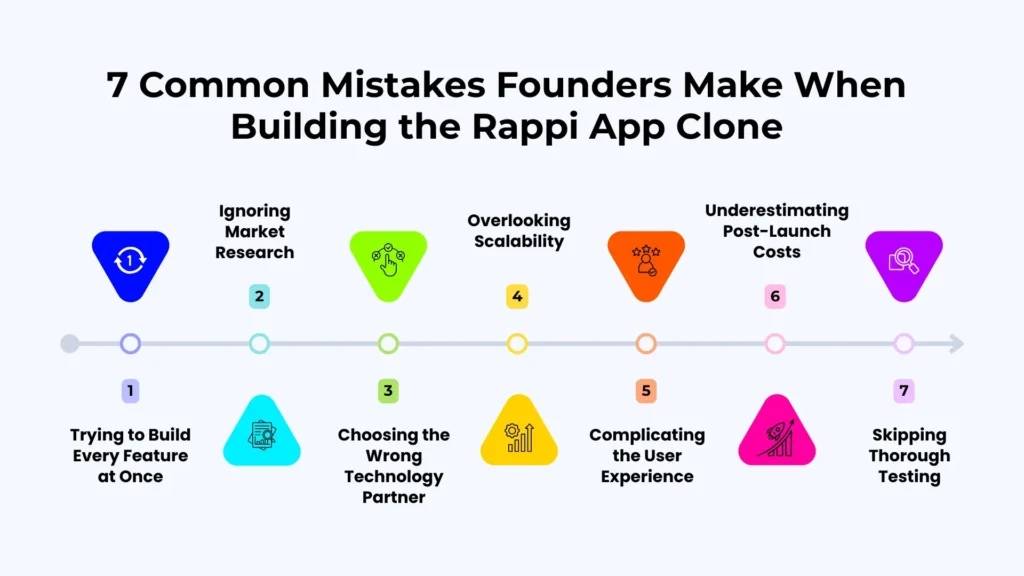
1. Trying to Build Every Service at Once
A Rappi-like platform can support food, grocery, pharmacy, courier, retail, and other services. However, launching too many verticals in the first release can make the product difficult to develop and operate.
Start with the service category that has the clearest demand in your target market. Add additional verticals after validating the initial business model.
2. Ignoring Market Research
Building a great app isn’t enough if it doesn’t solve local customer needs. Failing to research your target audience, competitors, pricing strategies, and delivery habits can result in low adoption rates. Understand your market before investing in development.
3. Choosing the Wrong Technology Partner
Selecting a development team based solely on the lowest price can lead to poor code quality, missed deadlines, and scalability issues. Work with experienced developers who have successfully built on-demand delivery platforms and can provide ongoing support.
4. Overlooking Scalability
Many founders build apps that work well for a few hundred users but struggle as demand grows. Your Rappi clone should be designed with a scalable infrastructure to handle increasing traffic without performance issues.
5. Complicating the User Experience
A great app won’t succeed if it’s difficult to use. Complex navigation, lengthy checkout processes, and confusing interfaces often drive users away. Keep the design clean, intuitive, and focused on completing orders quickly.
6. Underestimating Post-Launch Costs
Development is only part of the investment. Many businesses forget to budget for maintenance, server hosting, and ongoing feature improvements. Planning these recurring expenses ensures long-term success.
7. Skipping Thorough Testing
Launching an app without comprehensive testing can result in crashes, payment failures, and poor customer reviews. Test every user journey, including customer, merchant, rider, and admin workflows, before going live.
Why Choose Enatega for Building an App Like Rappi?
Enatega is an open-source, white-label delivery platform that can be used as a foundation for building a Rappi-like multi-service marketplace. Instead of developing every core delivery feature from scratch, businesses can start with an existing platform and customize it around their service categories and business model.
Multi-Service Delivery Platform
Enatega supports multiple delivery use cases through a shared platform. Businesses can build experiences for food, grocery, retail, pharmacy, and other on-demand services while managing customers, merchants, riders, and administrators through connected applications.
Open-Source and Customizable
Enatega provides access to the source code, allowing businesses and development teams to customize the platform according to their requirements.
Customer, Merchant, Rider, and Admin Apps
A platform like Rappi requires more than a customer application. Enatega provides the core applications and management interfaces needed to operate a delivery marketplace, including customer, store or merchant, rider, and admin functionality.
One-Time Payment Model
Enatega uses a one-time payment model rather than charging a recurring commission on every order.
Self-Hosted Platform
Businesses can deploy Enatega on their own infrastructure and maintain greater control over their application and data environment.
Suitable for Phased Development
Businesses can start with a focused MVP and introduce additional service categories or advanced functionality as the platform grows. This approach can help avoid building every Rappi-style feature before validating the initial business model.
FAQs
A basic white-label launch takes about 2–6 weeks. A customized white-label platform takes about 4–12 weeks. A custom multi-service platform usually takes 4–9+ months, depending on the number of verticals, platforms, and integrations.
Yes. A Rappi clone app can support multiple countries with features like multi-language, multi-currency, region-specific taxes, and location-based pricing. This makes it easy to expand your delivery business into new markets as you grow.
Yes. A Rappi clone app is fully customizable, allowing you to modify the branding, design, features, and business modules to match your requirements. You can also add new services and integrations as your business grows.
Supercharge your deliveries with Enatega.
Launch NowConclusion
A platform like Rappi works best when you start small. Start small, launch fast, and scale with real demand. Choose one or two service verticals, build a strong local merchant network, and focus on the features that matter most.
Your main decision is the development approach. Choose a white-label solution for speed, a customized platform for flexibility, or a custom build for maximum control.
About the author

Hudaibia Khalid is a senior content writer with several years of experience in creating clear and easy-to-understand content. Over the years, she has worked closely with startups, restaurants, and entrepreneurs, helping them simplify complex digital and technical topics into actionable insights.
Her expertise lies in writing about on-demand platforms, food delivery solutions, and business growth strategies in a way that is accessible even to non-technical readers. With her experience in the industry, she focuses on guiding businesses step by step, from understanding ideas to turning them into fully working solutions.
SHARE






 IOS
IOS Android
 Web
Web