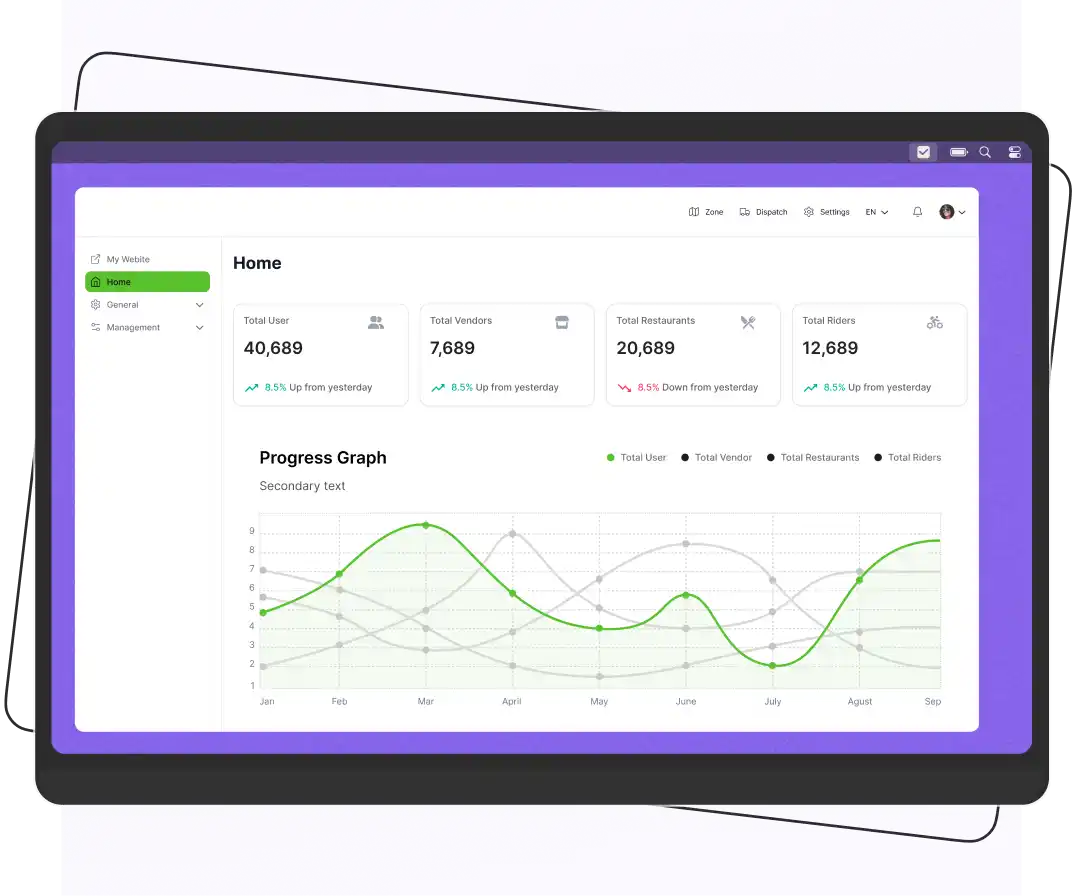


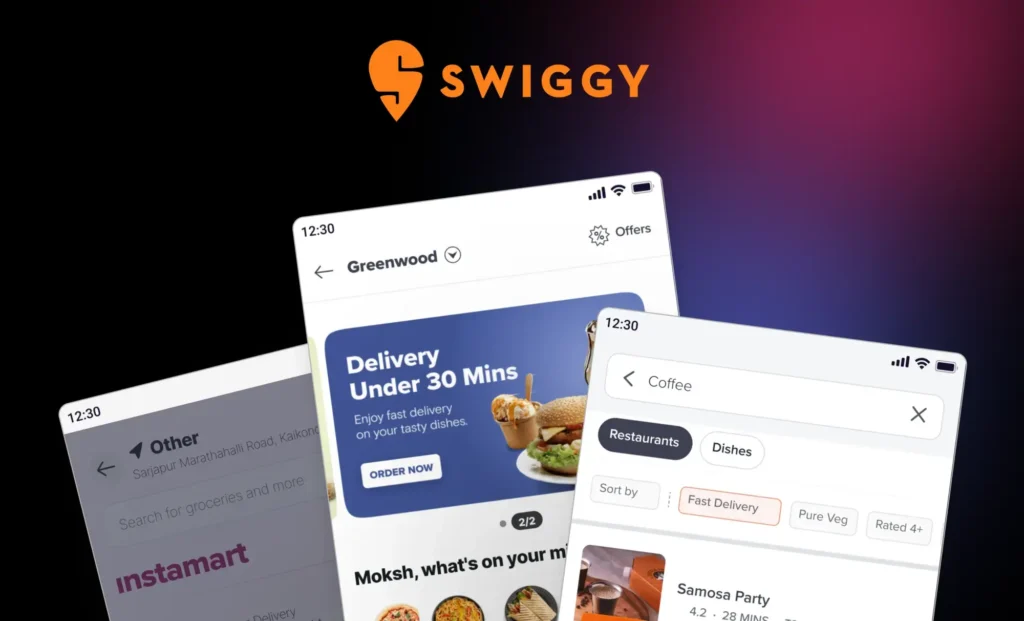
To build a Swiggy clone app, research your target market, choose a business model, define essential features, select a tech stack, develop the customer, restaurant, and rider apps, and test before launch. You can build from scratch or use ready-made food delivery software to reduce development time and costs.
If you’re planning to launch your own food delivery business, a Swiggy clone app can help you get started without building every feature from scratch.
A ready-made solution provides the core components for customer ordering, restaurant management, rider delivery, and admin operations. The time needed to launch depends on your customization requirements, integrations, testing, and business setup.
Designed for startups and growing restaurant businesses, a Swiggy clone solution can bring essential delivery operations into one platform.
Let’s explore how a Swiggy-style app works, what features matter most, and how you can launch a food delivery app.
What is Swiggy?
Swiggy is an Indian on-demand platform that began with food delivery in 2014 and now also offers quick commerce through Instamart and restaurant dining through Dineout. The company, Swiggy Limited, is listed on the NSE and BSE.
According to Swiggy, its food delivery business works with over 2.6 lakh (260,000) restaurants across 720+ cities in India.
Swiggy’s model is a useful example of how a platform connects customers, restaurants, and delivery partners. But launching a similar business takes more than building an app. You also need restaurant partnerships, delivery operations, payment handling, and customer support.
What is the Swiggy Clone App?
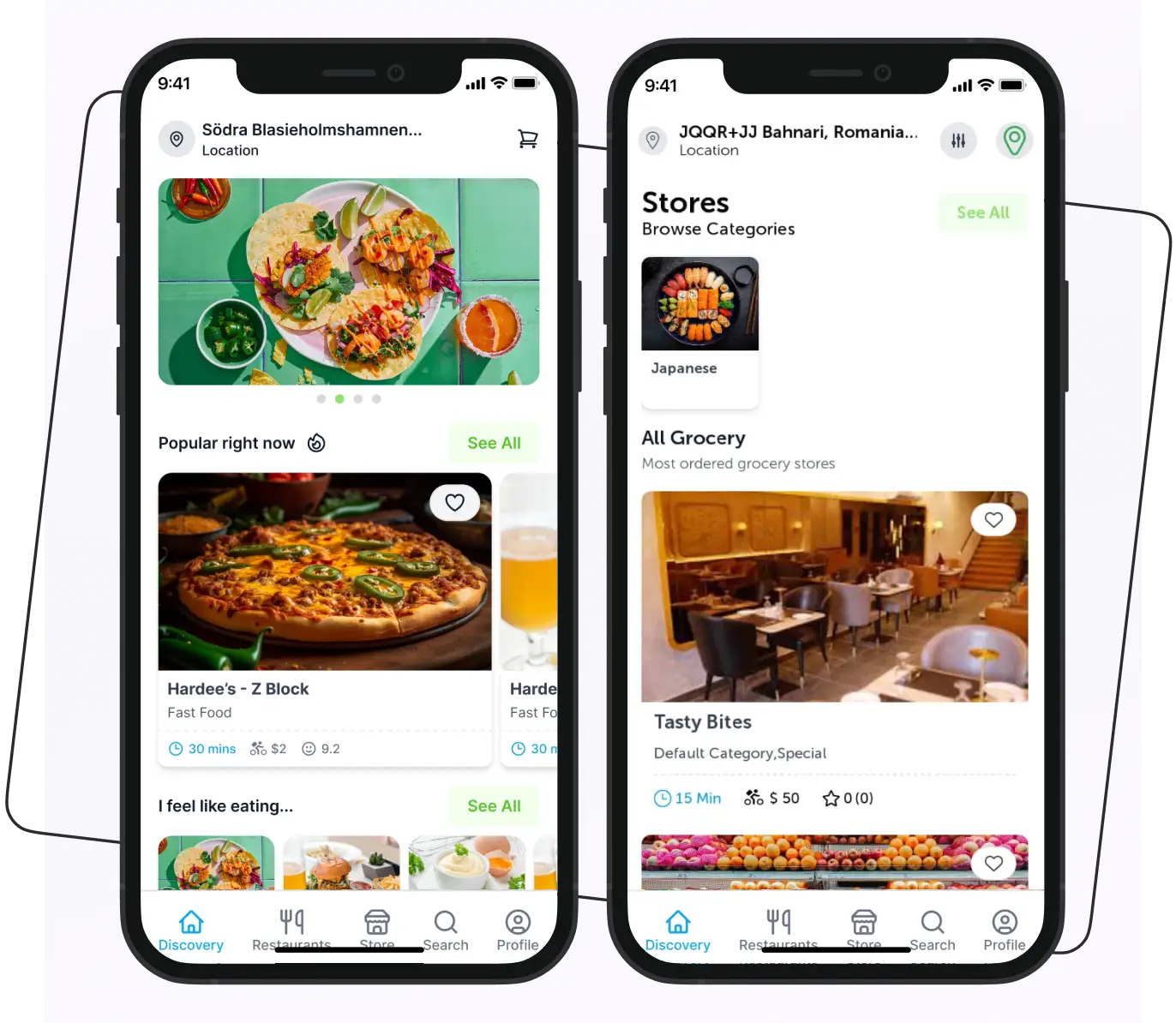
A Swiggy clone app is a food delivery platform built around a business model similar to Swiggy. It connects customers with restaurants and delivery partners through a customer app, restaurant management tools, rider apps, and an admin panel.
Businesses can build this type of platform from scratch or customize ready-made food delivery software.
A Swiggy-inspired app should use your own brand identity, original content, and appropriately licensed software. The goal is to build a similar type of service, not copy Swiggy’s proprietary code, branding, or protected assets.
Services You Can Offer With a Swiggy Clone Solution
- Food delivery
- Grocery delivery
- Pharmacy delivery (requires pharmacy licensing)
- Meat delivery
- Flower delivery
- Water delivery
- Laundry services
- Alcohol delivery (only where local law allows it)
Supercharge your deliveries with Enatega.
Launch NowWhy Consider a Swiggy Clone App?
A ready-made solution can help you launch faster and with a smaller budget than a fully custom build. Here is what it can offer, along with what to watch for.
Lower Upfront Cost: Using existing software means you don’t pay to build every feature from scratch. You still need to budget for customization, design, hosting, and marketing.
Faster Launch: Core components like ordering, order management, rider workflows, and an admin panel already exist, so your team focuses on branding and local setup.
Customization: Good white-label software lets you change branding, payment methods, delivery rules, and commission settings. Check how much of the source code you can modify.
A Model You Can Adapt: You can start with one city or niche, such as office lunches or campus delivery, and expand once operations are stable.
How Does an App Like Swiggy Work?
The workflow of the Swiggy app clone is simple, and understanding it before starting the development phase is crucial. An app like Swiggy follows a hyperlocal delivery model. This model involves providing goods and services to customers from nearby local stores or providers.
Let’s look at how an app like Swiggy works.
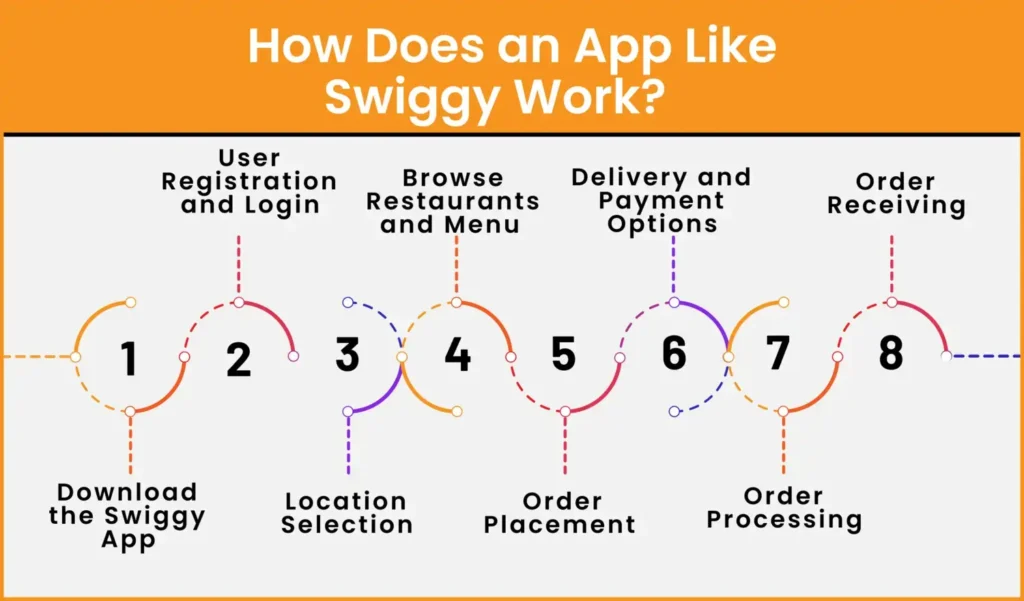
Download the Swiggy App
The first step is to download the Swiggy app on your mobile phone. The app is available on both iPhone and Android.
User Registration and Login
Before ordering, users sign up with their phone number and verify it with a one-time password (OTP). Platforms can also offer email or social login.
Location Selection
Users are prompted to enter their location or allow the app to access their device’s location. The app uses GPS or other location-based services to determine the user’s current location. Users can also manually search for a specific location or select from previously saved addresses.
Browse Restaurants and Menus
Users can browse a list of restaurants that are available on the app. Each restaurant is displayed with relevant details such as name, ratings, working hours, cuisine type, and more.
If you’re craving a specific dish like chicken biryani, simply type it in the search bar and instantly discover restaurants that serve it. The restaurants are primarily displayed based on which store is closest to you.
Alternatively, you can look for and place an order for a certain restaurant if you have one in mind. Before choosing your order, you can also browse through the many restaurants and food alternatives.
Order Placement
Users can select the items and add them to their cart. They have the option to customize their order according to their preferences. Once the order is final, users proceed to the checkout process.
Delivery and Payment Options
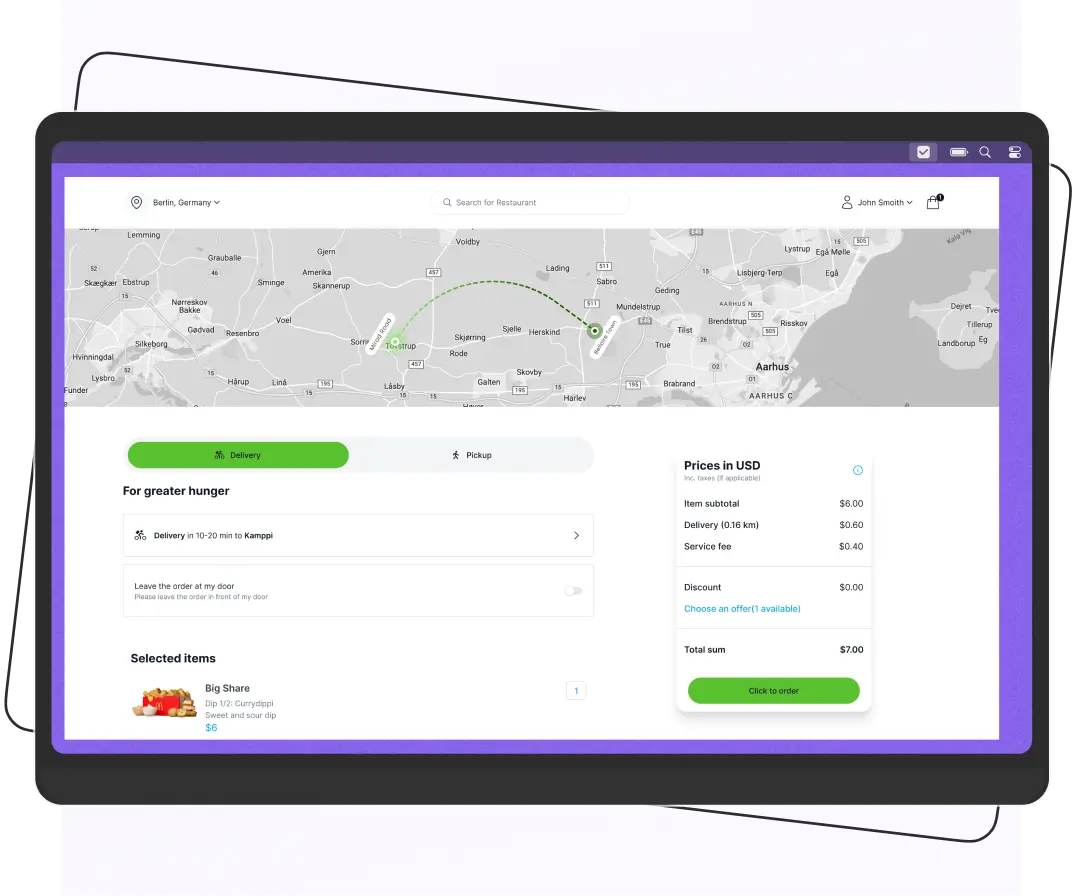
Users have to re-enter the delivery details or choose from the saved locations for delivery. Then, they will be directed to the payment method and will select the preferred method.
Moreover, users have the option to apply coupons or redeem loyalty points if available. After confirming the order and making the payment, users receive an order confirmation with an estimated delivery time.
Order Processing
The restaurant receives the order details and starts preparing the food. When the order is ready, the nearest available rider is notified, picks it up, and delivers it to the customer’s address. Throughout this process, the customer can track the order status and receive notifications.
Order Receiving
After receiving the order, users can provide feedback and rate the restaurant and riders according to their experience.
How Does an App Like Swiggy Make Money?
A food delivery app can generate revenue through restaurant commissions, delivery fees, customer service fees, sponsored listings, and subscription plans. The best revenue model depends on your target market, restaurant agreements, and delivery operations.
Here are seven common revenue streams.
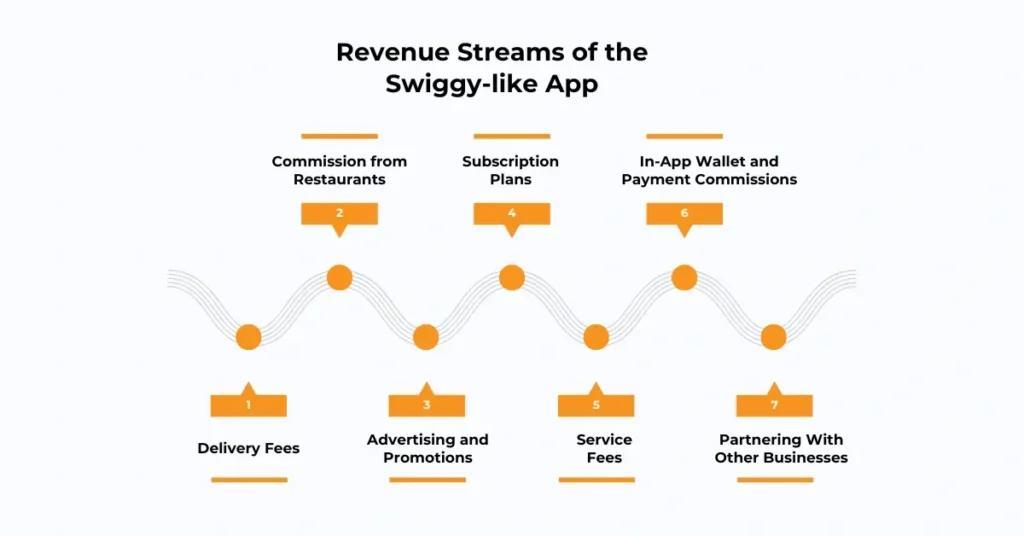
Delivery Fees
The app charges a small fee for delivering food from restaurants to customers. This fee can be a flat rate or distance-based, and sometimes free delivery is offered for larger orders.
Commission from Restaurants
The app earns a percentage of each order made through the platform, usually between 10% and 30%. Restaurants pay this commission for exposure and the convenience of delivery services. This becomes one of the main revenue sources as order volume grows.
Advertising and Promotions
Restaurants or food brands pay to promote their meals or special offers on the app. Promotions can include featured listings, banners, or pop-ups. This generates revenue without charging customers directly and increases restaurant visibility.
Subscription Plans
Customers can subscribe to monthly or yearly plans to get benefits like free deliveries, discounts, or loyalty points. Subscription fees create predictable revenue and encourage users to order more frequently.
Service Fees
Additional charges for handling, packaging, or special delivery apply to certain orders. This fee helps cover operational costs while keeping basic delivery charges low. Customers see the service fee clearly during checkout.
In-App Wallet and Payment Commissions
An in-app wallet can make repeat purchases more convenient by allowing customers to manage eligible balances or credits within the platform. Depending on the payment provider and applicable regulations, the business may also offer refunds, promotional credits, or wallet-based rewards.
Any transaction fees or interest-related revenue depend on the payment arrangement and legal requirements and should not be assumed as a standard revenue stream.
Partnering With Other Businesses
The app can collaborate with grocery stores, pharmacies, or meal-kit services. Revenue comes from commissions or delivery fees for these partner businesses.
Swiggy Clone App vs. Building From Scratch vs. Joining a Marketplace
Look at the table below and understand the differences.
| Factor | Swiggy clone / white-label | Custom build | Listing on an existing marketplace |
| Launch speed | Fastest | Slowest | Fast |
| Upfront cost | Low to moderate | High | Lowest |
| Control over brand and customer data | High | Highest | Low |
| Customization | Limited to what the software supports | Unlimited | Minimal |
| Ongoing commissions to a third party | None | None | Yes |
Features of the Swiggy Clone App
A Swiggy clone script gives you the core features of a food delivery marketplace: a customer app, restaurant app, rider app, and admin panel. Which advanced features are included, such as live tracking or dynamic dispatch, depends on the software you choose.
Here is a list of features that should be included in the Swiggy app clone.
For Customer App
User-Friendly Interface
One of the primary features of a food clone app like Swiggy is its simple and user-friendly interface. To develop an app like Swiggy, your priority should be designing an intuitive interface that makes the online ordering process simple.
Therefore, users can easily place orders, make payments, track orders, and more. Also, the restaurants can handle orders, payments, menus, and customers hassle-free.
Push Notifications
The push notifications keep users informed and engaged about updated menus, deals, discounts, and special promotions. With this feature, users are connected with the restaurant.
Customization
The customization feature allows customers to customize their orders according to their choice. They add special instructions and make their meal according to their taste.
Advanced Search
Users can search for their favorite food and restaurants using the advanced search filter. It makes ordering meals easier for users.
Discounts and Offers
Users can access offers, discounts, and promo codes while placing an order to save money. They can apply discounts or promo codes during the checkout process, reducing the total order amount.
Multiple Payment Options
Ease of payment significantly influences customer satisfaction and encourages repeat purchases. Users can pay through various payment methods such as credit cards, debit cards, digital wallets, and cash on delivery.
Order Tracking
Users can track their orders in real time and find out when their orders will arrive. It gives users peace of mind and reduces anxieties associated with uncertainty.
Ratings
Users can rate and provide feedback to restaurants and riders about their experience. This feedback helps them to improve their service.
Order Cancellation
Customers can cancel an order if they made a mistake or if it cannot be delivered to their address. Cancellation rules, such as time limits and refunds, are set by the platform.
Saved Addresses
Customers can save multiple delivery addresses, such as home and work, to make checkout faster. They can select their preferred address when placing an order instead of entering delivery details every time.
Favorites and Reordering
Customers can save their favorite restaurants or dishes and quickly reorder previous meals. This can make repeat purchases more convenient and encourage customer retention.
Scheduled Orders
Customers can schedule an order for a later time if the platform supports advance ordering. This is useful for planning meals around work schedules, meetings, or family gatherings.
In-App Support
Customers can contact customer support to ask about delayed orders, payment issues, or other order-related problems. Available support options may include chat, phone, or support requests, depending on the platform.
Referral and Loyalty Programs
A referral program can reward customers for inviting new users, and a loyalty program can offer points or other rewards for eligible purchases. These features can help businesses encourage repeat orders when configured to fit their marketing strategy.
For Restaurant App
Restaurant Profile
Each restaurant listed on the app has its own profile page that showcases important information and details. The profile includes the restaurant’s name, address, contact information, opening hours, and customer reviews/ratings.
Restaurants can also add high-quality images of the restaurant’s ambiance, dishes, or staff to attract customers.
Menu Management
Restaurants can manage their menu directly on the food delivery app’s platform. They can add, edit, or remove dishes from the menu, including details such as names, descriptions, images, and prices.
Restaurants can categorize their menu items, making it easier for customers to navigate and find specific dishes.
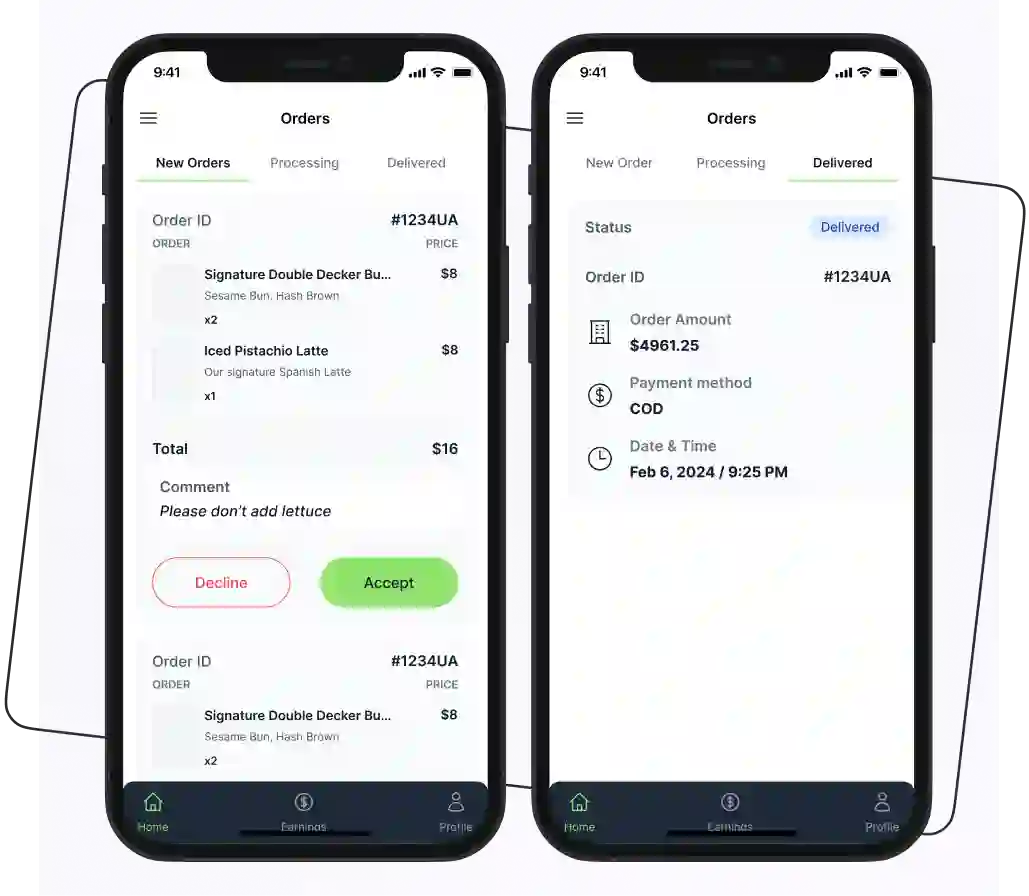
Order Management
Restaurants are provided with a dedicated interface to manage incoming orders efficiently. They can view and track orders in real time, including details such as order items, customer information, and delivery addresses.
Restaurants can update the order status, such as “received,” “preparing,” “out for delivery,” or “delivered.”
Status Availability
Restaurants can indicate their availability status, specifying whether they are currently accepting orders or temporarily closed. This feature helps manage customer expectations and avoids placing orders for restaurants that are not operational at a given time.
Preparation Time Management
Restaurants can set or update estimated food preparation times where supported. Accurate estimates help customers understand how long an order may take and help delivery teams coordinate pickups.
Item Availability Management
Restaurants can mark individual dishes as unavailable when ingredients run out, or a menu item is temporarily unavailable. This helps prevent customers from ordering items the restaurant cannot prepare.
For the Rider App
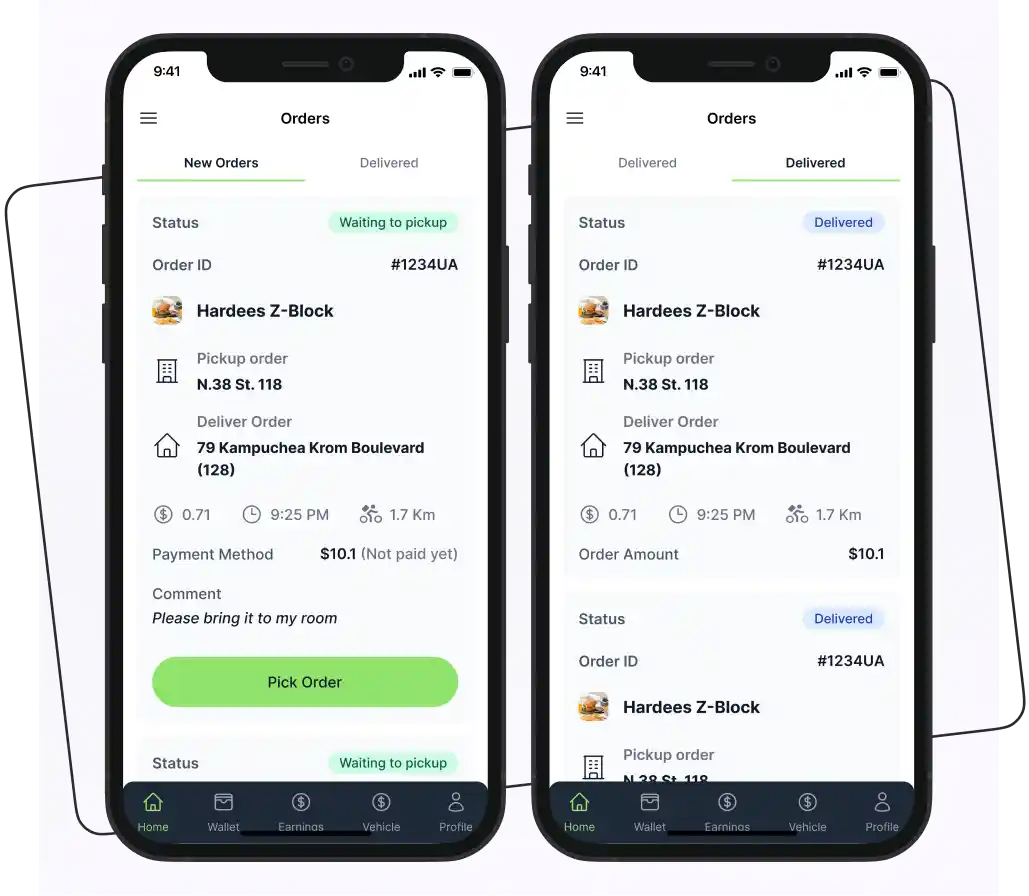
Rider Profile
The riders can create their profile by providing some information, such as name, phone number, bank details, etc. They can add, delete, and edit their information.
Order Request
On the rider delivery app, they can accept or decline order delivery requests based on their convenience and availability. This feature can save a lot of time.
Order History
Riders can check the history of their previous orders and payments. It is a convenient way for them to keep track of current and past customer orders, including the status of orders.
Earnings Dashboard
Riders can review available earnings information, completed deliveries, and payment records. The details shown depend on the platform’s rider payment and reporting features.
Delivery Navigation
Integrated map and navigation tools can help riders find restaurant pickup points and customer delivery locations. Navigation availability depends on the map service and integration used.
Proof of Delivery
A delivery confirmation option can record when an order has been handed over to the customer. Depending on the implementation, this may use a status update, PIN, photo, or another verification method.
For Admin Panel
Content Management
The admin panel allows you to manage the content displayed on the app. You can easily update and customize the content to keep it fresh and relevant, ensuring a captivating user experience.
User Management
The admin panel provides tools to manage user accounts and profiles. You can view and edit user information, including personal details, contact information, and order history. User management also involves the ability to handle user feedback, complaints, and support requests.
Restaurant Management
This feature allows admins to manage the restaurants registered on the app. Admins can onboard new restaurants, verify their information, and ensure compliance with app guidelines and standards.
Rider Management
Admins have control over the rider resources employed for food delivery. Admins can assign delivery tasks to riders, track their location in real time, and manage their availability.
Reports and Analytics
Admins can access comprehensive reports and analytics to gain insights into app performance, user behavior, and operational metrics.
Delivery Zone Management
Admins can define supported delivery areas and configure which restaurants or services operate in each zone. This helps businesses manage geographic coverage and avoid accepting orders outside their service area.
Role-Based Access Control
Businesses can assign different permissions to staff members based on their responsibilities. For example, an operations team member may need access to order management but not financial settings. Available permission levels depend on the platform.
Which Food Delivery Business Model Should You Choose?
Before building an app like Swiggy, decide how your food delivery business will operate. Your business model affects how you partner with restaurants, manage deliveries, charge customers, and generate revenue.
Here are three common models to consider.
1. Aggregator Model
An aggregator platform connects customers with multiple restaurants through one app. Customers browse menus, place orders, and pay through the platform. Restaurants may handle their own deliveries or use a separate delivery service.
This model can work well for startups that want to bring local restaurants together without managing a full delivery fleet. However, you still need to manage restaurant partnerships, order issues, customer support, and payment processes.
2. Logistics-Based Model
In this model, your platform manages the delivery process by assigning orders to delivery partners. Restaurants prepare the food, and your delivery network handles pickup and drop-off.
This approach gives you more control over the delivery experience, but it also adds operational responsibilities. You need a system for rider assignments, delivery zones, route planning, and tracking. Rider availability and delivery costs can also affect profitability.
3. Hybrid Model
A hybrid model allows restaurants to handle deliveries themselves or use your delivery network, depending on their needs and location.
For example, a restaurant with its own riders could manage nearby orders, and your delivery partners handle orders from restaurants without a fleet. This gives vendors more flexibility but requires clear delivery rules and reliable order management.
How to Develop the App Like Swiggy?
To develop a clone app like Swiggy, follow the steps that will help you in your clone app development phase.
- Research your market
- Define your unique selling proposition
- Choose your business model
- Select your tech stack
- Start Swiggy clone app development
- Test the app
- Launch and market
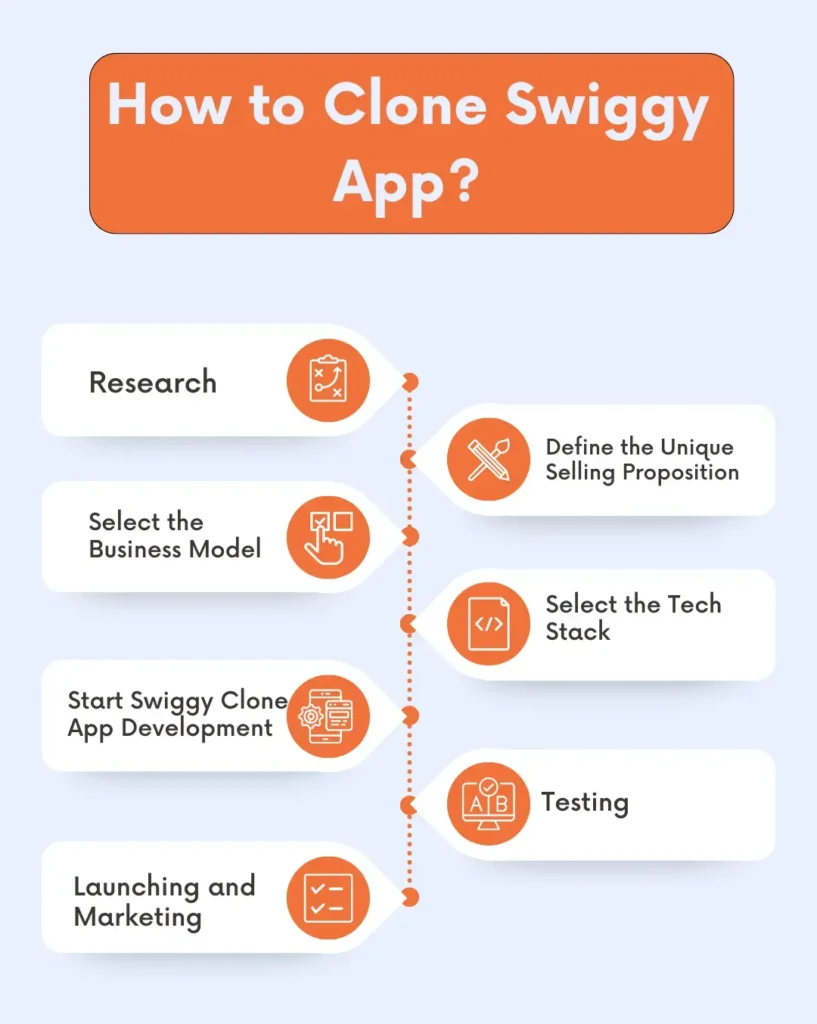
1. Research
First, you have to conduct research and understand your target audience, competitors, and identify their strengths and weaknesses. This research will help you create your app to meet the unique demands of your potential customers.
2. Define the Unique Selling Proposition
To stand out in a competitive food delivery market, you must identify what will make your Swiggy app clone unique. Decide on your unique selling proposition that will set your app apart from the rest.
3. Select the Business Model
Several food delivery business models are available, such as aggregator and delivery-only. Decide on the model that best meets your business goals and resources.
4. Select the Tech Stack
Decide on the technology stack for your app. Always select the tech stack your developers have expertise and experience working in.
Look at the table below and know what technology is used for building the Swiggy app clone.
| Component | Suggested Technology | Purpose |
| Customer and rider apps | React Native | Build mobile apps for iOS and Android |
| Restaurant app and admin panel | React.js | Create web dashboards for managing menus, orders, and deliveries |
| Backend | Node.js with Express | Handle orders, user accounts, payments, and business logic |
| Database | PostgreSQL or MongoDB | Store customer, restaurant, menu, and order data based on your data model |
| Maps and location | Google Maps Platform or Mapbox | Support address selection, location tracking, and delivery routes |
| Cloud hosting | AWS, Google Cloud, or Azure | Host the application and scale infrastructure as demand grows |
| Notifications | Firebase Cloud Messaging | Send order updates and delivery notifications |
| Payment gateway | A provider that supports your target market | Process online payments securely |
Before choosing your stack, consider three things:
- Development cost: Using technologies your team already knows can reduce development time and training costs.
- Scalability: Make sure the architecture can handle increases in orders, restaurants, and delivery partners.
- Maintenance: Choose technologies your team can support, update, and secure after launch.
5. Start Swiggy Clone App Development
You have to choose between custom development and white-label software.
Custom development gives you more control over the product but requires planning, development resources, testing, and ongoing maintenance. A white-label solution can reduce the amount of software you need to build from scratch.
Start the Swiggy app clone development by designing an interface that is user-friendly, responsive, and visually appealing. Then, start working on implementing the app features. Make sure that all features are fully functional.
6. Testing
Thoroughly test your Swiggy clone software before releasing it. Check for errors, malfunctions, and security flaws. User Acceptance Testing (UAT) is essential for getting real-world user feedback and making the required adjustments.
7. Launching and Marketing
When your app is ready, launch the app in your target market. Build a strong marketing strategy that includes social media marketing, email marketing, and collaboration with restaurants. Promote your brand as much as possible, engage with customers, and grow your business.
How to Launch a Food Delivery Business Like Swiggy
Launching a food delivery business involves more than developing an app. You need to validate local demand, partner with restaurants, organize deliveries, and create a reliable ordering experience.
Follow these steps to prepare your business for launch.
1. Choose Your Target Market
Start with a specific city, neighborhood, or customer segment instead of trying to serve everyone from day one. Research local restaurants, customer preferences, competitor pricing, and delivery options to identify a market opportunity.
For example, you could focus on office lunch deliveries, university campuses, local restaurants, or a cuisine that is underserved in your area.
2. Partner With Restaurants
Build relationships with restaurants that want to reach more customers through online orders. Agree on commission rates, menu pricing, order preparation times, opening hours, and responsibility for cancellations or refunds.
Start with a manageable group of restaurant partners. This helps you test the ordering process before expanding your marketplace.
3. Decide How Deliveries Will Work
Choose whether restaurants will deliver orders themselves, your business will manage delivery partners, or you will support both options.
If you manage your own riders, plan delivery zones, rider availability, order assignments, and payment arrangements. If restaurants handle delivery, make sure customers can still receive accurate order updates.
4. Choose Your Food Delivery Software
Select a platform that supports your business model and includes the applications and tools you need to operate. These may include customer ordering, restaurant order management, rider delivery workflows, and an admin dashboard.
5. Set Up Payments and Customer Support
Choose payment methods that suit your target market. Depending on your location, these may include cards, digital wallets, bank transfers, or cash on delivery.
Set up a process for handling late orders, missing items, cancellations, refunds, and customer complaints. Clear procedures can help build trust and reduce operational problems after launch.
6. Run a Small Test
Launch in a limited area with a small group of restaurants and delivery partners. Test the full order journey, from menu selection and checkout to restaurant preparation, delivery, and customer feedback.
Track main metrics such as:
- Completed orders
- Cancellations
- Delivery times
- Repeat purchases
- Customer complaints
Use the results to identify problems before expanding.
7. Expand Based on Results
Once your initial operations are working reliably, onboard more restaurants, expand delivery coverage, and invest in customer acquisition. Review your order economics regularly to understand whether commissions and delivery fees cover the costs of operating the platform.
How Much Does it Cost to Develop an App Like Swiggy?
Building a Swiggy clone app can cost approximately $8,000 to $40,000 for a ready-made or customized solution. A fully custom development can cost $50,000 to $300,000 or more.
The Swiggy clone app cost depends on the following factors, such as:
- Technology stack
- Size of the development team
- App features
- App complexity
- Number of platforms
- Payment gateway integration
When planning your budget, also consider hosting, maintenance, customization, third-party services, and app publishing. These expenses can increase the total investment beyond the initial software cost.
Estimated Cost by Development Approach
| Approach | Estimated one-time cost (USD) |
| Ready-made food delivery software | $8,000 – $20,000 |
| Customized white-label solution | $20,000 – $40,000 |
| Custom development (MVP to advanced) | $50,000 – $150,000 |
| Enterprise-level platform | $150,000 – $300,000+ |
The table below shows the estimated cost of building an app like Swiggy.
| Component | India team | US team | Freelancers | Agency |
| Mobile apps (customer, rider, restaurant) | $5,000 – $15,000 | $50,000 – $150,000 | $5,000 – $30,000 | $30,000 – $150,000 |
| UI/UX design | $1,000 – $5,000 | $10,000 – $50,000 | $1,000 – $8,000 | $8,000 – $50,000 |
| Backend and admin panel | $2,000 – $10,000 | $20,000 – $80,000 | $2,000 – $15,000 | $15,000 – $80,000 |
| Total one-time | $8,000 – $30,000 | $80,000 – $280,000 | $8,000 – $53,000 | $53,000 – $280,000 |
Challenges of Creating the Swiggy Clone App
Below are some challenges that food business owners face when developing the Swiggy app clone.
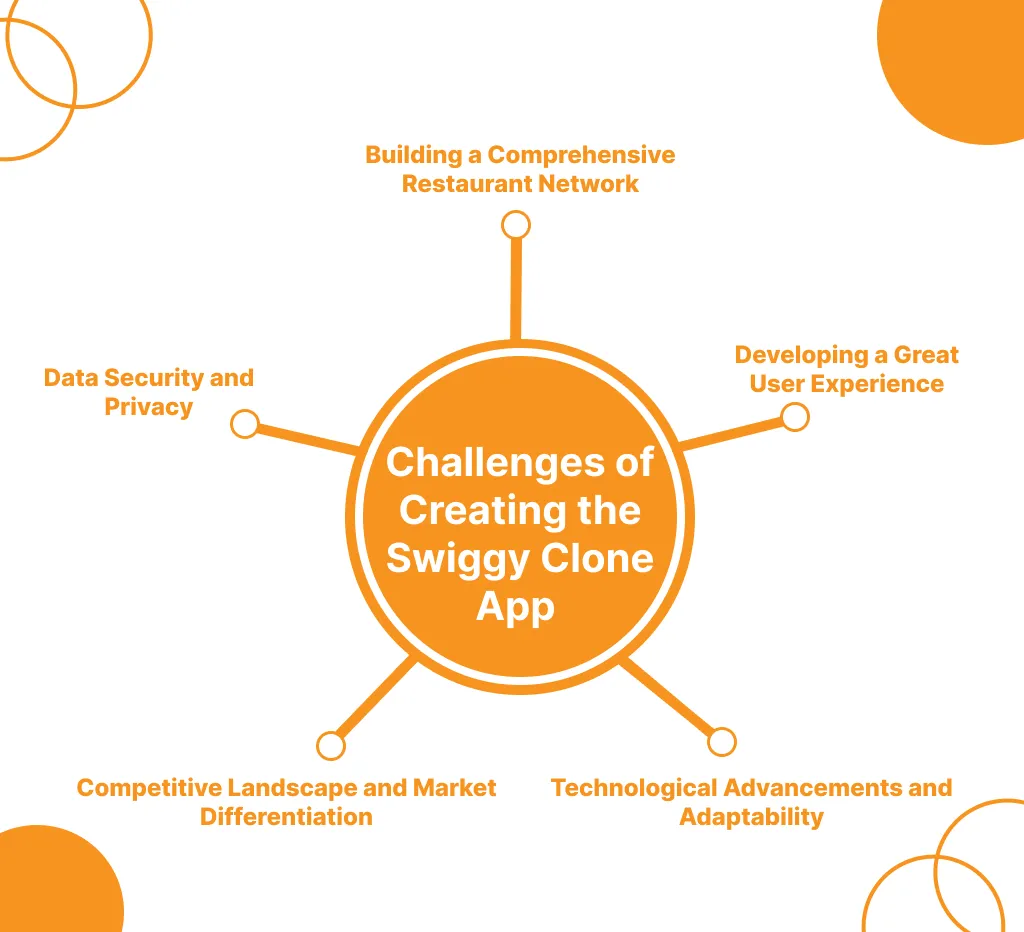
Building a Comprehensive Restaurant Network
Replicating the extensive network of restaurant partners that established food delivery platforms has built is a significant challenge. Onboarding and maintaining a diverse range of restaurants with consistent service and quality is crucial.
Developing a Great User Experience
Ensuring a user-friendly and intuitive app experience, comparable to market leaders, is essential. This includes features like real-time order tracking, personalized recommendations, secure payment integration, and efficient order management.
Competitive Landscape and Market Differentiation
The food delivery industry is highly competitive, with established players like Swiggy and Zomato dominating the market. Differentiating the clone app and gaining a meaningful market share can be a significant challenge.
Data Security and Privacy
Handling sensitive user data, such as personal information, payment details, and order history, requires robust security measures to protect against data breaches and maintain user trust.
Technological Advancements and Adaptability
The food delivery industry is rapidly growing, with new technologies and trends constantly emerging. Keeping the clone app up-to-date and adaptable to these changes is crucial to maintain competitiveness.
Alternatives to Building a Swiggy Clone from Scratch
If you want to launch a food delivery business, building an app from scratch is not your only option. The right approach depends on your budget and long-term business goals.
Custom App Development
Custom development gives you control over the app’s features, design, and workflows. However, you need to plan for development, testing, integrations, and ongoing maintenance. This option may suit businesses with specific requirements that existing platforms cannot meet.
White-Label Food Delivery Software
White-label software provides existing delivery components that you can customize with your own branding. Depending on the solution, it may include customer, restaurant, rider, and admin applications. This approach can reduce the amount of development required compared with building every component from scratch.
Open-Source Delivery Software
Open-source software can provide access to source code, allowing businesses to inspect or modify the code under the applicable licence.
Before choosing a solution, check its licence terms, available features, and technical requirements. Open-source software may still require development expertise and infrastructure management.
Third-Party Delivery Marketplaces
Businesses can also sell through established delivery marketplaces instead of operating their own standalone platform. This can provide access to an existing customer base, but businesses have less control over the customer experience and must review the marketplace’s fees, policies, and commercial terms.
Case Study: Easy Eats – A Campus Food Delivery App Built with Enatega
Easy Eats is a campus and dormitory food delivery service developed by Ninjas Code and powered by Enatega. Unlike a typical city-wide food delivery platform, Easy Eats was designed around the needs of college students, including deliveries to dorm rooms and campus locations.
The Challenge
The Easy Eats team needed a food delivery app tailored to college students. The platform also needed to support student drivers and offer features suited to shared campus living.
The Solution
Enatega developed a customizable delivery solution around Easy Eats’ requirements. The implementation included:
- Group Ordering: Students could order food with friends or dorm mates.
- Student Rider Onboarding: The platform was designed to onboard student delivery partners familiar with campus locations.
- Wallet Functionality: Wallet features were added for restaurants and riders to manage funds and request transfers.
- Student-Focused User Experience: The app’s interface and onboarding flow were designed around the needs of its target audience.
The Outcome
Easy Eats won the Greenlight Maine competition and received $25,000 to expand its operations. The team subsequently launched the app at its college in Maine and expanded to nearby universities.
FAQs
Swiggy is operated by Swiggy Limited, a publicly listed company on the NSE and BSE. It was co-founded by Sriharsha Majety, Nandan Reddy, and Rahul Jaimini. Its shareholders include public investors and institutional and venture investors.
The company began in 2013 as a logistics startup called Bundl and launched food delivery under the Swiggy name in 2014. Its legal entity was later renamed Swiggy Limited.
In India, Zomato is the closest competitor, and others include Magicpin, ONDC-based apps, and quick-commerce platforms with food offerings. Globally, similar platforms include DoorDash, Uber Eats, Grubhub, Foodpanda, and Deliveroo.
The biggest competitor of Swiggy is Zomato. Both companies dominate the food delivery market in India, offering similar services and competing for the same customer base.
Building a similar service is legal. Copying Swiggy’s code, logo, name, or design is not. Use your own brand and properly licensed software.
It can take a few weeks with ready-made software, and several months or longer for a custom build. Timelines depend on features, integrations, testing, and licensing.
Supercharge your deliveries with Enatega.
Launch NowConclusion
According to Statista, the online food delivery market worldwide is projected to grow to a market volume of US$1.92tn in 2029.
A Swiggy clone app can shorten the path to launching a food delivery business, but the app is only part of the work. Success depends on choosing a focused market, signing reliable restaurant partners, running dependable deliveries, and meeting legal requirements.
Are you planning to create a food delivery app like Swiggy? Consult a food app development company. They offer a customizable delivery platform for businesses planning to launch their own food delivery service.
About the author

Hudaibia Khalid is a senior content writer with several years of experience in creating clear and easy-to-understand content. Over the years, she has worked closely with startups, restaurants, and entrepreneurs, helping them simplify complex digital and technical topics into actionable insights.
Her expertise lies in writing about on-demand platforms, food delivery solutions, and business growth strategies in a way that is accessible even to non-technical readers. With her experience in the industry, she focuses on guiding businesses step by step, from understanding ideas to turning them into fully working solutions.
SHARE






 IOS
IOS Android
 Web
Web