

Before buying a self-hosted delivery app, check source code ownership, total ongoing costs, security responsibilities, update policies, and scalability. You should also verify App Store approval, delivery management capabilities, vendor support, and real customer references. Most importantly, compare the total cost of ownership over 12-24 months, not just the upfront license price.
Search for “self-hosted delivery app” or “white-label food delivery software,” and you’ll find plenty of top 10 lists telling you which platforms are “best.” The problem is that many of these lists are written by the companies selling the software themselves. You get a lot of polished features and big promises, but not always the answers you actually need before spending money.
Because the important questions come later:
- Do you really own the software?
- How much will it cost to run?
- Can you change it when your business needs something different?
- Who manages the hosting and security?
- Will the platform still work when your business grows?
That’s what this blog is about.
We’re skipping the rankings and sales pitches and focusing on the 10 things you should check before buying a self-hosted delivery app. Therefore, you know what you’re getting, what you’ll be responsible for, and where the costs can add up.
Supercharge your deliveries with Enatega.
Launch NowThings to Know Before Buying Self-Hosted Delivery Apps
Buying a self-hosted delivery app is a big decision, and there’s more to it than comparing features and prices.
Before you choose a platform, you need to know what you’re actually getting and what you’ll be responsible for.
Here are a few things to check before you buy, so you can avoid expensive surprises later.
1. Self-Hosted” Doesn’t Always Mean What You Think
The terms “self-hosted,” “white-label,” and “source code ownership” are often used interchangeably by vendors, but they actually mean three different things:
- Self-hosted: the software runs on infrastructure you control, such as your own server or cloud account, rather than the vendor’s.
- White-label: the platform carries your branding, including your logo, colors, and app name. It doesn’t tell you who hosts the software or owns the code.
- Source code ownership: you receive the actual codebase and can modify it without needing the vendor’s permission.
A platform can be white-label and still be SaaS; the vendor hosts it, charges recurring fees, and doesn’t give you access to the code.
Likewise, it can be self-hosted but still has restrictions. You may host the software yourself, but you might not be allowed to modify or resell it, and the license could be cancelled.
So before you buy, ask the vendor to clearly state in writing which of these three you’re actually getting, not just which words appear on the pricing page.
2. The One-Time License Fee Isn’t the Whole Cost

“One-time payment, no recurring fees” sounds appealing, but you may still have ongoing costs. When you self-host the app, those costs simply move from the vendor’s bill to your own budget.
Make sure you also consider:
- Cloud server or VPS costs that increase as orders and users grow
- Maps and routing APIs such as Google Maps or Mapbox, which can become a major recurring expense
- SMS and push notification services
- Payment gateway fees, which are separate from the software license
- SSL certificates, CDN, and backup storage
- Apple Developer and Google Play accounts, which require annual renewal
- Domain, DNS, and email delivery costs
Don’t focus only on the upfront price. Calculate the total cost of ownership (TCO) over the next 12-24 months to get a clearer idea of what the platform will cost you.
3. “Lifetime Updates” May Come With Conditions
Before buying, take a close look at the vendor’s update policy. “Lifetime updates” can come with different conditions, such as:
- Free updates for 6-12 months, followed by a paid renewal.
- Updates limited to bug fixes, while new features cost extra.
- Major version upgrades, such as v4 to v5, requiring a new license.
- No long-term support commitment; the vendor may stop supporting the version you purchased.
The biggest concern is security. If security updates stop after the first year, you may have to manage a payment-processing platform on your own, which requires technical skills beyond running a restaurant or delivery business.
Before buying, ask one important question: What happens to security updates after the free support period ends?
4. Self-Hosting Puts Security in Your Hands

This is one of the most important things to consider before choosing a self-hosted delivery app.
When you self-host, you’re responsible for:
- PCI DSS compliance if you handle card data directly instead of using a compliant payment gateway.
- Data protection requirements such as GDPR, CCPA, or local laws for customer and rider data.
- Server security, including firewalls, OS updates, and security patches.
- Breach reporting if your server is compromised.
Before buying, ask the vendor: “If my server suffers a data breach, who is responsible?” Make sure the answer is clearly stated in the contract, not just discussed during a sales call.
5. Know What Happens If the Vendor Disappears

Small delivery software companies can shut down, change direction, or get acquired. Before buying, check:
- Do you get the full, editable source code, or only a compiled version?
- Do you get the code directly, or is it held by a third party?
- Can you hire another developer to maintain the platform if the vendor closes?
- Does your license remain valid if the vendor goes out of business?
A platform may be called self-hosted, but if it still depends on the vendor’s license server or doesn’t let other developers work on the code, you don’t have full control.
6. “Scalable” Needs Real Numbers
Every listing claims scalability. None of them define it. Before buying, ask for clear numbers and test the platform if possible:
- How many concurrent orders has it been tested to handle?
- Can the live tracking system handle hundreds of riders sharing their location at the same time?
- Can the database and backend scale across multiple servers, or are you limited to one larger server?
- Does it support multiple regions, currencies, and languages if you plan to expand?
“Scalable” is just a claim. Load-test results or a customer running at your expected volume are much stronger proof.
7. App Store Approval Isn’t Guaranteed
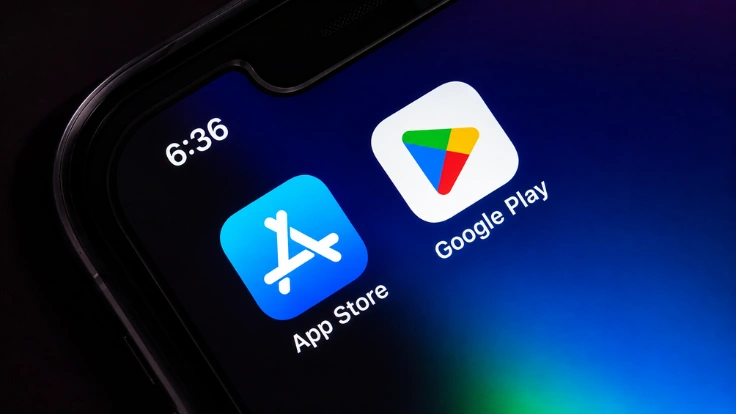
A common issue is that a business buys a white-label app, adds its own branding, submits it to the Apple App Store and Google Play, and then gets rejected or removed. This can happen when app stores identify “template” or “spam” apps that look almost identical to many other apps built from the same codebase.
Before you buy, ask:
- Has this codebase ever had an app rejected or removed?
- Who handles resubmission if your app is rejected?
- Does each customer get a unique app build, or is it the same app with a different logo?
App store approval is an important part of launching a white-label delivery app, so make sure you understand the risks before you buy.
8. Delivery System Is the Hardest Part to Test
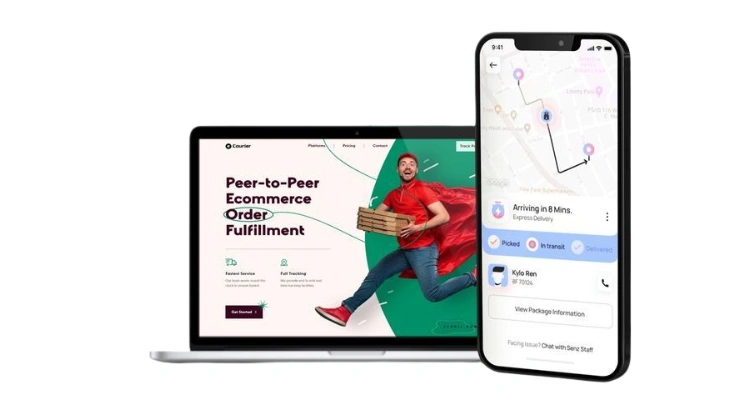
Order and checkout features often look similar in a sales demo. The real test is how the platform handles the delivery side of the business, including:
- Route planning
- Multiple orders per driver
- Live ETAs
- Driver payments
- Refunds
- Failed deliveries
Ask to test:
- What happens if a driver goes offline during a delivery?
- How does the system handle partial refunds and order disputes?
- Can one driver handle multiple orders on one route?
- How are driver payouts and commissions calculated?
- Can you change payout and commission rules without a developer?
9. Compare the Real Alternatives, Not Just Vendors

Most buying guides compare one vendor with another. A better approach is to compare the different software models available:
| Model | Upfront Cost | Ongoing Cost | Code Ownership | Best For |
| SaaS / Hosted White-Label | Low | Subscription + per-order fees | None | Testing an idea quickly with limited technical resources |
| Self-Hosted, Licensed Source | Medium-High | Hosting + limited vendor updates | Partial | Established businesses that want more control without a development team |
| Open-Source Self-Hosted | Low-None | Hosting + development costs | Full | Businesses with in-house technical skills |
| Custom Build | High | Hosting + development team | Full | Well-funded businesses building a long-term, unique product |
The right choice depends less on the demo and more on whether you have the technical skills to manage the platform. With self-hosting, someone needs to handle server problems when they happen, even in the middle of the night.
10. Ask for References at Your Scale
Vendor testimonials are carefully selected. A better way to evaluate a platform is to speak with a real customer using it at a similar order volume and business scale.
Ideally, find a customer who has been using the software for 12 months or more and ask about:
- Update policies
- Actual hosting costs
- Support after the sale
- System performance
- Problems they experienced
If a vendor can’t or won’t connect you with a customer, that’s worth considering before you make your decision.
5 Questions to Ask Every Vendor
- Do I get the full, editable source code, and what license comes with it?
- What will my monthly hosting and infrastructure costs be at my expected order volume?
- Who is responsible if my server has a data breach?
- What happens to updates and security patches after the free support period ends?
- Can you connect me with a customer who has been using the platform at a similar scale for at least 12 months?
A vendor confident in their product will answer all five without redirecting you back to a demo call.
FAQs
Neither is always better. Self-hosting gives you more control and may cost less over time, but you’re also responsible for hosting, security, and uptime. If you don’t have technical support, a SaaS platform may be a better option.
Only if the license gives you ownership or clear rights to use and modify the code. Make sure you receive the full, editable source code and check the license terms carefully.
Yes. Apps that look too similar to existing template or white-label apps may be rejected. Ask the vendor about their previous app approvals and who handles resubmission if your app is rejected.
Supercharge your deliveries with Enatega.
Launch NowConclusion
A self-hosted delivery app can give you something SaaS platforms often can’t. More control over your data and the way your business operates. But that control comes with responsibility.
The real test of a platform isn’t how impressive it looks on demo day. It’s what happens months later when hosting costs rise, updates end, an app store rejects a build, or you need to fix something quickly.
Before you buy, look beyond the sales pitch. Calculate the real cost, check the license, test the platform at your expected scale, and talk to businesses already using it.
The best choice isn’t the platform that ranks #1 on a vendor’s blog. It’s the one that still makes sense 12-18 months after you buy it.
About the author

Hudaibia Khalid is a senior content writer with several years of experience in creating clear and easy-to-understand content. Over the years, she has worked closely with startups, restaurants, and entrepreneurs, helping them simplify complex digital and technical topics into actionable insights.
Her expertise lies in writing about on-demand platforms, food delivery solutions, and business growth strategies in a way that is accessible even to non-technical readers. With her experience in the industry, she focuses on guiding businesses step by step, from understanding ideas to turning them into fully working solutions.
SHARE






 IOS
IOS Android
 Web
Web