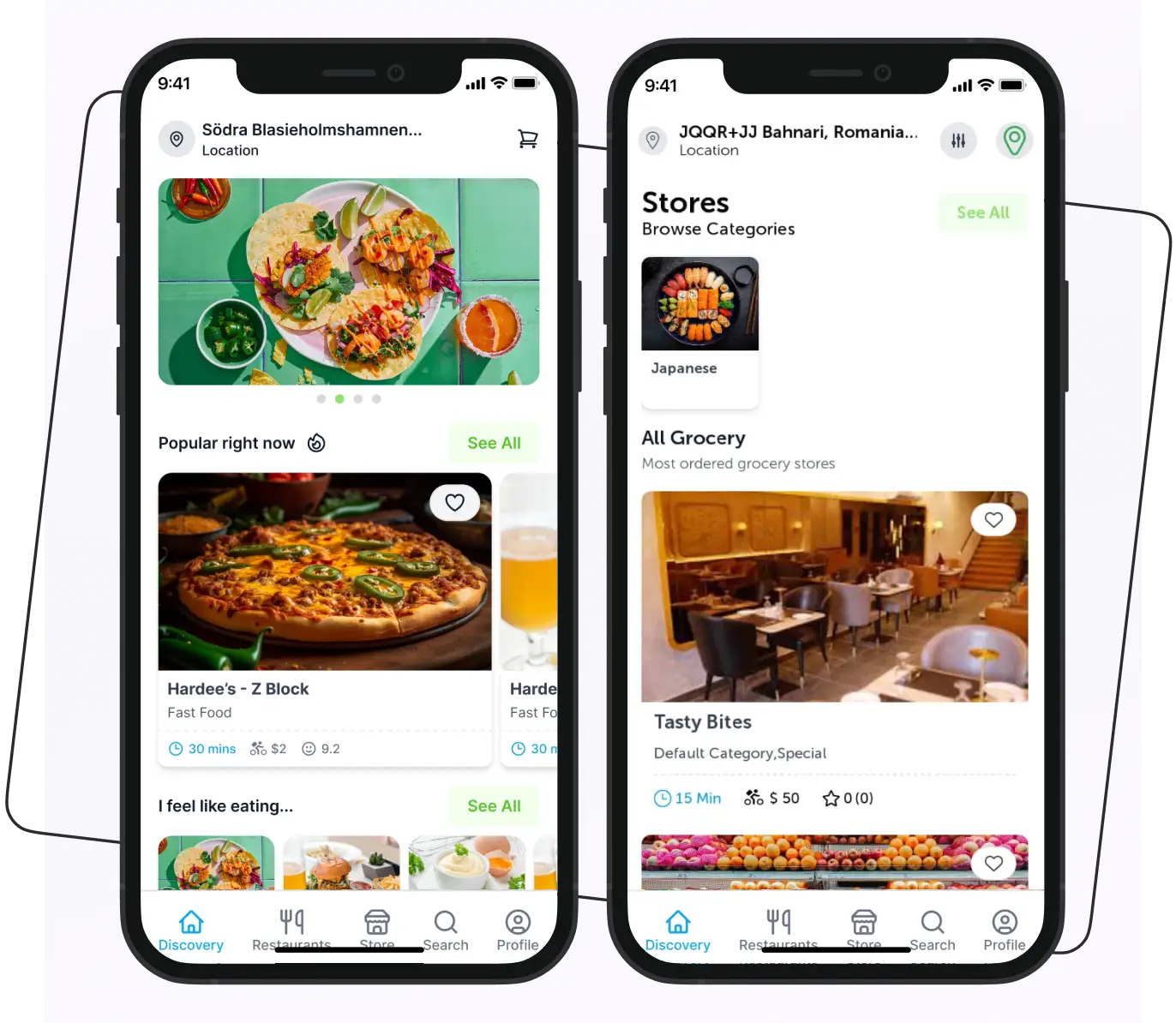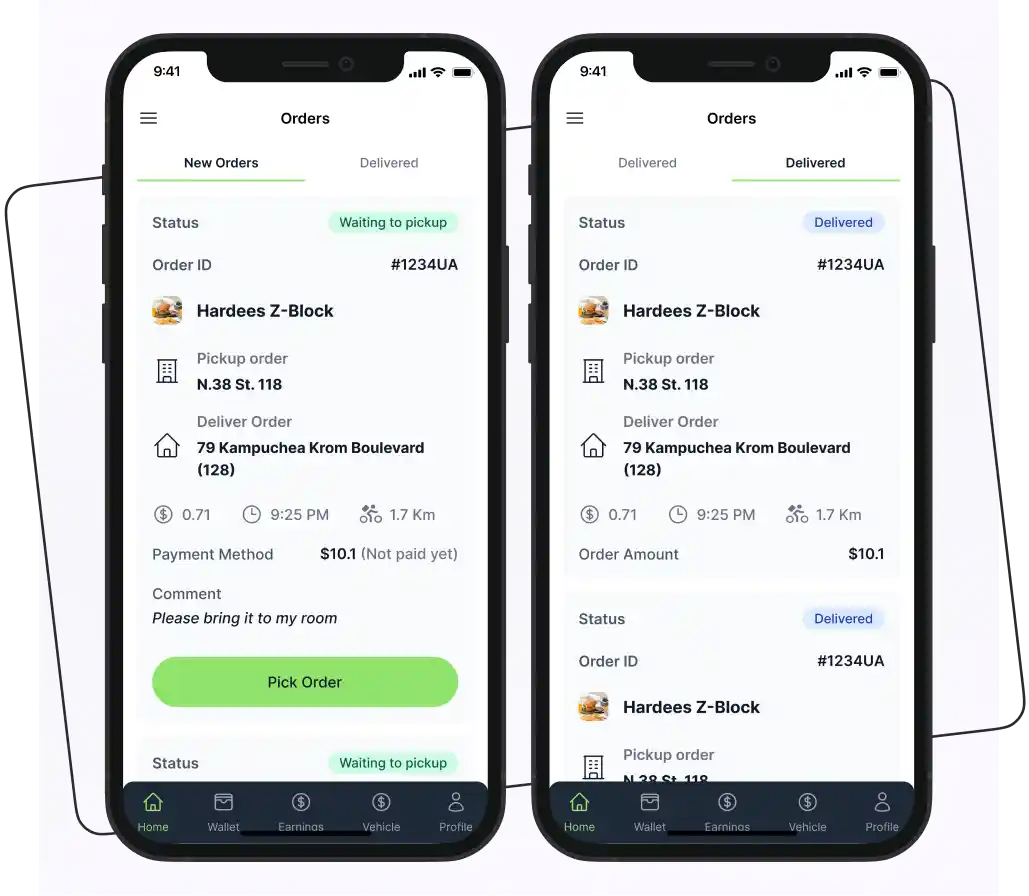


To build a Glovo clone app, follow these steps:
- Research your market and competitors
- Choose your business and revenue model
- Define your MVP features
- Design the UI/UX
- Develop the customer, vendor, rider, and admin apps
- Test the platform
- Deploy and maintain the platform
Food delivery businesses have progressively increased in the last few years. All food business owners try to stay competitive in the food delivery market. Behind the success of food delivery businesses are the food apps that play a significant role in helping them achieve their goals.
If you’re a restaurant owner hoping to improve your sales, consider building the Glovo Clone app. Whether it’s food, groceries, or pharmacy delivery, a Glovo clone app enables you to offer convenience and expand your audience.
So, in this blog post, we will discuss all the things that help you launch a successful on-demand delivery app with a Glovo clone.
Supercharge your deliveries with Enatega.
Launch NowWhat is the Glovo App?
Glovo is a multi-category on-demand delivery platform that connects customers with restaurants, grocery stores, pharmacies, and other local businesses. Customers can use the platform to order products and have them delivered to their preferred location.
Unlike a food-only delivery app, a Glovo-like platform can support multiple categories, including food, groceries, pharmacy products, convenience items, and other local deliveries. Its availability and services vary by market, so businesses planning to build a similar platform should research the specific categories and delivery requirements in their target market.
How Does Glovo Work?
Below is a workflow of the Glovo app.
- Download: Users begin by downloading the Glovo app, where they can browse a variety of restaurants, stores, and categories.
- Select Items: They choose their desired items and add them to their cart.
- Order Processing: The order is then sent to the chosen store or restaurant for preparation.
- Delivery: A Glovo courier picks up the prepared order and delivers it directly to the customer.
What is a Glovo Clone?
A Glovo clone is a customizable, multi-category on-demand delivery platform inspired by Glovo’s core functionality. It can connect customers with restaurants, grocery stores, pharmacies, convenience stores, and other local businesses through a single platform.
Depending on your business model and target market, a Glovo-like platform can support multiple services, such as food delivery, grocery delivery, pharmacy delivery, courier services, and other on-demand deliveries.
The primary purpose of creating the Glovo clone app is to:
- Launch your own branded delivery platform
- Connect customers with multiple local businesses
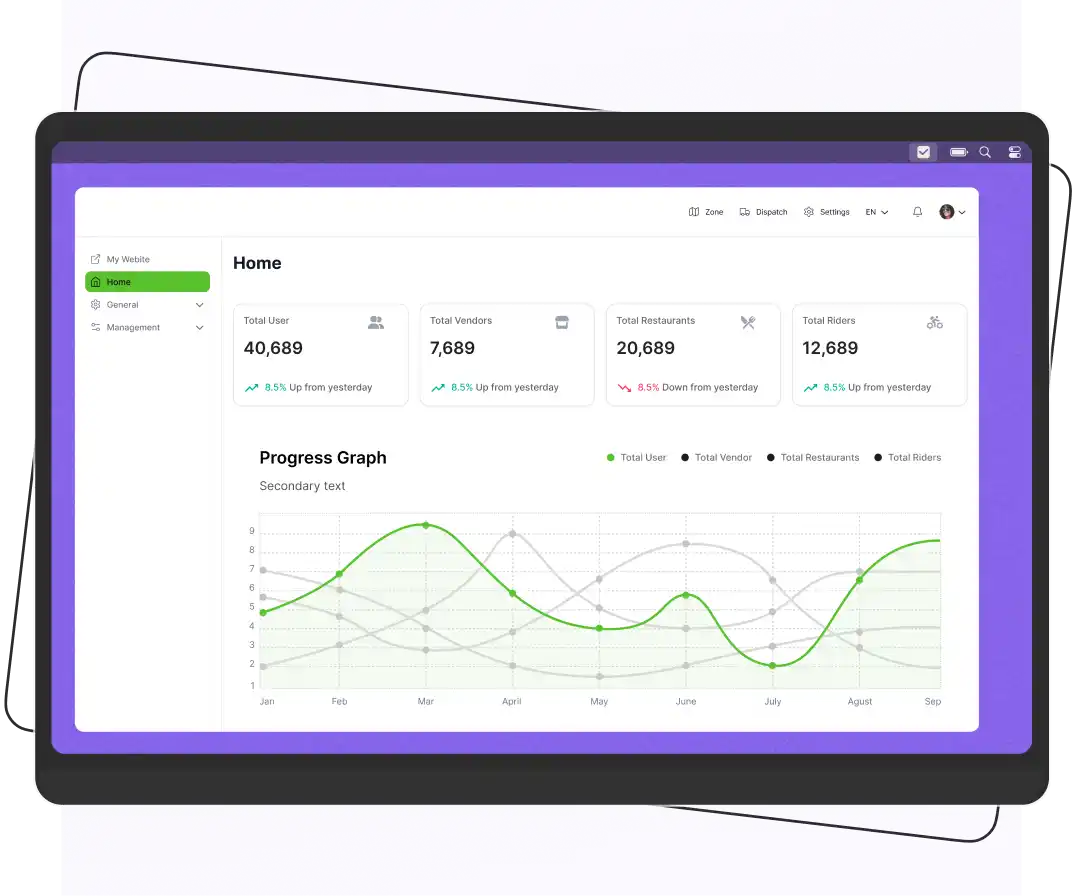
- Manage orders, vendors, and delivery operations from one system
- Support multiple delivery categories
- Create your own revenue model
- Customize the platform according to your market and business requirements
A pre-built or white-label Glovo-like solution can reduce development time because core features may already be available. However, the platform should still be customized to match your branding, target market, delivery model, and operational requirements.
If you’re considering launching a multi-category delivery business, a Glovo clone script can provide a starting point for offering food, grocery, pharmacy, courier, or other on-demand delivery services.
Services You Can Offer Through a Platform Like Glovo
A multi-category delivery platform can support different services depending on your target market and business model. Common options include:
Flower and gift delivery: Local stores can use the platform to accept and fulfill scheduled or on-demand orders.
Food delivery: Customers order meals from restaurants and receive them through the platform’s delivery network.
Grocery delivery: Customers can order groceries and household essentials from supermarkets and local stores.
Pharmacy delivery: Customers can order eligible pharmacy products where permitted by local laws and regulations.
Courier delivery: Customers and businesses can request the pickup and delivery of documents, parcels, and other permitted items.
Convenience delivery: Stores can offer everyday products such as snacks, beverages, and household essentials.
How Does the Glovo Clone App Make Money?
A Glovo clone app makes money by charging commissions on partner sales, collecting delivery fees from users, and selling in-app advertising.
Let’s discuss them.

Commissions
The platform can charge restaurants, grocery stores, pharmacies, or other business partners a percentage of each order generated through the marketplace.
The commission rate can vary based on the business category, agreement with the partner, and local market conditions.
Delivery Fees
The Glovo app clone generates revenue by charging customers delivery fees for each order placed through the platform. These fees can vary based on the order size, distance, and time of day.
Subscription Fees
The app can offer subscription plans for frequent users, providing benefits such as reduced delivery fees, exclusive deals, or priority service.
Advertising
The platform can generate additional revenue by offering sponsored listings, promoted stores, featured products, or other advertising placements. Revenue will depend on the number of participating businesses, customer traffic, and the platform’s pricing model.
Glovo Clone vs Glovo
Look at the table below and understand the main differences between the Glovo clone and Glovo.
| Aspect | Glovo (Original) | A Clone/White-Label Build |
| Ownership | Delivery Hero (majority owner since 2022) | The business that commissions or buys the build |
| Revenue model | Commissions, delivery fees, ads, subscriptions | Same model, fully under your control |
| Customization | None. You’re a listing, not the platform owner | Full control over branding, fees, and features |
| Launch time | Already live | Weeks to months with a pre-built base; 6-12+ months from scratch |
| Market reach | Existing user base in ~20 countries | Built from zero. Depends entirely on your local marketing and vendor acquisition |
| Ongoing support | Handled by Glovo/Delivery Hero | Your responsibility (or your vendor’s, if using white-label support) |
Why Businesses Choose to Build One
Below are the benefits that businesses get from building their own app like Glovo.
Faster time to market with a pre-built base. Starting with a proven codebase can help you launch much faster than building an app from scratch. However, the actual time saved depends on how much customization your business needs.
They keep the revenue instead of paying it to a third-party platform. Restaurants and local retailers that currently list on Glovo, Uber Eats, or similar apps pay 15-30% commission per order in most markets. Owning the platform converts that into a cost center you control.
They can support categories no single competitor covers well in their market food plus pharmacy plus courier, for example which is often the actual gap in mid-sized cities rather than food delivery alone.
Features of the Glovo Clone App
Below are some great features you should incorporate into your ready-to-use Glovo clone app solution.

Ratings and Reviews
A food delivery app like Glovo often includes a rating and review system that enables users to provide feedback and rate the services they receive. This feature helps businesses maintain service quality and improve customer satisfaction.
Live Order Tracking
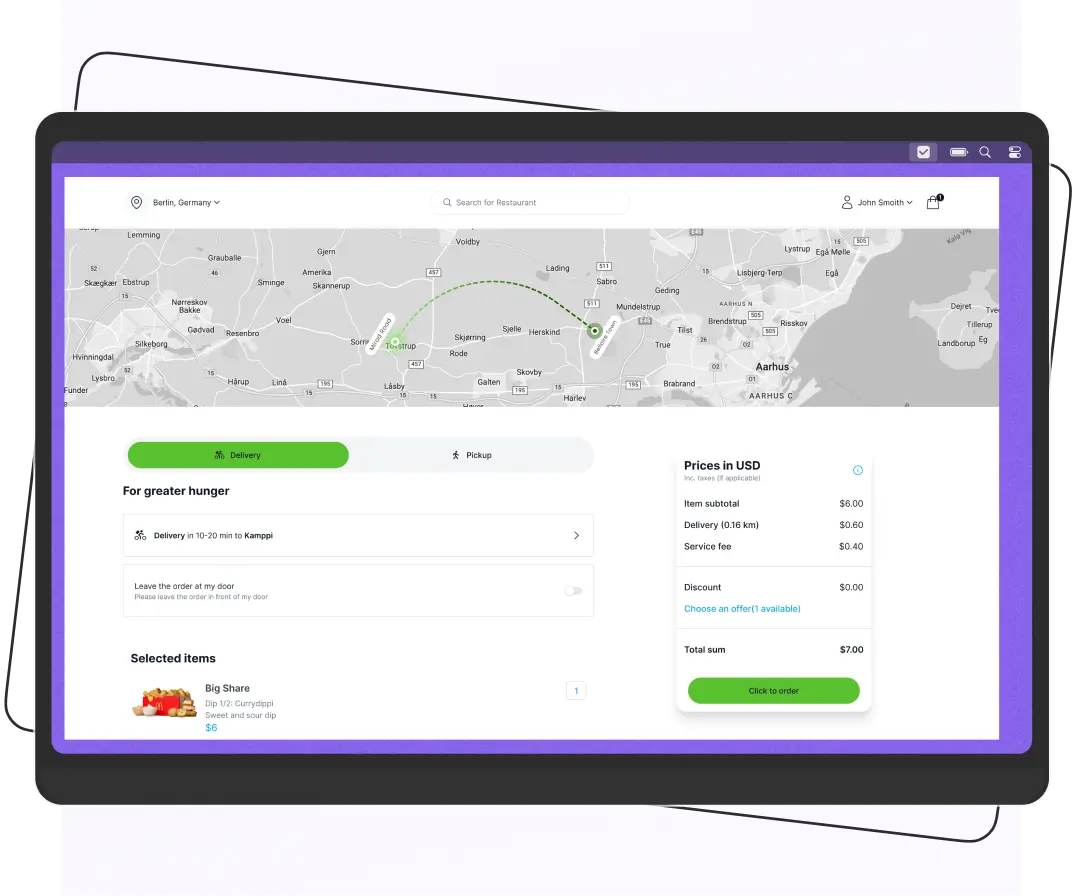
Integrate maps and location services to allow customers to view order status and the rider’s approximate location during delivery. The platform can use location updates to improve visibility for customers, vendors, riders, and administrators.
Multiple Payment Options
Integrate payment methods that are relevant to your target market, such as credit and debit cards, digital wallets, bank payments, or cash on delivery where appropriate. Offering familiar payment options can reduce checkout confusion, but the best combination depends on customer preferences and local payment infrastructure.
In-App Communication
In-app chat or messaging can allow customers, vendors, and riders to communicate about delivery instructions, order details, or other relevant issues. Businesses can also use predefined messages or masked communication to reduce the need to expose personal contact information.
Order Management
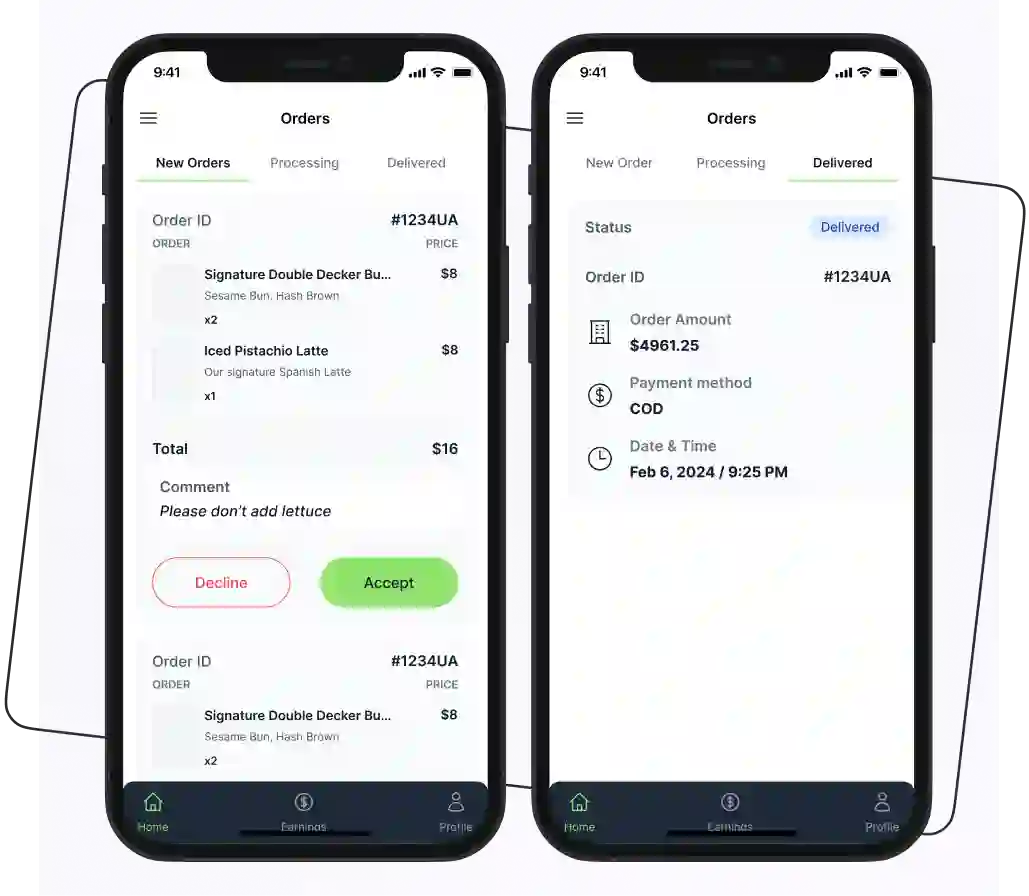
Handling orders is a top priority for restaurants, and this feature makes it easier for them to manage their orders without hassle. Restaurants have the option to accept or reject orders and keep track of all orders through the app.
Advanced Filters
Users can use filters to search by restaurant name, cuisine type, and location. Also, the users can search for menu items by dietary requirements or specific types of food, such as vegetarian or non-vegetarian. It helps them to save time by scrolling through endless search results.
More Advanced Features of the Glovo Clone App
Here are some advanced features of the Glovo clone app.
Automated Rider Assignment
Automated rider assignment can help manage the delivery process by matching orders with available riders based on factors such as:
- Location
- Availability
- Delivery area
- Current workload
This reduces the need for manual dispatching and can help businesses manage orders more efficiently as delivery volume increases.
Scheduled Delivery
Scheduled delivery allows customers to select a preferred date and time for their orders instead of requesting immediate delivery. The platform can send the order to the relevant vendor at the appropriate time and coordinate delivery with an available rider. This feature is particularly useful for grocery, pharmacy, catering, and other orders that customers plan.
Take Away
Users can also choose the option of takeaway. They can also set the scheduled time and place for the takeaway order. This feature makes online food ordering easier and seamless.
Technology Stack Used in the Glovo App Clone
The tech stack selection depends on your budget and the requirements of your project. Several top Android and iOS app development companies use the latest tech stacks for high-profile product development. However, there is no single technology stack that every delivery platform must use.
The table below represents the tech stack that is used to build the Glovo clone app.
| Layer | Common Options | When to Choose Which |
| Mobile apps | React Native, Flutter | React Native if your team already knows JavaScript/React; Flutter if you want more native-feeling performance and don’t mind Dart |
| Backend | Node.js, Python (Django/FastAPI) | Node.js pairs naturally with a React Native front end and handles real-time order updates well |
| Database | PostgreSQL | Preferred over MongoDB for orders, vendors, and payments; relational data is better suited, and PostgreSQL’s constraints catch data integrity issues that MongoDB won’t |
| Real-time updates | WebSockets or Firebase Realtime Database | Firebase if you want to avoid managing your own real-time infrastructure early on |
| Maps/location | Google Maps Platform | Mapbox is a viable lower-cost alternative once your API call volume grows |
| Payments | Stripe, Adyen, or a local gateway | Local gateways matter more than people expect. Stripe doesn’t cover every country, and cash-on-delivery reconciliation still needs to be built even if you’re “digital-first” |
| Cloud | AWS or Google Cloud | Either is fine; pick based on your team’s existing familiarity rather than marginal feature differences |
For example, a business that wants to launch quickly may choose a cross-platform framework for its mobile applications. A larger operation may use a more customized architecture based on its scalability and integration requirements.
The final technology choices should be made according to the platform’s functional and technical requirements rather than simply selecting the newest technologies.
7-Step Process to Launch Your Own Glovo Clone App
Creating the Glovo clone app helps to streamline the process and make your food delivery process quick and efficient.
Below are some steps to help you build the customizable Glovo clone app solution.
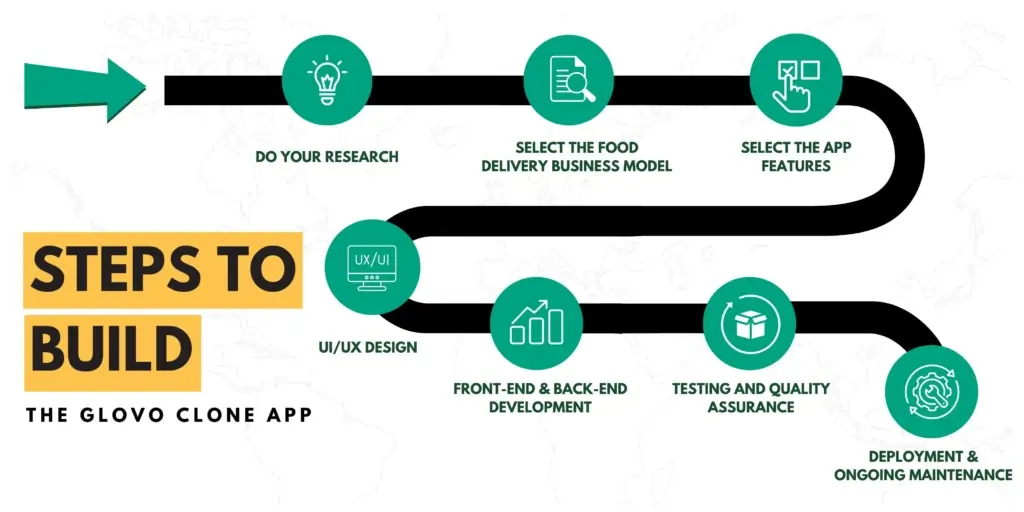
1. Do Your Research
Before development begins, define the market you want to serve and identify the problems your platform needs to solve. Research:
- Your target customers
- Local competitors
- Available restaurants or stores
- Delivery expectations
- Pricing
- Existing gaps in the market
Also determine which categories you want to launch with. Starting with food, for example, may require a different operational setup than launching with food, groceries, and pharmacy delivery simultaneously.
Use this research to define your target audience, service area, initial features, and launch strategy.
2. Select the Food Delivery Business Model
To choose the appropriate food delivery business model for your clone app, you need to consider your requirements and the market dynamics. Decide how your platform will operate and how it will generate revenue. Common models include:
- Aggregator model: Multiple restaurants or stores list their products, while the platform earns revenue through commissions, delivery fees, or other charges.
- Logistics model: The platform focuses primarily on providing delivery services for businesses.
- Subscription model: Customers or businesses pay a recurring fee for benefits or access to specific services.
- Hybrid model: The platform combines multiple revenue streams, such as commissions, delivery fees, subscriptions, and advertising.
3. Define Your MVP Features
Instead of trying to reproduce every feature of a large delivery platform from day one, identify the features required to operate in your initial market.
For the MVP, consider features such as:
- Customer registration and login
- Restaurant or store discovery
- Search and filters
- Product or menu browsing
- Cart and checkout
- Payment processing
- Order management
- Rider assignment
- Delivery status tracking
- Push notifications
- Vendor management
- Rider management
- Admin controls
You can introduce advanced capabilities such as:
- Automated dispatch
- Scheduled delivery
- Loyalty programs
- Detailed analytics
4. UI/UX Design
This involves creating visually appealing screens, icons, and a seamless user flow for the app. The objective is to design a user-friendly interface that simplifies navigation, enables easy browsing of menus, and enhances the overall user experience.
5. Front-End and Back-End Development
The app will require development on both the client-side (front-end) and server-side (back-end). The front-end development involves coding the user interfaces and implementing the app’s functionalities.
The back-end development involves building the server infrastructure, database management, and integration with third-party services.
6. Testing and Quality Assurance
It’s crucial to thoroughly test the app to ensure it functions correctly and is free of bugs. The cost for testing can vary based on the size and complexity of the app.
7. Deployment and Ongoing Maintenance
After app development, it is crucial to deploy it to the app stores, such as the Apple App Store and Google Play Store. Additionally, ongoing maintenance, updates, and bug fixes should be done to ensure a smooth and optimized user experience in the long run.
How Much Does it Cost to Develop an App Like Glovo?
The cost to develop an on-demand delivery app like Glovo ranges from $10,000 to $100,000+ for a custom-built solution. If you choose a ready-made, white-label script or SaaS template, costs can be as low as $4,000 to $10,000 for initial setup.
| App Type | Estimated Cost |
| White-Label / Pre-Built | $4,000 – $10,000 |
| Basic MVP | $10,000 – $40,000 |
| Mid-Level App | $40,000 – $100,000 |
| Advanced Platform | $100,000+ |
The cost to develop an app like Glovo can depend on several factors, including:
- The complexity of the app
- The platforms you want to target (e.g., iOS, Android)
- The features and functionalities you want to include
- The development team’s location rates
Additionally, it’s worth noting that ongoing expenses such as marketing, server hosting, and customer support should be taken into account.
What Are The Main Challenges In Building Food Delivery Apps?
Below are some challenges that you will face in building a food delivery app like Glovo.

Identify the Target Market
Identifying the target market is one of the biggest challenges that food business owners face. Without knowing your target audience’s interests, you can not create a successful app.
To solve this issue, you need to do research and identify your potential users, their preferences, and their pain points. Understanding the target audience’s interests can help build an app that can generate more revenue and sales.
Managing Logistics
It is another main challenge that businesses face in the Glovo clone app development phase. Efficient management of the delivery fleet, timely deliveries, and inventory management can be a daunting task.
However, using the Glovo clone app, you can manage your delivery operations easily and seamlessly.
Partnership with Restaurants
Finding the right partnership with restaurants can be challenging. Convincing the restaurants to join your platform takes time and effort.
To address this challenge, use the Glovo clone app. They have a vast network of businesses and food service providers that offer a wide range of products.
Scalability
A well-designed Glovo-like platform can be built to support increasing numbers of users, vendors, riders, and orders. However, scalability depends on factors such as:
- The application architecture
- Database design
- Cloud infrastructure
- Caching
- API performance
Planning these components from the beginning can make it easier to expand into additional service areas and markets.
Build a Glovo Clone App with Enatega
Build your own Glovo-like multi-category delivery platform with Enatega. Instead of developing everything from scratch, you can start with a pre-built delivery platform and customize the branding, features, and delivery workflows to fit your market.
Enatega can be used as a foundation for services such as food, grocery, pharmacy, and other on-demand deliveries, helping you reduce development time and launch your platform faster.
FAQs
Yes. You can use the same revenue model as Glovo, with vendor commissions and customer delivery fees as the main revenue streams from the start. Subscriptions and advertising can be added later as your platform builds a steady order volume.
Below are some strategies to help you promote your food app like Glovo.
Use social media platforms
Offer deals and discounts
Use email marketing
Partner with local restaurants
Launching a food delivery app with a Glovo clone can be done relatively quickly, potentially within a few weeks using pre-built solutions, but the exact time frame depends on customization and development needs.
A single-category MVP built on a pre-built base takes 6-10 weeks. A custom-built, multi-category platform from scratch usually takes 4-8 months, depending on how many integrations (local payment gateways, SMS providers, etc.) you need.
Yes, one platform can support all three categories. However, each category may require different catalog structures and order workflows. Pharmacy delivery also requires additional regulatory checks based on local laws, so it should be planned separately.
Yes, using service zones and city-specific vendor onboarding, but expect to rebuild parts of your rider-assignment and pricing logic rather than simply duplicating city one’s setup.
Supercharge your deliveries with Enatega.
Launch NowConclusion
Food delivery apps have gained much popularity in the past few years. With the clone apps, business owners can run their businesses without hassle and expand their customer base. Additionally, when you design the app for your business, keep the budget, timeline, and goals in mind.
Ready to launch your own Glovo-like delivery platform?
Launch a customizable multi-category delivery platform for food, groceries, pharmacy, and other on-demand services. Choose the features, branding, and business model that fit your market.
Explore the Glovo clone solution.
About the author

Hudaibia Khalid is a senior content writer with several years of experience in creating clear and easy-to-understand content. Over the years, she has worked closely with startups, restaurants, and entrepreneurs, helping them simplify complex digital and technical topics into actionable insights.
Her expertise lies in writing about on-demand platforms, food delivery solutions, and business growth strategies in a way that is accessible even to non-technical readers. With her experience in the industry, she focuses on guiding businesses step by step, from understanding ideas to turning them into fully working solutions.
SHARE






 IOS
IOS Android
 Web
Web